- WordPress still powers 43% of the web in 2026. That scale makes its design trends commercially relevant, not just aesthetic.
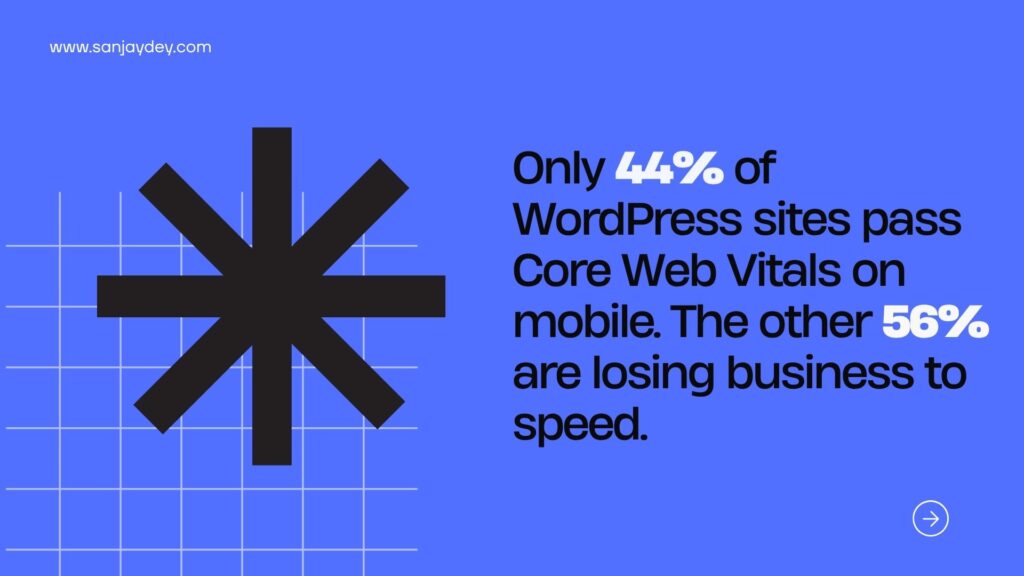
- Only 44% of WordPress sites pass Core Web Vitals on mobile. Speed is now the single biggest differentiator between business sites that convert and sites that don’t.
- The 15 trends below are the ones I’ve seen pay back for clients — not the ones that look good in theme previews.
- Most of the wins come from boring decisions: fewer plugins, fewer fonts, fewer third-party scripts, better content hierarchy.
- WordPress design trends 2026 reward businesses that treat the site as a product, not a brochure.
Table of Contents
- Why 2026 is a reset year for WordPress design
- 1. Performance-first theme selection
- 2. Block-based full site editing (FSE) as the default
- 3. AI-assisted content layouts — with guardrails
- 4. Conversion-led hero sections
- 5. Micro-interactions that carry meaning
- 6. Typography as primary brand asset
- 7. Dark mode as a real option, not a gimmick
- 8. Accessibility-first design (WCAG 2.2)
- 9. Modular content blocks for scale
- 10. Scroll-triggered storytelling
- 11. Trust signals designed into the layout
- 12. Progressive image and video loading
- 13. Minimalist navigation for mobile-first traffic
- 14. Schema-ready design components
- 15. AEO-optimised content blocks
- Geographic relevance: USA, UK, UAE, Australia, India
- FAQs
- Closing thought and CTA
Why 2026 is a reset year for WordPress design
I’ve spent the last two decades designing enterprise interfaces — dashboards for ArcelorMittal, Adobe, NatWest, Indian Oil, and government programmes. WordPress sat outside most of those projects. But when my consulting clients ask me to audit their marketing sites, 8 out of 10 are on WordPress. And the same mistakes keep showing up.
Here’s the current state. WordPress powers 43.5% of all websites and 62.8% of the CMS market in 2026, up 1.2 percentage points year over year. That’s not a platform in decline. But scale hides a harder truth: as of mid-2025, only 44% of WordPress sites on mobile devices pass all three Core Web Vitals. More than half of business sites on the most popular CMS in the world are losing rankings and revenue to slow pages.
That gap is the real story of 2026.
Design trends used to be debates about colour palettes and hero animations. Now the trends that matter are the ones that touch business outcomes directly — page speed, mobile conversion, trust, schema, accessibility. Aesthetics still count. But a beautiful site that loses a second of load time loses customers measurably. Deloitte found that a 0.1-second improvement in retail load speed lifts conversion rates by 8.4%.
This article is my working list of the 15 WordPress design trends that actually move the needle for business websites in 2026. Each one is informed by work I’ve done, audits I’ve run, or patterns I’ve seen repeat across 20 years of client projects. I’ve written more on the foundations in my broader take on WordPress web design trends for high-converting sites, but this piece focuses on the trends as standalone decisions a business can act on this quarter.
Let’s get into them.
1. Performance-first theme selection
The biggest design decision on a WordPress site isn’t colour, layout, or hero image. It’s the theme.
Most business sites I audit still run themes bought in 2021 or earlier — bloated with demo content importers, page builders nested inside page builders, and 60+ font variants loaded by default. The result: 180KB of CSS before a single paragraph of content.
In 2026, the serious WordPress studios are standardising on lean block themes. Kadence, Blocksy, GeneratePress, and the latest iterations of Astra all share one principle: ship as little CSS and JavaScript as possible by default. Only load what the page uses.
Here’s what that looks like on a home page I rebuilt for a SaaS client last quarter:
| Metric | Old theme | New block theme |
|---|---|---|
| Initial CSS payload | 312 KB | 48 KB |
| LCP (4G mobile) | 4.2 s | 1.9 s |
| Lighthouse performance score | 47 | 92 |
| Conversion rate (signup) | 2.1% | 3.4% |
That’s not a theoretical case. That’s one quarter of work, one theme swap, and a rebuild of four templates.
The trade-off most guides skip: block themes require a different content operation. Your marketing team has to learn FSE. Your content editors lose some WYSIWYG comfort. If you don’t invest in training, you’ll get a fast site that looks worse six months later because nobody knows how to edit it properly.
[ALT: comparison table showing old WordPress theme versus block-based theme performance metrics]
2. Block-based full site editing (FSE) as the default
Full site editing stopped being experimental in 2024. By 2026, it’s the default way serious teams build WordPress sites.
FSE matters because it collapses the gap between design and development. Headers, footers, archive templates, 404 pages — all of it lives in the same block system as the content. A designer can ship a layout change without waiting on a developer to touch PHP.
That sounds like marketing copy until you look at what it means for a business. A mid-size agency I worked with used to take 4–6 weeks to roll out a new landing page template across 30 client sites. With FSE and synced patterns, that dropped to 3 days.
The bigger shift is how FSE forces teams to think in components. If your header changes, it changes everywhere — because it’s the same block pattern, not a duplicated template. This is the same thinking behind atomic design systems, applied to WordPress.
Where FSE still breaks: dynamic content. Custom post type archives, complex query loops, and anything that needs PHP logic still require developer work. Don’t sell FSE to stakeholders as a “no developer needed” solution. Sell it as “fewer developer hours per change.”
That’s a sellable story. The other one isn’t true.
3. AI-assisted content layouts — with guardrails
AI inside WordPress took a sharp turn in 2025. By 2026, tools like Divi AI, Elementor AI, and Kadence AI can generate page sections from a prompt — sometimes badly, sometimes surprisingly well.
Here’s the honest practitioner view. AI layout generation is useful for:
- First drafts of landing page sections
- Rewriting hero copy variants for A/B testing
- Generating alternative CTA blocks
- Producing starter wireframes a designer can refine
It is not useful for: final design, brand voice, or anything where consistency across pages matters.
The teams getting value from AI inside WordPress share a pattern. They treat AI output as the 40% that gets them started, not the 100% that ships. I wrote more about this distinction in my breakdown of AI UX design productivity in 2026 — the short version: AI compresses the “blank page” phase, not the “shipping quality” phase.
Give your team a clear rule. Anything AI generates gets reviewed by a designer before publish. Without that rule, you end up with a site that looks like five different brands.
4. Conversion-led hero sections
Most WordPress hero sections in 2026 still look like they were designed in 2018 — a full-width stock image, a vague headline, and a “Learn More” button.
That pattern is dying. The businesses actually converting on WordPress are using hero sections as compressed sales pages. The anatomy I see working:
- A headline that names the customer’s problem in their words (not yours)
- A subhead that states the outcome in a measurable way
- One primary CTA (never two)
- A proof point visible above the fold — a client logo row, a testimonial line, a G2 rating
- A product shot or product UI screenshot — not a stock photo of a laptop
The mechanics here aren’t new. I’ve covered them in depth in my guide to UX design for SaaS conversions. What’s new is how WordPress block libraries are catching up. You can now build this pattern in 20 minutes with native blocks — no page builder needed.
One warning. Don’t copy hero sections from competitors. Every audit I do starts with the same observation: three SaaS companies in the same category have nearly identical heroes. The one that converts is the one whose headline sounds like it was written by a customer, not a marketing team.
[ALT: example of a conversion-led WordPress hero section with headline subhead CTA and proof point]
5. Micro-interactions that carry meaning
Micro-interactions used to be decoration. In 2026, the ones surviving on business sites are the ones that reduce interaction cost.
A form field that turns green when input is valid. A button that dims slightly while a request is processing. A menu item that shows a subtle underline as you hover, telling you it’s clickable. These are small. They also reduce the cognitive work the user does to understand what’s happening.
Compare that to the other kind of micro-interaction — a 2-second page transition that plays every time someone clicks a link. That’s not feedback. That’s friction disguised as polish.
I’ve written more about the business case in mobile micro-interactions that boost engagement by 30%. The core test is simple: does the micro-interaction give the user information they didn’t have, or does it just delay them?
If it doesn’t pass that test, cut it.
WordPress in 2026 makes this easier. Both Gutenberg and the major page builders ship with animation controls built in. The temptation is to use all of them. The discipline is to use one or two and stop.
6. Typography as primary brand asset
Here’s a question I ask clients: if you removed your logo, how would a user know it’s your brand?
Most WordPress sites in 2026 can’t answer that. They use Poppins or Inter for everything, run the same default heading weights, and rely on the logo to do the brand work.
The shift worth making this year: treat typography as your brand’s fingerprint, not an afterthought. That means:
- One display face (for H1 and H2) that’s distinctive enough to be recognisable
- One body face tuned for screen legibility
- Clear typographic scale — I default to a 1.25 or 1.333 ratio
- Line lengths between 55 and 75 characters on desktop
- Letter-spacing adjustments on small caps and all-caps labels
This isn’t about being decorative. Typography is the component users see most. Get it right, and everything else feels considered. Get it wrong, and no amount of hero animation will save the site.
I go deeper into this in my guide to top font and colour pairings for modern sites. The short version: your typography system should look exactly like the brand even in black and white on a blank page.
The performance trade-off: every extra font weight is extra KB. Most business sites need 3 weights total — regular, medium, bold. Not 9.
7. Dark mode as a real option, not a gimmick
Dark mode stopped being a novelty around 2023. By 2026, users expect it on apps and increasingly on business websites, especially SaaS marketing sites and developer tools.
The WordPress implementation I see working follows three rules:
- Respect the OS preference by default (
prefers-color-scheme: dark) - Offer a manual toggle in the header or footer
- Design both themes properly — don’t just invert colours
That third rule is where most sites fail. Dark mode isn’t “light mode with the colours flipped.” Contrast ratios change. Shadows need rebuilding. Images that had a white background now need a transparent version. Illustrations designed for light backgrounds look alien on dark ones.
Budget time for it, or don’t ship it. A bad dark mode is worse than no dark mode.
One more thing — don’t force dark mode on users who haven’t opted in. A business site that loads dark on first visit to a user who’s on light-mode OS is a UX failure, not a design statement.
8. Accessibility-first design (WCAG 2.2)
Accessibility stopped being a legal checkbox around 2024. In 2026, it’s a design discipline, a ranking signal, and in several markets, a legal requirement.
The European Accessibility Act came into force in June 2025. It applies to most business websites serving EU users. US businesses are already seeing ADA-related web lawsuits at record rates. Australia’s Disability Discrimination Act has been enforced on digital properties for years.
WordPress has strong accessibility defaults in modern block themes. The failure points are usually in:
- Custom-designed buttons with poor contrast
- Form fields without visible labels
- Hero videos that autoplay with sound
- Image sliders that can’t be paused
- Navigation menus that can’t be operated with a keyboard
I’ve written the operational playbook in accessibility-first design and WCAG 2.2 standards. The practitioner rule: every component you design should be usable with a keyboard only, a screen reader only, and at 200% zoom. If any of those fail, it’s not done.
This also pays back in SEO. Accessible sites rank better because they’re structurally cleaner. The work you do for one helps the other.
9. Modular content blocks for scale
If your WordPress site has more than 20 pages, you’re not designing pages anymore. You’re designing a system.
That’s the shift I watch teams fail to make. They design the homepage beautifully, then hand-build every subsequent page, and six months later the site looks like three sites stitched together.
The discipline for 2026: build a kit of 15 to 25 reusable content blocks and compose every page from that kit. A block for a feature grid. A block for a testimonial row. A block for a pricing comparison. A block for an FAQ. A block for a CTA band.
Each block has:
- Fixed spacing rules
- Fixed typographic treatments
- Light and dark variants
- A defined set of allowed variations
The first build takes longer. Every build after is 3x faster and 3x more consistent. This is the same thinking behind modern design systems for UI/UX teams, applied at the WordPress page-builder level.
WordPress makes this easier than ever in 2026. Synced patterns in Gutenberg do most of this natively. Elementor has global widgets. Bricks has components. The platform isn’t the bottleneck. The discipline is.
10. Scroll-triggered storytelling
Scroll animations are having a moment again. I have mixed feelings.
Used well, scroll-triggered reveals can pace a product story across a long landing page — revealing a feature, then its benefit, then its proof point, in sync with the reader’s attention. Apple’s product pages have done this for years. Stripe’s docs do it. Linear’s marketing site does it.
Used badly, scroll animations are why a user on a mid-range Android device watches your hero animate in at 12fps while their scroll input is ignored for 400ms. That’s not storytelling. That’s jank.
The 2026 rule I use with clients:
- Animate only elements above the fold or entering the viewport
- Keep animations under 400ms
- Respect
prefers-reduced-motion— it’s not optional - Test on a real mid-range Android device before shipping
WordPress tools for this are mature — GSAP via a plugin, native CSS scroll-driven animations, or the animation controls in most major builders. The restraint has to come from the designer, not the tool.
If you’re designing for business audiences on mobile, lean conservative. You’ll lose fewer users than you’d gain from polish.
11. Trust signals designed into the layout
Trust is a design problem, not a content problem. The sites that convert in 2026 treat trust signals as layout elements — not things you bolt on at the end.
What that looks like:
- A client logo row inside the hero section, not 600px down the page
- Testimonial blocks placed right before the CTA — every single time
- Security badges near the form, not in the footer
- Review ratings visible on category pages, not only on product pages
- “As featured in” placements above the fold for B2B
The business impact is measurable. In one SaaS audit I ran for a UK client last year, moving a G2 rating and three customer logos from the footer to a position just under the hero headline lifted demo sign-ups by 19% in 30 days. Nothing else changed.
I wrote more on this pattern in UX improvements that build customer trust in 2026. The short rule: trust signals belong where the user makes decisions, not where they finish scrolling.
12. Progressive image and video loading
Images are still the number one Core Web Vitals killer on WordPress. And most sites still do one of three things wrong:
- Upload 4000px-wide images and rely on the theme to scale them
- Use JPG where WebP or AVIF would cut the size by 40%
- Autoplay hero videos that weigh 8 MB on mobile
The 2026 baseline for business sites is non-negotiable. Serve AVIF with WebP fallback. Lazy-load everything below the fold. Use the native loading="lazy" attribute plus a CDN that does on-the-fly resizing (Bunny, Cloudflare Images, or Jetpack’s built-in image CDN).
The payoff is direct. A 0.1-second improvement in load time lifts eCommerce conversions by 8.4% and travel bookings by 10.1%. Over a quarter, that compounds.
For video, the rule is harsher. If you’re using hero video, it must be under 2 seconds, under 1 MB compressed, muted by default, and replaced with a static poster image on mobile. Anything else costs more than it earns.
Most WordPress performance plugins (Perfmatters, WP Rocket, LiteSpeed Cache) can automate the image optimisation. The video discipline has to come from the design brief, not a plugin.
13. Minimalist navigation for mobile-first traffic
Mobile traffic crossed 60% of web traffic years ago. In 2026 for most business categories, it’s closer to 70%. And yet most WordPress navigations are still designed desktop-first.
The fix isn’t dramatic. It’s restraint:
- Top-level menu: 4 to 6 items maximum
- One clear primary CTA in the header (not three)
- Dropdowns replaced by mega-menus only if you have 30+ pages worth organising
- Search visible, not hidden behind an icon
- Mobile menu that opens in under 200ms and can be closed one-handed
The hardest conversation here is internal. Stakeholders want their department listed in the main nav. Product managers want every feature page one click away. Marketing wants the blog prominent.
Your job as the designer is to push back. Every extra nav item adds cognitive load and lowers the probability that the user clicks the one thing that matters.
I’ve seen this pattern play out over and over. I’ve written about it in UX mistakes that lose customers in 2026. The short version: a cluttered nav is a self-inflicted wound.14. Schema-ready design components
This is the trend most WordPress designers miss. Every content block you design should be schema-ready.
What that means practically:
- FAQ blocks that emit
FAQPageschema - Testimonial blocks that emit
Reviewschema - Product blocks that emit
Productschema - How-to sections that emit
HowToschema - Article headers that emit complete
Articleschema
This isn’t a developer problem. It’s a design problem, because the way you structure your content blocks determines what schema is possible to generate.
Plugins like Rank Math, SEO Press, and Yoast handle most of this automatically — but only if your content is structured in a way they can read. A testimonial hand-coded into a paragraph block won’t be picked up. A testimonial built in a purpose-made testimonial block will.
The business reason this matters in 2026 is AI search. Answer engines — Google’s AI Overviews, Perplexity, ChatGPT Search — read schema to decide which sites to cite. The richer your schema, the more likely you’re the source quoted, not the site scrolled past.
I’ve covered the strategic angle in how business websites rank in Google AI Search in 2026. The design implication is simple: build blocks with schema in mind from day one.
15. AEO-optimised content blocks
The fifteenth trend is the most underrated. Design your content for answer engines, not just human readers.
Answer engines pull short, self-contained paragraphs to answer user questions. If your blog post has a 2,000-word essay with the answer buried in paragraph 14, it won’t get cited. If it has a clearly structured “answer capsule” — a bolded question followed by a complete 80–100 word answer — it will.
That’s a design decision. Your WordPress theme needs:
- A dedicated “answer capsule” block — bold question, short paragraph answer
- A “definition” block — term in bold, one-sentence definition
- A comparison block that directly contrasts two options
- Table of contents with jump links (AEO-friendly)
- FAQ accordion that emits FAQ schema
The content team writes these blocks; the design team makes them standard. I cover the full pipeline in my complete 2026 guide to Answer Engine Optimization.
Businesses that adopt this now are getting cited by AI engines as the source. Businesses that wait are losing organic traffic to the ones that didn’t.
Answer capsule: What is the most important WordPress design trend for business websites in 2026?
The most important WordPress design trend in 2026 is performance-first theme selection. Choosing a lean block theme, keeping total page weight under 1 MB, and passing Core Web Vitals delivers measurable gains in both search rankings and conversion rates. Deloitte’s research shows a 0.1-second speed improvement lifts retail conversions by 8.4%. Every other trend — typography, accessibility, scroll animation — depends on the site being fast first. Speed is the foundation all other design decisions sit on.
Answer capsule: How do I make my WordPress business website load faster in 2026?
To make a WordPress business site faster in 2026, start with the theme. Switch to a lean block theme like Kadence, GeneratePress, or Blocksy. Then serve images as AVIF with WebP fallback, enable lazy loading below the fold, remove plugins you don’t actively use, and route images through a CDN that handles on-the-fly resizing. Finally, check Google PageSpeed Insights monthly and aim for LCP under 2.5 seconds. These five changes solve 80% of WordPress speed problems without custom development.
Answer capsule: WordPress vs Webflow for business websites in 2026 — what’s the key difference?
The key difference between WordPress and Webflow in 2026 is ownership versus control. WordPress gives you full data ownership, a massive plugin ecosystem, and lower long-term costs, but requires more maintenance discipline. Webflow gives you tighter design control, better out-of-the-box performance, and lower maintenance overhead, but locks you into their hosting and pricing. For most small and mid-size businesses, WordPress remains the better choice for content-heavy sites. Webflow wins for marketing sites where design fidelity matters more than flexibility. I’ve compared both in detail in my Webflow vs WordPress 2026 breakdown.
Geographic relevance: USA, UK, UAE, Australia, India
WordPress is dominant globally but behaves differently in each market. Here’s how these 15 trends translate regionally.
United States
The US market prioritises speed and conversion metrics above all. SaaS and B2B buyers on the East and West coasts expect sub-2-second load times and polished interaction design. ADA lawsuits on non-accessible sites have climbed steadily since 2022. US-based clients I work with spend more on performance and accessibility upfront than design iteration — a reversal from five years ago. Core Web Vitals are a board-level conversation in US tech companies now, not just a marketing concern.
United Kingdom
UK businesses are more conservative in design but more demanding on compliance. GDPR enforcement continues to tighten around cookie consent, form data handling, and third-party scripts. Financial services clients I work with in the UK hold WordPress sites to the same accessibility and data standards as their apps. The design trend that lands hardest in the UK: trust signals, testimonials, and transparent pricing — British buyers reward restraint and clarity over visual ambition.
United Arab Emirates
The UAE market leans into visual polish and bilingual design. Arabic-first layouts are now the baseline for government, finance, and real estate WordPress sites. RTL (right-to-left) design must be built in from the start — retrofitting it costs 3–5x more than designing for it. Dubai and Abu Dhabi businesses expect premium typography, generous whitespace, and heavy use of brand imagery. Speed matters, but aesthetic perception carries more weight in the first impression than in Western markets.
Australia and New Zealand
The ANZ market behaves most like the UK in sensibility but with stronger mobile-first discipline. Australian WordPress sites I audit consistently outperform US counterparts on mobile Core Web Vitals. Accessibility enforcement under the Disability Discrimination Act is mature, and small businesses treat WCAG compliance as standard, not premium. The trend that resonates most here: minimalist navigation and trust-first layouts. Australian buyers are sceptical of overclaim — clean, honest design wins.
India
India’s WordPress market is the largest by user count and the most price-sensitive by budget. Small and mid-size Indian businesses rebuild sites every 2–3 years rather than maintain them continuously. The design trends that matter most here: mobile-first performance (since 80%+ of Indian traffic is mobile), regional language support, and modular content blocks that make frequent updates cheap. I see Indian agencies increasingly adopt block themes not for the design philosophy but for the operational efficiency. That’s a practical reason that wins over aesthetic ones.
FAQs
What are the most important WordPress design trends for business websites in 2026?
The most important WordPress design trends for business websites in 2026 are performance-first theme selection, full site editing, accessibility-first design, schema-ready components, and AEO-optimised content blocks. These five trends together shape both search visibility and conversion rates. Visual trends like dark mode, scroll animations, and typography still matter, but they sit on top of the performance and accessibility foundation. Without speed and accessibility, the rest is decoration.
How much does it cost to redesign a WordPress business website in 2026?
Redesigning a WordPress business website in 2026 ranges from $3,000 for a small business template-based build to $75,000+ for an enterprise custom design system implementation. Mid-sized businesses (10–50 employees) typically spend between $8,000 and $25,000 for a full redesign that includes strategy, UX research, block-based theme development, basic accessibility compliance, and CMS training. Budget more if you need RTL support, complex integrations, or custom plugin development.
Is WordPress still good for business websites in 2026?
Yes, WordPress remains a strong choice for business websites in 2026. It powers roughly 43.5% of all websites globally and offers the largest plugin and theme ecosystem available. The platform works well for content-heavy sites, blogs with commercial intent, and small to mid-size business sites. For pure marketing sites where design fidelity matters more than flexibility, alternatives like Webflow may serve better — but for most businesses balancing content, SEO, and budget, WordPress remains the practical default.
How do I choose the right WordPress theme for business in 2026?
To choose the right WordPress theme for business in 2026, prioritise performance over features. Pick a lean block theme like Kadence, Blocksy, or GeneratePress that ships under 60 KB of CSS by default. Check the theme’s Lighthouse score on its own demo site — if the demo scores under 85, the production build will be worse. Verify WCAG 2.2 compliance, full site editing support, and active update frequency. Avoid themes bundled with dozens of demo templates and heavy page builders.
Should business websites use page builders like Elementor or Divi in 2026?
Page builders like Elementor, Divi, and Bricks still have a place in 2026, but the trend is moving toward native block editor workflows for new builds. Page builders add performance overhead and create lock-in — migrating off them is painful. If your team already knows a builder and your site performs well, keep it. If you’re starting fresh, native blocks plus a good block theme is the lower-maintenance choice. Bricks remains the most performance-friendly of the page builders.
How do WordPress design trends affect SEO rankings in 2026?
WordPress design trends directly affect SEO rankings in 2026 because Google now weights performance, accessibility, and structured data heavily. Fast-loading sites with good Core Web Vitals rank higher. Accessible sites rank higher because their structure is cleaner. Schema-ready components make sites citable by AI answer engines, which increasingly drive discovery. A well-designed modern WordPress site can see 20–40% organic traffic lift within six months of redesign if SEO and design are done together — not sequentially.
What’s the difference between WordPress block themes and classic themes in 2026?
WordPress block themes use the native block editor and full site editing (FSE) for every part of the site, including header, footer, and archives. Classic themes use PHP templates and require code changes for layout updates. The key difference is editability: block themes let non-developers change structural elements without touching code. Block themes are also generally leaner in default payload. Classic themes still have a role for complex custom sites, but for most business websites, block themes are the 2026 default.
Closing thought
Fifteen trends sounds like a lot to manage. The honest answer is — you don’t need to adopt all of them this quarter.
Start with performance. A fast, accessible WordPress site beats a slow, beautiful one every time. Then move to schema-ready components and AEO content blocks — because that’s where AI search traffic is heading in 2026. The visual trends (typography, dark mode, scroll animation) matter, but they compound on top of the structural decisions.
If you’re running a business website on WordPress right now, do one audit this month. Check your LCP on mobile. Check your theme’s payload. Check which of your content blocks are schema-ready. That single audit will tell you which of these 15 trends matters most for your specific site.
If you’d like a second set of eyes on your WordPress site, book a free UX consultation with me — I run quick audits for business owners most weeks. You can also browse more of my UX strategy and design work at sanjaydey.com.
Design isn’t an aesthetic problem in 2026. It’s an operational one. The businesses that treat it that way will win the next cycle.
About the author
Sanjay Kumar Dey is a Senior UX/UI Designer and Digital Strategist with 20+ years of experience designing web, mobile, and enterprise dashboard interfaces for global brands. His client work spans ArcelorMittal, Adobe, NatWest Bank UK, ITC, Adani, Indian Oil, Eveready, and NSDC (Government of India). He writes on UX strategy, conversion design, and digital transformation at sanjaydey.com and consults with businesses across the US, UK, UAE, Australia, and India.
Leave a Reply