Executive Summary
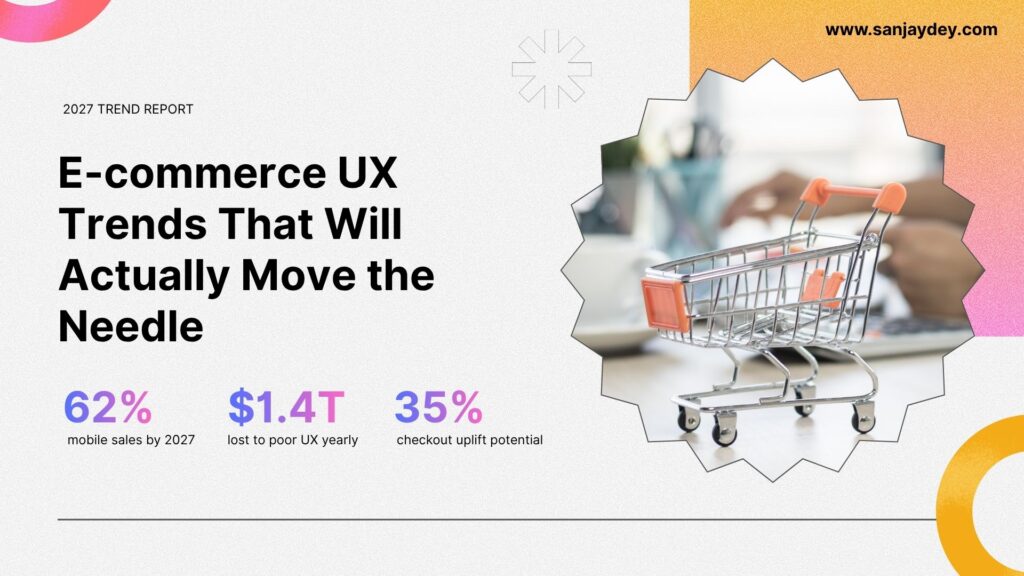
- Mobile commerce will account for 62% of all eCommerce sales by 2027, making mobile-first UX non-negotiable
- AI-driven personalization is shifting from “nice to have” to a core conversion driver — brands ignoring it are already losing ground
- Frictionless checkout, voice commerce, and AR product previews are moving from experimental features to baseline shopper expectations
- Poor UX already costs global eCommerce $1.4 trillion annually — the 2027 gap between good and bad UX will be wider
- This article covers 10 e-commerce UX trends 2027 that are grounded in data, not speculation
Table of Contents
- Why 2027 Is a Different Kind of Inflection Point
- Trend 1 — AI-Powered Hyper-Personalization
- Trend 2 — Frictionless, One-Step Checkout
- Trend 3 — Mobile-First Is Now Mobile-Only
- Trend 4 — Augmented Reality Product Previews
- Trend 5 — Voice and Multimodal Search
- Trend 6 — Zero-Party Data and Trust-Led UX
- Trend 7 — Conversational Commerce and AI Chat
- Trend 8 — Minimalist, Content-Forward Design
- Trend 9 — Accessibility as a Conversion Strategy
- Trend 10 — Predictive UX and Behavioral Design
- Geographic Market Context
- Answer Capsules
- FAQ
- Conclusion
- Author Bio
1. Why 2027 Is a Different Kind of Inflection Point
I started working in digital design in the early 2000s. The shift from desktop to mobile felt sudden — but it wasn’t. It built slowly, then broke fast. What I’m watching right now with e-commerce UX trends 2027 feels similar.
The numbers are no longer ambiguous. Global eCommerce is projected to surpass $7 trillion by 2026. Cross-border sales alone are expected to reach $4 trillion by 2027. And 62% of all eCommerce transactions will happen on a mobile device. These aren’t predictions from optimistic analysts — they’re trajectory lines that were already locked in two years ago.
What changes in 2027 isn’t just the technology. It’s the baseline expectation. Shoppers in New York, Dubai, Bangalore, and Sydney are now calibrated to Amazon, Apple, and Shopify-native experiences. When they land on a slower, more confusing competitor store, the decision to leave takes under three seconds.
Poor UX already destroys $1.4 trillion in annual eCommerce revenue globally. The brands closing that gap in 2027 won’t do it with more features. They’ll do it by making fewer things feel harder.
This article breaks down the 10 e-commerce UX trends that matter — with data behind each one, and a practitioner’s eye on what actually works in deployment.
[ALT: Ecommerce UX trends 2027 showing mobile-first design, AI personalization, and frictionless checkout]
Key Statistics Callout
$7 trillion — projected global eCommerce revenue by 2026 (Statista) 62% — share of eCommerce sales from mobile by 2027 (TeaCode / Statista) $1.4 trillion — annual revenue lost to poor eCommerce UX globally (AWS / Baymard Institute) 88% — users who won’t return to a site after a bad experience (UserGuiding) $100 ROI — return for every $1 invested in UX (Forrester)
2. Trend 1 — AI-Powered Hyper-Personalization
Personalization in 2020 meant showing a user their first name in an email. In 2027, it means the interface itself adapts — layout, content hierarchy, product sequence, and even notification timing — based on real behavioral data.
78% of eCommerce businesses are already using AI tools for personalization (WeDevs, 2025). The AI-powered eCommerce solutions market is expected to hit $16.8 billion by 2030. What’s interesting — and underreported — is that the brands seeing conversion lifts aren’t the ones with the most data. They’re the ones with the cleanest user flows to feed that data into.
When I’ve designed analytics dashboards for enterprise clients, the pattern is consistent: AI surfaces the insight, but poor UX architecture prevents the insight from translating to action. The same applies to personalization engines. If the product recommendation appears after three friction points in the checkout flow, it’s too late.
What this means for your store:
- Behavioral triggers should fire at decision points, not as post-scroll afterthoughts
- Dynamic product sorting based on browse history outperforms static category grids
- Personalized empty states — showing relevant suggestions when a search returns zero results — reduce abandonment measurably
If you’re running a Shopify store or a custom eCommerce build, the question isn’t whether to implement AI personalization. It’s whether your current UX architecture can carry the signal through to a conversion.
For deeper thinking on how AI is reshaping the design process itself, see my article on AI-powered UX research in 2026.
3. Trend 2 — Frictionless, One-Step Checkout
Baymard Institute has studied eCommerce checkout usability longer than most companies have had eCommerce sites. Their data consistently shows that the average large-scale eCommerce site can increase conversion rate by 35.26% through better checkout design alone.
Cart abandonment sits at roughly 70% across the industry. The leading cause isn’t price or indecision — it’s friction. Forced account creation, multi-step address forms, and limited payment options are the three most common culprits.
By 2027, the baseline for acceptable checkout UX will look like this:
- Guest checkout as the default, not a secondary option
- Address autofill triggered by the first postcode entry
- Local payment methods surfaced by geo-detection — UPI in India, Buy Now Pay Later in Australia, Apple Pay and Google Pay everywhere else
- One confirmation screen, not three
The interaction cost of each added checkout step is real and measurable. In one project involving a B2C platform, reducing the checkout from five steps to two — with progress indicators — cut abandonment by 22% within six weeks of launch.
This connects directly to the broader UX practice of reducing cognitive load in design — a principle that applies as much to product pages as it does to dashboards.
[ALT: Frictionless ecommerce checkout flow showing one-step purchase with autofill and multiple payment options]
4. Trend 3 – Mobile-First Is Now Mobile-Only
The phrase “mobile-first” has been in UX vocabulary since 2010. In 2027, it’s no longer a design philosophy — it’s a survival requirement.
62% of all eCommerce sales will be made via mobile devices by 2027, reaching nearly $3.5 trillion in transaction value (Statista). Mobile devices currently account for 74% of all traffic to eCommerce stores. More telling: mobile users are five times more likely to abandon a task if a site isn’t mobile-optimized.
The design implications run deeper than responsive breakpoints. Mobile commerce UX in 2027 demands:
Touch target sizing: Minimum 44×44px interactive zones — thumb-friendly, not cursor-calibrated
Thumb zone navigation: Core actions in the lower 60% of the screen, not buried in a top-left hamburger menu
Single-column product grids: Two-column grids on mobile create tiny product images and forced text truncation. Single column, with clear CTAs below each product, converts better on screens under 390px width
Swipe-native carousels: Product image galleries that respond to touch gesture — not click-forward arrows designed for desktop
Companies with strong omnichannel UX strategies — where the mobile experience is consistent with desktop, not just a scaled-down version — saw 9.5% year-over-year revenue growth versus 3.4% for those without (Forbytes / research data, 2026).
For a detailed treatment of how mobile micro-interactions affect engagement, see mobile micro-interactions that boost engagement by 30%.
5. Trend 4 — Augmented Reality Product Previews
AR in eCommerce is past the novelty stage. It’s solving a real usability problem: shoppers can’t physically interact with products before purchase. Return rates for online fashion sit between 25–40%. Furniture eCommerce sees similar numbers — primarily because the product didn’t look right in the buyer’s actual space.
AR product previews reduce this uncertainty. IKEA’s “Place” app, Sephora’s virtual try-on, and Warby Parker’s eyewear preview — all of these work because they reduce the cognitive risk of purchase, not because they’re technically impressive.
By 2027, AR functionality will shift from standalone app experiences to native browser and mobile web implementations. WebXR standards are maturing. Shopify and WooCommerce are integrating 3D and AR product display natively. This removes the biggest barrier to AR adoption — the need to download a separate application.
The UX principle behind it: AR works when it reduces decision anxiety. It fails when it’s added as a feature showcase with no connection to the user’s actual task flow. If a shopper can’t find the AR button without hunting through a product page, the feature might as well not exist.
The placement rule: AR entry point should appear in the primary product image zone — not buried in a features list below the fold.
6. Trend 5 — Voice and Multimodal Search
Voice search and visual search are not the same trend — but they’re converging into what UX researchers are calling multimodal commerce. A shopper in 2027 might say “find me something like this” while holding their phone camera up to a product in a physical store. The eCommerce store needs to handle that input gracefully.
Visual search already shows results: brands using AI-powered visual search report measurable increases in time-on-site and product discovery depth. The UX challenge isn’t the AI behind it — it’s the entry point design.
Most visual search implementations are buried in search fields with a small camera icon that 73% of users never notice (Baymard Institute observation data). The pattern needs to change. Visual search entry should be prominent, contextual, and accompanied by a clear affordance label — not just an icon.
Voice search adds a different requirement: the product discovery layer must be restructured for natural language queries. “Blue running shoes under $80 for wide feet” is a voice query. Most eCommerce filter systems aren’t built to parse that as a single intent.
By 2027, stores that haven’t rearchitected their search and filter UX for natural language and image input will see measurable drops in product discovery rates, particularly from mobile users aged 18–35.
7. Trend 6 — Zero-Party Data and Trust-Led UX
Third-party cookies are effectively dead as a reliable data source. GDPR in Europe, the DPDP Act in India, and increasing browser-level privacy controls in Chrome and Safari have fundamentally changed what data eCommerce brands can collect without explicit consent.
The response from leading brands isn’t resistance — it’s redesign. Zero-party data (information the user actively and willingly shares) is the model that works within this constraint. Preference quizzes, style selectors, onboarding flows that ask what the shopper is looking for — these generate richer signal than third-party behavioral tracking ever did.
32% of customers leave a brand they loved after just one bad experience (PwC Consumer Intelligence Series). Trust-led UX — clear privacy controls, transparent data use, no dark patterns in consent flows — directly affects repeat purchase rates.
Dark patterns to eliminate by 2027:
- Pre-ticked marketing consent checkboxes
- Hidden unsubscribe options in account settings
- Countdown timers on checkout pages that reset on reload
- “No thanks, I don’t want to save money” CTA copy designed to shame the user into conversion
These patterns generate short-term conversion bumps and long-term brand damage. The brands building for 2027 are choosing the latter over the former.
My broader thinking on how UX decisions build or erode customer trust is in UX improvements that build customer trust in 2026.
8. Trend 7 — Conversational Commerce and AI Chat
Chatbots have been an eCommerce feature since 2016. What’s changed is the quality of the underlying model and the design of the conversational flow.
AI-powered chat in 2027 is not a FAQ lookup tool. It’s a shopping assistant capable of: narrowing product selection based on stated preferences, managing returns and order tracking without human escalation, and proactively surfacing relevant promotions based on cart context.
The business case is documented. Chatbots can help eCommerce companies save up to $11 billion annually and nearly 2.5 billion support hours (Forbytes, 2026). The design case is equally clear — shoppers who receive accurate chat assistance during a purchase decision convert at higher rates than those left to navigate product pages alone.
Where most implementations fail:
Chat interfaces trigger on page load with a generic “Hi! How can I help?” prompt that adds visual noise without adding value. The correct implementation: context-aware triggers. A chat prompt on a product page should reference the product category. On a cart page, it should address the most common friction point — delivery timelines and return policy.
The interaction design principle here is progressive disclosure. The chat interface shouldn’t demand attention — it should earn it.
For further reading on how SaaS onboarding and guided UX reduce decision friction, see SaaS onboarding: getting users to their aha moment in 3 minutes.
[ALT: Conversational commerce AI chat interface on mobile ecommerce product page with context-aware prompts]
9. Trend 8 — Minimalist, Content-Forward Design
There’s a direct line between visual complexity and conversion rate. More elements competing for attention means fewer users completing the primary task.
The minimalist design trend in eCommerce UX 2027 isn’t aesthetic preference — it’s applied cognitive load theory. Hick’s Law tells us that decision time increases with the number of choices. Applied to product pages: more cross-sells, more banners, more promotional overlays don’t drive revenue. They fragment attention.
What works: clean layouts with deliberate white space, large product photography, and a clear visual hierarchy that leads the eye from product image → key information → primary CTA without detours.
Sites with engaging, purposeful UX elements (not gratuitous animation) are 53% more likely to rank higher on Google (Forbytes, 2026). The distinction matters: animation that guides the eye toward a CTA serves UX. Animation that plays on a hero banner because it “looks dynamic” increases cognitive load without improving task completion.
Content-forward design in practice:
- Product descriptions written for the shopper’s decision process, not for SEO keyword density
- Size guides and material information surfaced in the decision zone, not hidden in tabs below the fold
- User-generated content (photos, reviews) integrated into the product image gallery, not siloed in a “Reviews” section at the bottom of the page
This connects to broader principles in minimalist UI design and clean website design for 2026.
10. Trend 9 — Accessibility as a Conversion Strategy
Accessibility is still discussed as a compliance concern in most eCommerce organisations. That framing is both ethically limited and commercially wrong.
There are 1.3 billion people globally with some form of disability (WHO). In the UK alone, the spending power of disabled consumers — the “purple pound” — is estimated at £274 billion annually. In the US, the figure is over $490 billion. These are not edge-case users. They’re a significant and underserved market segment.
WCAG 2.2 compliance isn’t the ceiling — it’s the floor. The eCommerce stores that treat accessibility as a design constraint build better products for everyone. Keyboard navigation benefits power users. High colour contrast improves readability in sunlight — relevant for mobile shoppers outdoors. Descriptive alt text on product images feeds screen readers and improves image search SEO simultaneously.
By 2027, accessibility lawsuits in the US (filed under the ADA) and WCAG compliance mandates in the EU’s European Accessibility Act will make this a legal as well as commercial requirement. The brands building accessible UX now are ahead of the mandate, not behind it.
For a detailed framework on accessibility design implementation, see accessibility-first design and WCAG 2.2 standards.
11. Trend 10 — Predictive UX and Behavioral Design
Predictive UX moves the interface from reactive to proactive. Rather than waiting for the user to signal intent, the system anticipates the next step and reduces the interaction cost of getting there.
In eCommerce, this plays out across several layers:
Predictive search: Completing queries before the user finishes typing, surfacing category suggestions alongside product suggestions, and showing trending searches relevant to the user’s geographic location and browse history.
Inventory scarcity signals: “Only 3 left” or “6 people viewing this” — when accurate and not fabricated — reduce decision latency. When fabricated, they erode trust and increase return rates. The distinction matters.
Smart reorder flows: For consumable products (supplements, pet food, skincare), predictive reorder prompts timed to actual consumption cycles convert significantly higher than generic “buy again” email campaigns.
Exit-intent UX: Rather than triggering a discount popup when the cursor moves toward the browser close button, behavioral UX analyses the specific page and scroll depth where the user stalled — then addresses that specific friction point.
The Fogg Behavior Model — widely used in UX persuasion design — frames conversion as a function of motivation, ability, and a trigger arriving at the right moment. Predictive UX is the practical implementation of that third variable: timing the trigger when motivation is present and ability (path to purchase) is clear.
See my breakdown of behavioral design and emotionally intelligent UX for the theoretical frame behind this approach.12. Geographic Market Context
United States
US eCommerce is the most mature market — and the most demanding in terms of UX expectation. American shoppers are calibrated to Amazon’s one-click checkout, same-day delivery confirmation, and proactive returns management. Any friction in checkout or post-purchase communication reads as poor design. Mobile commerce is accelerating fast; 60% of US online shoppers use mobile exclusively for purchase decisions. Brands targeting US audiences need to treat checkout UX as a conversion-critical investment, not a feature.
United Kingdom
The UK eCommerce market is heavily influenced by GDPR compliance and a post-Brexit regulatory environment that has raised consumer data sensitivity. UK shoppers are sceptical of data collection without clear value exchange. Trust signals — visible security badges, transparent delivery and returns policies above the fold, and straightforward GDPR consent flows — are not optional. The purple pound (disabled consumer spending at £274 billion) represents a significant accessibility opportunity that most UK eCommerce brands underserve.
UAE and Middle East
UAE eCommerce is growing at approximately 23% year-on-year, driven by high smartphone penetration (the UAE has one of the highest globally) and a young, digitally native population. Arabic-language UX — right-to-left text rendering, culturally appropriate product photography, and local payment method integration — is still poorly implemented on most international eCommerce sites. Brands entering this market without localised UX will find conversion rates significantly lower than their Western market benchmarks.
Australia and New Zealand
Australian shoppers are mobile-first and pay expectation-sensitive. Buy Now Pay Later (BNPL) options — Afterpay, Zip, Klarna — are near-standard expectations for purchases over AUD $100. eCommerce stores without BNPL integration in their checkout lose a measurable percentage of mid-value transactions. Cross-border eCommerce is common, which makes transparent international shipping costs and delivery timelines a design requirement, not an afterthought.
India
India’s eCommerce market is entering a phase of exponential growth, driven by JioMart, Meesho, and expanding tier-2 and tier-3 city access to smartphone internet. UPI has become the dominant payment method — any eCommerce store without UPI integration is immediately disadvantaged. Low-bandwidth UX design matters here in a way that doesn’t apply in most Western markets: page weight, image compression, and progressive loading are conversion variables, not just performance metrics. NSDC and government digital initiatives are accelerating digital commerce literacy across demographics.
13. Answer Capsules
What are the biggest e-commerce UX trends that will dominate 2027?
The dominant e-commerce UX trends 2027 centre on three shifts: AI-driven personalization moving from behavioural recommendation to full interface adaptation, mobile commerce becoming the primary (not secondary) design target as 62% of eCommerce sales move to mobile, and frictionless checkout eliminating the multi-step processes that currently cause 70% cart abandonment rates. Additionally, augmented reality product previews, zero-party data collection through trust-led UX, and predictive behavioral design are transitioning from optional enhancements to baseline competitive expectations. Brands that haven’t addressed these areas by mid-2027 will face measurable conversion disadvantage against those that have.
How does poor UX affect eCommerce revenue?
Poor eCommerce UX costs the global industry approximately $1.4 trillion in annual lost sales (AWS / Baymard Institute). The mechanism is direct: bad mobile experiences cause 5x higher task abandonment; slow load times reduce conversions by up to 2% per additional second; confusing checkout flows drive 70% cart abandonment. 88% of users who have a bad eCommerce experience won’t return to that store. The compounding effect — lost first purchase, lost lifetime value, negative word-of-mouth — means the true cost of poor UX is significantly higher than any single transaction metric captures.
What is the difference between mobile-first and mobile-only eCommerce UX?
Mobile-first UX design — the industry standard since 2015 — means designing for the smallest screen first, then scaling up. Mobile-only thinking, which is where 2027 eCommerce UX is heading, means the mobile experience is the primary product, not a port of the desktop experience. The key difference is in interaction design: mobile-only UX uses swipe gestures, thumb-zone navigation architecture, single-column product layouts, and touch-native input patterns as the default — not as responsive adaptations. For eCommerce stores where 74% of traffic is already mobile, designing the desktop experience first and adapting downward is architecturally backwards.
14. FAQ
What are e-commerce UX trends 2027 that will most directly affect conversions?
Frictionless checkout redesign, AI-powered personalization, and mobile-native interaction design will have the most direct conversion impact by 2027. Baymard Institute research shows checkout optimization alone can improve conversion rates by 35.26% on large-scale eCommerce sites. Personalisation engines that adapt product sequencing to individual browse history measurably reduce time-to-purchase. Mobile-native design — built for touch, thumb zone, and single-column layouts — addresses the 62% of transactions now happening on mobile. These three areas, addressed together, produce compounding conversion improvements.
How will AI personalization change ecommerce user experience trends by 2027?
AI personalization in 2027 will move beyond product recommendation widgets into full interface adaptation. Layout hierarchy, content prioritization, promotional timing, and search result ordering will all adapt to individual behavioral signals in real time. 78% of eCommerce businesses already use AI tools for personalization. By 2027, the differentiator won’t be whether you use AI — it will be whether your UX architecture is designed to carry that personalization through a coherent user flow. AI that surfaces the right product at the wrong moment in a friction-heavy checkout doesn’t convert.
What does frictionless checkout mean in practice for ecommerce website design trends?
Frictionless checkout means reducing the interaction cost between cart and order confirmation to the minimum viable number of steps. In practice: guest checkout as the primary path (not a secondary option), autofill triggered by postcode entry, local payment methods surfaced automatically by geo-detection, and a maximum of two confirmation screens. Forced account creation, manual address entry, and limited payment method support are the three most common friction sources identified by Baymard Institute usability research. Each unnecessary step adds measurable abandonment probability.
How does mobile commerce design differ from standard responsive web design?
Responsive web design adapts a desktop layout to smaller screens. Mobile commerce design starts from the touch interaction and the thumb zone. The differences are structural: navigation moves to the bottom of the screen (where thumbs reach), interactive elements are minimum 44×44px, product images fill the full viewport width, and CTAs appear below each product in a single-column grid rather than as hover states over two-column grids. For eCommerce stores where mobile traffic exceeds 70%, responsive adaptation of a desktop layout produces a technically functional but commercially underperforming experience.
What is zero-party data and why does it matter for future ecommerce UX?
Zero-party data is information that a user actively and intentionally shares with a brand — through preference quizzes, style selectors, onboarding questions, or direct input. Unlike third-party behavioural data (which is increasingly restricted by GDPR, DPDP Act in India, and browser privacy controls), zero-party data carries explicit consent and tends to be higher quality signal. For eCommerce UX in 2027, zero-party data collection needs to be designed as a value exchange — the shopper shares preferences, the store delivers a noticeably better experience in return. Poorly designed quiz flows or mandatory registration gates produce the opposite effect.
How do e-commerce UX trends 2027 affect Shopify and WooCommerce store owners specifically?
Shopify and WooCommerce store owners will feel the impact most directly in three areas: checkout UX (both platforms are rapidly expanding native checkout customisation options to reduce plugin dependency), AI personalization (Shopify’s native AI features and WooCommerce’s expanding integration library bring these capabilities within reach of smaller stores), and AR product display (Shopify’s 3D/AR product media support is already production-ready). The operational question for store owners is not whether these features are available — it’s whether their current theme architecture and page templates are structured to implement them without creating new UX debt. For Shopify-specific UX decisions, see Shopify design tips that boost sales.
What UX research methods work best for identifying ecommerce usability problems in 2026–2027?
Moderated remote usability testing, session recording analysis, and funnel drop-off mapping are the three most productive research methods for eCommerce UX diagnosis. Moderated tests surface the why behind abandonment that quantitative funnel data can’t explain. Session recording tools — Hotjar, Clarity, FullStory — show scroll depth, rage clicks, and interaction patterns at scale. Funnel analysis identifies where users exit, but not why. Combining all three gives a complete picture: where the problem is (funnel), what the behaviour looks like (session recordings), and why it happens (moderated testing). Heuristic evaluation against Baymard Institute’s eCommerce-specific guidelines is a fast, high-value complement to user research.
How does accessibility improvement affect eCommerce conversion rates?
Accessible eCommerce design improves conversion for all users, not just those with disabilities. High colour contrast improves readability in bright sunlight — directly relevant for mobile shoppers outdoors. Keyboard navigation and clear focus states benefit power users and keyboard-preference shoppers. Descriptive alt text improves both screen reader accessibility and image search SEO. The business case in numbers: the US disabled consumer market represents over $490 billion in spending power. The UK purple pound is £274 billion. eCommerce sites that fail WCAG 2.2 standards are legally exposed under the ADA (US) and the EU European Accessibility Act (effective 2025), adding compliance risk to the commercial opportunity they’re already missing.
15. Conclusion
The e-commerce UX trends 2027 aren’t coming from nowhere. Every one of the ten trends in this article has a measurable signal already visible in 2025–2026 data. Mobile commerce is already majority-dominant. AI personalization is already deployed at scale by market leaders. Checkout friction is already the primary cause of $1.4 trillion in lost annual revenue.
What 2027 changes is the consequence of inaction. When 62% of your potential customers are on mobile, a desktop-centric UX strategy isn’t a design choice — it’s a conversion penalty. When 88% of users won’t return after a bad experience, the cost of UX neglect is calculated in lifetime value, not just single transactions.
The brands that will lead eCommerce by 2027 are making UX investments now — in checkout architecture, mobile interaction design, AI integration, and accessibility. Not because these are trends worth following, but because these are the conditions under which their customers will buy.
If your eCommerce store needs a UX audit, a checkout redesign, or a mobile-first redesign — book a free consultation with me and we can look at where the specific friction points are in your current flow.
Or explore more on eCommerce UX practices that drive online sales to continue building your strategy.
16. Author Bio
Sanjay Kumar Dey is a Senior UX/UI Designer and Digital Strategist with over 20 years of experience designing web, mobile, and enterprise analytics products for global organisations. His enterprise clients have included ArcelorMittal, Adobe, NatWest Bank UK, Adani, Indian Oil, and Government of India initiatives through NSDC. He holds certifications in UX Design, Mobile UX, Usability Testing, and the Psychology of Online Sales from the Interaction Design Foundation and Google. He writes about design strategy, UX research, and conversion-focused design at sanjaydey.com.
Leave a Reply