Executive Summary
- WordPress powers 43.5% of all websites globally as of 2026 — more than any other CMS combined (W3Techs)
- Its open-source architecture gives businesses full ownership, zero platform lock-in, and infinite scalability
- WordPress outperforms proprietary CMS platforms on SEO flexibility, plugin ecosystem depth, and long-term cost of ownership
- For eCommerce, SaaS, and enterprise businesses, WordPress + WooCommerce remains the most adaptable publishing and transactional stack available
- This article covers why decision-makers in the USA, UK, UAE, Australia, and India still choose WordPress — and when they are right to do so
Table of Contents
- Why This Question Still Matters in 2026
- What WordPress Actually Is — and What It Is Not
- The Core Benefits of WordPress for Business Websites
- WordPress vs Other CMS Platforms — Honest Comparison
- WordPress SEO Advantages — Backed by Data
- Scalability and Enterprise Use Cases
- Security: The Real Picture
- Cost of Ownership — The Full Calculation
- WordPress for Specific Business Types
- Geographic Relevance — USA, UK, UAE, Australia, India
- When WordPress Is NOT the Right Choice
- FAQ — AEO Structured
- Conclusion
- Author Bio
Why This Question Still Matters in 2026
Every two or three years, someone declares WordPress dead.
They say Webflow is cleaner. Shopify is faster for eCommerce. Wix is simpler for small businesses. And these arguments have merit — in specific contexts, for specific use cases.
But here is what the data says: WordPress still runs 43.5% of the internet (W3Techs, 2025). Not 43.5% of blogs. 43.5% of all websites — including Fortune 500 company microsites, government portals, enterprise SaaS marketing hubs, and high-traffic media publications.
I have spent over 20 years designing web interfaces for enterprise clients — ArcelorMittal, NatWest Bank UK, Adobe, Adani, Indian Oil, and government bodies in India. In that time, the CMS question has come up in almost every project. The answer has changed. The platforms have evolved. But WordPress keeps appearing at the centre of decisions made by serious organisations with serious requirements.
This is not a fanboy article. It is a practitioner’s assessment — grounded in what happens when businesses actually build, scale, and maintain websites over years, not months.
What WordPress Actually Is — and What It Is Not
WordPress is an open-source content management system built on PHP and MySQL. It started as blogging software in 2003. By 2010 it had become a general-purpose CMS. By 2026, it runs everything from small business websites to Reuters, TechCrunch, and The New Yorker.
There are two versions worth distinguishing:
WordPress.org — the self-hosted version. You own the software, the server, the data, the code. Full control. This is what most businesses use.
WordPress.com — Automattic’s hosted service. Limited customisation. Good for individuals. Not the right choice for growing businesses.
Everything in this article refers to WordPress.org.
What WordPress is not: It is not a website builder with drag-and-drop simplicity out of the box. The default interface is functional, not polished. If you want the design experience of Wix or Squarespace, you will need either a page builder like Elementor or a block-based theme built for the Gutenberg editor.
That trade-off — complexity for control — is exactly what we will unpack throughout this article.
The Core Benefits of WordPress for Business Websites
1. You Own Everything — Platform Independence Matters
Proprietary platforms like Wix, Squarespace, and Shopify own your infrastructure. If they change pricing, discontinue a plan, or shut down a feature, your business absorbs the impact. You have no recourse.
With WordPress.org, you own the codebase, the database, and the content. Move hosts, switch developers, fork the code, rebuild the front end — none of that requires permission from a platform.
For businesses that invest heavily in content — companies publishing 50 or more blog posts a month, building product documentation, running multi-language sites — platform independence is not a nice-to-have. It is a strategic asset.
Answer Capsule — Platform Ownership
Does WordPress give businesses full ownership of their website data? Yes. WordPress.org is self-hosted open-source software. Businesses own the database, files, code, and all content outright. There are no subscription terms that restrict data export or migration. If a business changes hosting providers or developers, all assets move with them — no vendor approval required. This is one of the primary reasons enterprise businesses choose WordPress over proprietary CMS platforms in 2026.
2. The Plugin Ecosystem Is Unmatched
There are over 59,000 free plugins in the WordPress repository (WordPress.org, 2025). Another several thousand premium plugins are sold through marketplaces like CodeCanyon and individual developer sites.
This means almost any feature a business needs already exists — packaged, tested, and documented. Payment gateways, CRM integrations, email marketing sync, event calendars, multilingual support, membership portals, accessibility tools, and advanced analytics are all available without custom development.
Compare this to a proprietary platform, where you are dependent on the platform’s native app marketplace. When an integration you need does not exist, you wait — or you pay for expensive custom API work.
For a SaaS company integrating its product trial flow with its marketing website, or an eCommerce brand connecting inventory management to its front end, the plugin ecosystem is a direct cost and time advantage.
3. SEO Flexibility Is Built Into the Architecture
WordPress does not force your SEO into a box.
You control URL structures, meta titles, meta descriptions, canonical tags, hreflang attributes, structured data, sitemap generation, and robots.txt — all of it. Plugins like Yoast SEO, Rank Math, and The SEO Framework expose these controls through clean interfaces without requiring developer intervention.
Contrast this with Wix, which until recently had significant limitations on structured data implementation. Or Squarespace, which does not allow custom robots.txt editing on entry-level plans. Or Shopify, which generates its own URL patterns for collections and products that cannot be changed without middleware workarounds.
For businesses where organic search is a primary acquisition channel — and research from HubSpot shows that 61% of B2B marketers say SEO generates more leads than any other channel — that flexibility is revenue-critical.
We will go deeper on SEO in a dedicated section below.
4. Design Flexibility Without Code Lock-In
WordPress separates content from presentation at the architecture level. Change the theme, and your content remains intact. Rebuild the visual layer entirely, and the underlying database stays untouched.
This matters when businesses rebrand. A company that rebrands after five years does not want to rebuild its content library. On a well-structured WordPress site, a full visual redesign — new typography, new layout system, new colour architecture — can be executed without touching a single blog post or product page.
Elementor, Divi, and the native Gutenberg block editor give non-developers meaningful control over layout and design. Gutenberg in particular has matured significantly since 2022. Its Full Site Editing (FSE) capability now lets designers control headers, footers, and template parts without PHP template files.
If you are running a UX-driven web design project that requires both developer precision and client-side editing access, WordPress handles that split better than most alternatives.
5. Multilingual and Multisite Capabilities
A business operating across markets — say, a UK-headquartered brand with regional sites for USA, UAE, and India — needs multilingual and multisite architecture.
WordPress Multisite lets a single installation manage multiple websites from one dashboard. Combined with plugins like WPML or Polylang, businesses can deliver translated, localised content under distinct regional subdomains or subdirectories.
This is not something most proprietary platforms handle gracefully at scale. Shopify’s multilingual setup works for product catalogues but becomes unwieldy for content-heavy marketing sites. Squarespace’s language support remains limited without significant workarounds.
For businesses targeting geographically dispersed audiences — which includes most of the clients I work with across USA, UK, UAE, Australia, and India — WordPress’s multisite and multilingual architecture is a practical infrastructure advantage.
6. WooCommerce for eCommerce — Still the Most Flexible Stack
WooCommerce powers approximately 37% of all online stores globally (BuiltWith, 2025). More importantly, it powers stores that require product configurations, custom checkout flows, complex tax rules, and deep integration with backend systems like SAP, Oracle, or Salesforce.
Shopify is cleaner out of the box. Its hosted infrastructure, CDN, and payment processing are genuinely excellent. But Shopify charges transaction fees on third-party payment gateways and limits what developers can change in the checkout process — especially on lower-tier plans.
WooCommerce has no transaction fees. It gives full access to checkout template files. And because it sits on WordPress, a WooCommerce store shares the same content, blog, and marketing infrastructure as the rest of the site.
For eCommerce businesses processing over $500K/year that also run significant content marketing operations, the WordPress + WooCommerce stack avoids the coordination cost of running separate platforms for store and content.
WordPress vs Other CMS Platforms — Honest Comparison
Let’s be direct about what each platform does well — and where WordPress wins and loses.
| Feature | WordPress | Shopify | Wix | Webflow | Squarespace |
|---|---|---|---|---|---|
| SEO control | Excellent | Good | Moderate | Excellent | Moderate |
| Design flexibility | High (with builder) | Moderate | High | Very high | Moderate |
| eCommerce capability | High (WooCommerce) | Excellent | Moderate | Basic | Moderate |
| Plugin/integration ecosystem | Largest (59,000+) | Large (8,000+) | Moderate | Growing | Small |
| Platform ownership | Full (self-hosted) | None | None | None | None |
| Scalability | Very high | High | Low-moderate | High | Low-moderate |
| Ease of use (no code) | Moderate | High | Very high | Moderate | High |
| Hosting cost control | Full | None | None | None | None |
| Multilingual/multisite | Excellent | Basic | Basic | Moderate | Basic |
| Enterprise adoption | High | Moderate | Low | Growing | Low |
The takeaway: WordPress leads on control, flexibility, and ecosystem depth. It trades some ease-of-use against proprietary platforms. The right choice depends on what your business actually needs — not what is easiest to set up on a Tuesday afternoon.
WordPress SEO Advantages – Backed by Data
Search engine optimisation is not a feature. It is an architecture decision made when you choose your CMS.
WordPress was built with clean, semantic HTML output. Every heading, paragraph, list, and image gets proper markup. With a quality theme, your content structure maps to what Google’s crawlers expect — heading hierarchy, alt attributes, rel tags, and schema markup are all implementable without developer involvement.
Core Web Vitals and WordPress
Google’s Core Web Vitals — Largest Contentful Paint (LCP), Cumulative Layout Shift (CLS), and Interaction to Next Paint (INP) — are now confirmed ranking signals. WordPress performance depends heavily on hosting quality, theme weight, and plugin load, which means there is genuine variance in how well different WordPress implementations perform.
A poorly configured WordPress site can fail Core Web Vitals badly. A well-configured one can score 90+ on PageSpeed Insights. The key levers are:
- Hosting: Managed WordPress hosts like WP Engine, Kinsta, or Cloudways are engineered for WordPress performance
- Caching: WP Rocket, W3 Total Cache, or LiteSpeed Cache
- Image optimisation: Imagify, ShortPixel, or EWWW Image Optimizer
- Theme selection: Lightweight themes like GeneratePress, Astra, or Kadence — not bloated multipurpose themes
Neil Patel’s analysis of 100,000+ websites found that sites loading in under 2 seconds convert at nearly twice the rate of sites loading in 5+ seconds. On a properly optimised WordPress build, hitting sub-2-second LCP is achievable on most hosting environments.
Answer Capsule — WordPress and SEO
Does WordPress help improve SEO and website performance? Yes — but with conditions. WordPress’s open architecture lets businesses implement every technical SEO requirement: custom URL structures, XML sitemaps, schema markup, canonical tags, open graph tags, hreflang, and Core Web Vitals optimisation. Plugins like Yoast SEO and Rank Math expose these controls without requiring code changes. The performance ceiling depends on hosting quality and theme choice. A managed WordPress host with a lightweight theme and a caching plugin can achieve PageSpeed scores above 90, which Google’s research shows correlates with lower bounce rates and higher conversion.
Internal Linking Architecture
WordPress’s category, tag, and taxonomy systems create natural internal linking structures. Every post automatically generates category and tag archive pages, which distribute PageRank through the site. Combined with a deliberate content cluster strategy — pillar pages linked to supporting posts — this architecture supports the topical authority signals that modern SEO depends on.
For a business publishing consistently across several topic clusters, this internal link architecture compounds over time. It is one of the structural advantages that proprietary platforms cannot replicate cleanly.
Schema Markup
Plugins like Schema Pro, Rank Math, and Yoast SEO Premium let businesses add structured data — Article, FAQPage, HowTo, Product, BreadcrumbList, LocalBusiness — without writing a line of JSON-LD. For businesses optimising for AI Overviews, featured snippets, and answer engine visibility, schema implementation is now a baseline requirement, not an optional extra.
Scalability and Enterprise Use Cases
One objection to WordPress comes up repeatedly: “It cannot scale.”
This is outdated. The data tells a different story.
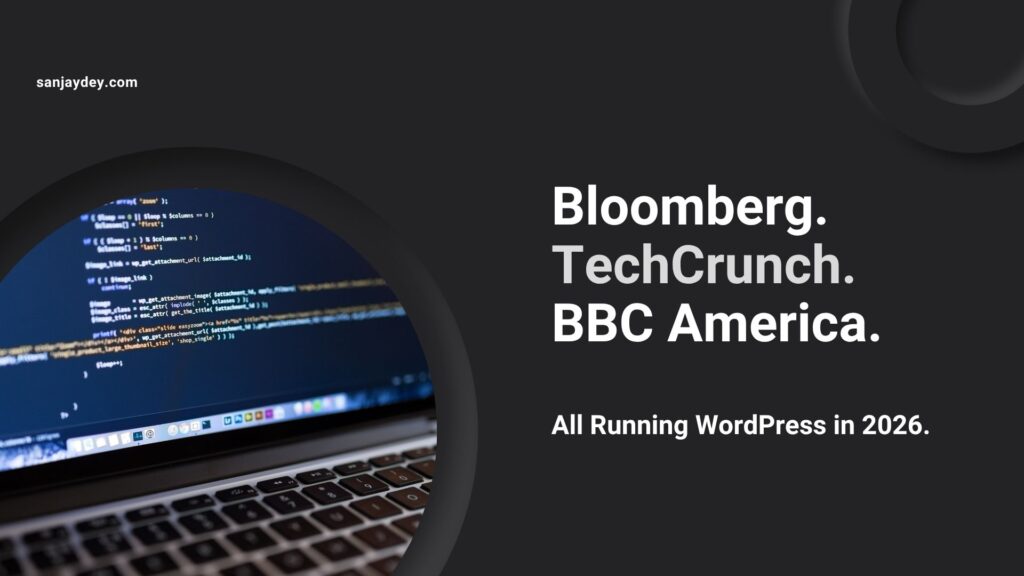
The New York Times, BBC America, TechCrunch, Bloomberg Professional, and Sony Music all run WordPress-based properties. These are not small sites. Bloomberg Professional handles millions of sessions per month on a WordPress front end backed by enterprise infrastructure.
Scalability on WordPress depends on three factors:
1. Hosting architecture. A shared hosting account will not scale. A WordPress implementation on AWS, Google Cloud, or a managed host with object caching (Redis or Memcached), a CDN (Cloudflare or BunnyCDN), and read replicas for the database will handle traffic spikes that would overwhelm most proprietary platforms.
2. Code quality. Plugin bloat is the most common scalability problem. A WordPress site with 60 active plugins, half of which load scripts on every page, will perform poorly regardless of server resources. A disciplined implementation — fewer, well-chosen plugins, a lightweight theme, code-level caching — scales cleanly.
3. Content architecture. Sites with millions of posts require proper database indexing and query optimisation. WordPress’s WP_Query is powerful but can generate inefficient queries when used carelessly. Developers who understand WordPress internals build implementations that scale. Developers who use it as a page builder do not.
For businesses running complex UX projects — enterprise dashboards, SaaS onboarding sites, multi-regional marketing hubs — the scalability concern is answered by implementation quality, not the platform itself.
If you are planning an enterprise web presence and need guidance on the right architecture decisions, reviewing my approach to web design and UX strategy gives context on how these decisions connect to business outcomes.
Security: The Real Picture
WordPress has a reputation for being insecure. That reputation is partly earned — and mostly misunderstood.
WordPress core is maintained by an active security team. Critical vulnerabilities in core are patched quickly. The 2024 WordPress Security Report (Patchstack) found that 97% of WordPress security vulnerabilities come from plugins and themes — not WordPress core itself.
The security risk is real. But it is a risk of the ecosystem, not the architecture.
What actually causes WordPress security incidents:
- Abandoned plugins with unpatched vulnerabilities
- Themes downloaded from unofficial sources (nulled themes)
- Weak administrator passwords and no two-factor authentication
- PHP versions below security end-of-life
- Shared hosting environments where one compromised site affects others
What a properly secured WordPress site uses:
- Wordfence or Sucuri for malware scanning and firewall
- Two-factor authentication on all admin accounts
- Auto-updates enabled for plugins and themes (with staging environment for testing)
- Limit Login Attempts plugin to block brute-force
- Hosting on an isolated environment — not shared hosting
- Regular database backups with offsite storage
A WordPress site operated with these practices is not meaningfully more vulnerable than a Shopify or Webflow site. Proprietary platforms have their own vulnerability histories — Shopify has had API data exposure incidents, and any platform processing payment data faces attack surface concerns regardless of the underlying CMS.
The security conversation is really a hosting and operations conversation, not a platform conversation.
Cost of Ownership – The Full Calculation
The “WordPress is free” argument is technically true and practically misleading. Let’s look at the real cost structure.
WordPress total cost components:
- Hosting: $20–$500/month depending on scale (shared to managed enterprise)
- Domain registration: ~$15/year
- Premium theme: $50–$200 one-time (optional — high-quality free themes exist)
- Essential plugins: $100–$500/year (Yoast Premium, WP Rocket, security plugin, backup plugin)
- Development and design: Variable — from $0 (DIY) to $15,000+ for a full custom build
- Maintenance: $100–$500/month for managed maintenance, or internal resource cost
Proprietary platform comparison at the business tier:
- Shopify Advanced: $399/month + transaction fees on third-party gateways
- Webflow Business: $49/month per site (limited CMS items on lower plans)
- Squarespace Business: $36/month (limited in SEO and custom code)
- Wix Business: $36–$159/month depending on eCommerce needs
For a business running one website, the cost comparison at low scale often favours proprietary platforms. At medium to high scale — multiple sites, significant content volume, advanced eCommerce — WordPress’s cost advantage becomes substantial.
The more important cost calculation is long-term. A business that has built five years of content on Squarespace and needs to migrate discovers that the export tools are limited, the URL structures do not match, and the migration cost is significant. A WordPress business that changes hosting providers moves cleanly — same files, same database, same URLs.
Answer Capsule — WordPress Cost vs Competitors
Is WordPress cheaper than Shopify or Wix for business websites? The answer depends on scale and requirements. At startup scale, Shopify and Wix can be cheaper all-in because they bundle hosting, security, and basic functionality. As a business grows — adding product lines, content clusters, multilingual markets, or custom integrations — WordPress’s cost model becomes more efficient. The subscription cost on Shopify Advanced is $399/month before transaction fees. A managed WordPress host with equivalent capability costs $80–$200/month. The trade-off is development investment upfront versus ongoing subscription fees compounding over years.
WordPress for Specific Business Types
SaaS Companies
SaaS marketing websites need content velocity, clean blog architecture, and SEO flexibility. WordPress delivers all three.
The typical SaaS marketing site pattern — home page, feature pages, pricing, blog, knowledge base, case studies — maps cleanly onto WordPress’s page and custom post type system. Plugins like Gravity Forms or Typeform embeds handle lead capture. Intercom, Drift, and HubSpot all integrate via simple script injection or dedicated plugins.
For SaaS companies whose primary acquisition is content-driven, WordPress gives the content team autonomy without requiring developer involvement for routine publishing tasks.
Professional Services and Consulting Firms
Law firms, management consultancies, accounting practices, and design studios all benefit from WordPress’s content architecture. Client case studies, thought leadership articles, service descriptions, and team profiles are manageable by non-technical staff.
The combination of WordPress with a well-designed custom theme gives professional services firms a web presence that projects authority without looking template-generic. Theme customisation goes deep enough that a skilled designer can create a genuinely distinctive visual identity.
My own site, sanjaydey.com, operates on this model — practitioner-authored content, a design system that reflects my practice’s aesthetic, and a backend that I can update without a developer in the loop.
eCommerce Businesses
WooCommerce handles everything from a five-product artisanal brand to a 50,000-SKU mid-market retailer. Where it genuinely excels is complex product configurations — variable products with custom attributes, subscription billing (WooCommerce Subscriptions), wholesale pricing tiers (WooCommerce Wholesale), and custom checkout fields that Shopify’s checkout restrictions make difficult.
For pure product-catalogue selling with simple variants and high transaction volume, Shopify’s hosted infrastructure and conversion-optimised checkout templates are genuinely competitive. But the moment a business needs checkout customisation beyond Shopify’s guardrails, WooCommerce’s open template architecture is the better choice.
Media and Publishing Companies
This is where WordPress has always dominated. Its post and category architecture was designed for publishing. Custom post types extend that architecture to any content model — reviews, podcasts, events, recipes, or news articles.
Editorial workflows, multi-author publishing, contributor roles, and content scheduling are handled by WordPress core without additional plugins. For companies publishing 20+ pieces of content weekly, that operational simplicity reduces friction and error rates.
[ALT: Editorial dashboard of a publishing website built on WordPress showing scheduled posts, categories, and author management]Geographic Relevance — USA, UK, UAE, Australia, India
United States
WordPress commands approximately 44% of the CMS market in the US (W3Techs, 2025). American businesses choose it primarily for SEO control, plugin ecosystem depth, and WooCommerce’s flexibility. The US market has a mature WordPress developer and agency ecosystem, which means businesses have access to talent at every price point. For US SaaS companies and eCommerce brands building content-led growth strategies, WordPress remains the default infrastructure choice.
United Kingdom
UK businesses favour WordPress for its GDPR compliance flexibility. Unlike proprietary platforms where data processing terms are set by the vendor, WordPress lets businesses configure data collection, cookie consent, and processing records to meet ICO requirements precisely. Plugins like CookieYes and Complianz handle consent management. For NatWest Bank-scale organisations managing regulated digital content, control over data architecture is not optional — it is a compliance requirement.
UAE and Middle East
Digital transformation investment in the UAE has accelerated significantly following Expo 2026 commitments. WordPress serves as the backbone for many UAE government-adjacent digital projects and regional eCommerce brands targeting Arabic-language audiences. Its multilingual capabilities — right-to-left text support, WPML integration — make it a practical choice for brands serving both English and Arabic markets from a single platform.
Australia and New Zealand
Australian businesses show strong WordPress adoption for content marketing and professional services websites. With hosting infrastructure on AWS Asia Pacific or local hosts like VentraIP, WordPress sites serve Australian audiences with strong Core Web Vitals performance. The Australian eCommerce market, which reached AUD $62.3 billion in 2024 (Australia Post), shows significant WooCommerce presence among mid-market retailers who need the customisation flexibility that Shopify restricts.
India
India is one of the fastest-growing WordPress markets globally. With a large pool of WordPress developers and agencies — especially in cities like Kolkata, Bengaluru, Hyderabad, and Pune — development costs are competitive without compromising quality. Indian businesses exporting services to USA, UK, and UAE markets use WordPress for English-language thought leadership platforms. NASSCOM’s 2025 report on India’s digital economy highlighted that CMS-driven content marketing is the primary digital acquisition strategy for 68% of IT service exporters.
When WordPress Is NOT the Right Choice
This article is not a case for WordPress in every situation. It is a case for choosing the right tool.
Choose Shopify instead if:
- Your business is pure-play eCommerce with straightforward product variants
- You have no in-house developer and need a platform your team can operate without technical support
- Transaction volume is your primary concern and checkout optimisation trumps content flexibility
Choose Webflow instead if:
- Your team includes designers comfortable with CSS-level design control
- You are building a visually complex, interaction-rich marketing site where design precision matters more than content volume
- You do not need WooCommerce-grade eCommerce capability
Choose Squarespace instead if:
- Your site is a portfolio or service listing for a solo practitioner with minimal SEO ambitions
- You publish infrequently and want a maintenance-free environment
- Design aesthetics matter and technical flexibility does not
WordPress is the wrong choice if:
- Your team has no one who can manage plugins, updates, and hosting configuration
- You need a site live within a week with no development budget
- Your eCommerce requirements are simple and Shopify’s native tooling covers them completely
The WordPress CMS for business decision should be made against specific requirements — not platform loyalty.
FAQ — AEO Structured
1. What is WordPress CMS and why do businesses use it?
WordPress CMS is an open-source content management system that lets businesses build, manage, and publish website content without writing code from scratch. It runs on PHP and MySQL and is self-hosted on any server that meets minimum requirements. Businesses use it because it offers complete ownership of content and data, a plugin ecosystem of 59,000+ extensions, full SEO configuration control, and the ability to scale from a five-page brochure site to a multi-regional enterprise platform on the same architecture.
2. Is WordPress still relevant for business websites in 2026?
Yes. WordPress powers 43.5% of all websites globally as of 2026, including properties run by Bloomberg, Sony Music, TechCrunch, and BBC America. Relevance is determined by market adoption and functional capability — not age. The platform has evolved significantly with the Gutenberg block editor, Full Site Editing, and improved REST API. For businesses that need SEO control, content scalability, and eCommerce flexibility, WordPress remains the most widely supported and extensible CMS available.
3. Why should I choose WordPress over Shopify for my business website?
WordPress vs Shopify — the key difference is scope. Shopify is purpose-built for eCommerce with excellent out-of-the-box selling capability but limited content and SEO flexibility. WordPress with WooCommerce handles both content marketing and eCommerce without forcing a business to run separate platforms. For businesses where SEO, blogging, and conversion-optimised landing pages are as important as the product catalogue, WordPress gives more architectural control. If simple selling is the only requirement, Shopify is faster to deploy.
4. How does WordPress help improve SEO performance?
To improve SEO performance with WordPress, you need to configure three layers: technical SEO, on-page optimisation, and content architecture. Install a plugin like Yoast SEO or Rank Math to manage meta titles, meta descriptions, canonical tags, and XML sitemaps. Select a lightweight theme (GeneratePress, Astra) and a managed host to achieve sub-2-second LCP on Core Web Vitals. Build your content in topic clusters — pillar pages linking to supporting posts — to signal topical authority to Google. Schema markup plugins add structured data for AI Overviews and featured snippets.
5. What are the main benefits of using WordPress for small and large businesses?
For small businesses, WordPress gives access to enterprise-grade functionality — multilingual sites, eCommerce, lead capture, CRM integration — at a cost that scales with their size. For large businesses, the benefits shift to ownership and extensibility: no platform lock-in, custom plugin development, multisite management, and infrastructure control that hosted platforms cannot match. Both categories benefit from the developer talent pool — WordPress skills are the most widely available web development skill globally, which keeps costs competitive and reduces key-person dependency.
6. Is WordPress secure enough for business websites in 2026?
Yes, with proper configuration. WordPress core is maintained by a dedicated security team that patches vulnerabilities rapidly. The security risk lies primarily in the plugin layer — 97% of WordPress vulnerabilities in 2024 came from third-party plugins and themes (Patchstack, 2024). A secure WordPress implementation uses a web application firewall (Wordfence or Sucuri), two-factor authentication on all admin accounts, auto-updates for core and vetted plugins, regular offsite backups, and hosting on an isolated server environment. These measures reduce attack surface to levels comparable with any major hosted platform.
7. How does WordPress perform compared to Wix for business SEO?
WordPress outperforms Wix on technical SEO flexibility by a significant margin. Wix has improved its SEO capabilities since 2020, but it still restricts robots.txt editing, limits custom header injection on lower plans, and generates URL structures that are not fully controllable. WordPress gives businesses complete control over every SEO signal: URL architecture, canonical tags, structured data, hreflang, Core Web Vitals optimisation, and XML sitemap configuration. For businesses where organic search is a primary growth channel, this flexibility directly impacts ranking potential and traffic volume.
8. Can WordPress handle high-traffic enterprise websites?
Yes. To handle high traffic on WordPress, the implementation must include managed hosting (WP Engine, Kinsta, or cloud hosting on AWS/GCP), a full-page caching solution (WP Rocket or LiteSpeed Cache), a CDN (Cloudflare or BunnyCDN), object caching via Redis or Memcached, and a database optimised with proper indexing. Bloomberg Professional, The New York Times blog network, and Reuters all run WordPress at enterprise scale. The platform’s scalability ceiling is a function of infrastructure and code quality — not a hard limit imposed by the CMS itself.
Answer Capsule 3 – WordPress for Global Businesses
Is WordPress suitable for businesses operating across multiple countries?
Yes. WordPress’s Multisite feature allows a single installation to manage multiple regional websites — each with its own domain, content, and user roles — from one admin dashboard. Combined with WPML or Polylang, businesses deliver translated content under distinct subdomains or subdirectories. This architecture supports region-specific SEO signals (hreflang implementation, local schema, localised meta data) without duplicating the technical infrastructure. For businesses operating across the USA, UK, UAE, Australia, and India, a WordPress Multisite setup is a proven approach for managing global web presence with consistent brand standards.
Conclusion
WordPress is not the easiest CMS to set up. It is not the most polished experience out of the box. And it is not the right choice for every business.
But it is the most capable, most extensible, and most owner-friendly CMS available in 2026. That combination — capability, extensibility, and ownership — is what serious businesses need when they are building a digital presence that has to grow, adapt, and perform over years, not months.
The 43.5% global market share figure is not marketing. It is a reflection of what happens when millions of businesses make the same rational calculation: we need a platform we own, can extend without limits, and can optimise without platform permission.
If your business is evaluating CMS options for a new website, a redesign, or a migration from a proprietary platform, the decision deserves more than a comparison of feature lists. It requires an honest assessment of your content strategy, eCommerce requirements, technical resources, and long-term growth roadmap.
I work with businesses across USA, UK, UAE, Australia, and India on exactly these decisions — from initial CMS strategy through to launch and post-launch optimisation. If you want a practitioner’s perspective on what is right for your specific situation, book a free consultation and we can work through it directly.
There is no single best CMS for every business. But for businesses that need to grow, WordPress remains the most defensible choice in 2026.
Author Bio
Sanjay Kumar Dey is a Senior UX/UI Designer and Digital Strategist with over 20 years of experience building web, mobile, and enterprise digital products. He has led UX design for global organisations including ArcelorMittal, NatWest Bank UK, Adobe, Adani, Indian Oil, and the Government of India. Certified through the Interaction Design Foundation and Google UX Design programmes, Sanjay advises businesses across the USA, UK, UAE, Australia, and India on web design, CMS strategy, and digital growth. He writes and consults through sanjaydey.com.
Leave a Reply