Executive Summary
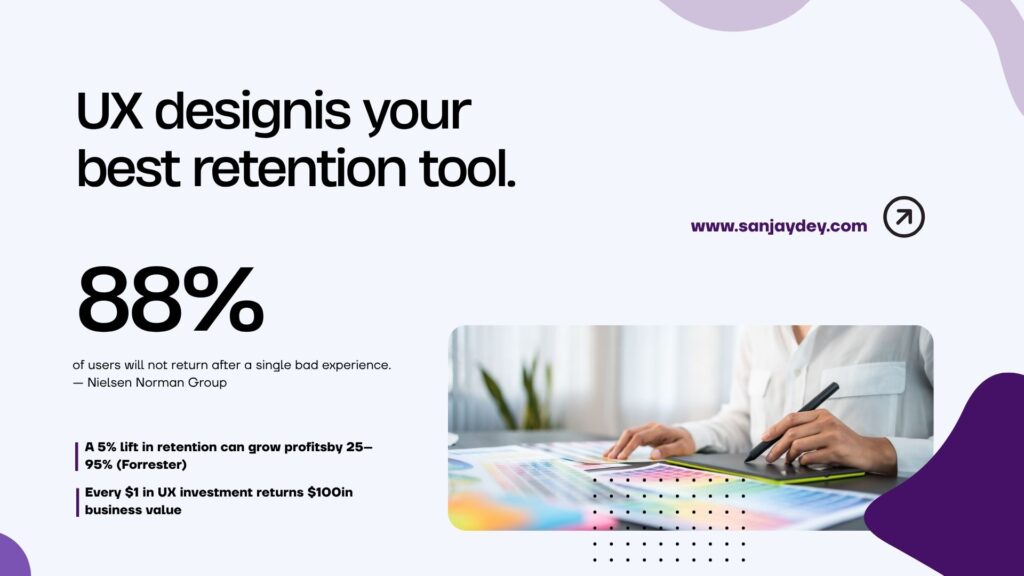
- A 5% improvement in customer retention can increase profits by 25–95% (Forrester). UX is the most direct lever you control.
- 88% of users who experience poor design will not return — not sometimes, consistently.
- Companies that improve CX see a 42% lift in retention and a 33% boost in satisfaction.
- UX for retention is not about visual polish. It is about reducing friction at every stage of the customer journey.
- This guide covers the core UX strategies, regional market patterns, and measurable techniques that keep customers coming back.
Table of Contents
- Why Retention Is a UX Problem First
- The Business Case: What the Numbers Actually Say
- The Customer Journey as a Retention Map
- UX Strategy 1: Onboarding That Reaches the Aha Moment Fast
- UX Strategy 2: Reduce Interaction Cost at Every Step
- UX Strategy 3: Error States and Recovery Flows
- UX Strategy 4: Personalisation Without Creepiness
- UX Strategy 5: Build Trust Through Transparency and Consistency
- UX Strategy 6: Mobile Retention Is a Different Problem
- UX Metrics That Predict Retention Before It Drops
- How UX Design Improves Customer Retention Across Global Markets
- Answer Capsules
- FAQ
- Conclusion
- About Sanjay Dey
Why Retention Is a UX Problem First
Most SaaS founders and eCommerce managers frame retention as a marketing problem. They add loyalty points, trigger re-engagement emails, or discount returning customers.
Those tactics have their place. But they treat the symptom, not the cause.
When users churn, they rarely leave because they forgot about the product. They leave because something in the experience stopped working for them — a confusing flow, a slow page, a form that asked too much, a feature they never found. That is a UX problem.
I have been designing enterprise digital products for over 20 years, across sectors from steel manufacturing to investment banking. The pattern I see repeatedly: companies spend heavily on acquiring users, then lose them through entirely avoidable friction in the product itself.
The good news is that friction is diagnosable. It shows up in task completion rates, support ticket categories, heatmaps, and session recordings before it shows up in churn reports. If you know where to look, you can fix it before customers vote with their feet.
This guide covers the UX strategies that directly improve customer retention — with the data and practitioner rationale to back them up. Whether you are running a SaaS platform, managing an eCommerce brand, or designing for enterprise clients, the same principles apply. The variables differ. The underlying mechanics do not.
If you want to explore how I approach these problems for clients, you can review my UX strategy work at sanjaydey.com.
[ALT: A user journey map showing friction points across onboarding, engagement, and retention stages]The Business Case: What the Numbers Actually Say
The numbers here are not aspirational. They come from Forrester, McKinsey, Baymard, and observed product behaviour across thousands of users.
A 5% improvement in retention increases profits by 25–95%. That range is wide because it depends on your business model, average order value, and customer lifetime. But even the bottom of that range is significant for any business operating at scale.
Every $1 invested in UX returns $100 — a 9,900% ROI figure Forrester has cited across multiple Total Economic Impact studies. The mechanism is straightforward: when users complete tasks with less effort, they convert more often, return more frequently, and require less support.
McKinsey’s Design Index research found that companies in the top quartile of design maturity achieved 32 percentage points higher revenue growth and 56 percentage points higher total shareholder return over five years. Those are not UX vanity metrics — those are board-level numbers.
Closer to the operational level: 88% of users will not return to a product after a single poor experience. Not two or three poor experiences. One.
That statistic changes how you should think about every edge case in your product. The user who hits a broken error state at midnight, the mobile user who can not find the cancel button, the new signup who abandons the onboarding flow at step three — each of those is a retention event, not just a usability issue.
The financial framing matters because it justifies the investment. A heuristic evaluation, a round of moderated usability testing, a design systems audit — none of these are expensive relative to the customer acquisition cost they offset.
For a structured look at how to make this case internally, see my article on UX design ROI and stakeholder buy-in.
[ALT: Bar chart comparing revenue growth rates between design-mature and design-immature companies]The Customer Journey as a Retention Map
Retention does not happen at a single touchpoint. It is the cumulative product of every interaction a user has — from the first page load to the 50th login.
The most useful way to think about this is through the lens of customer journey optimisation. Map the full journey: awareness, signup, onboarding, first value moment, repeated use, support touchpoints, and renewal or return. At each stage, ask two questions:
- What is the user trying to accomplish?
- What friction exists between intent and completion?
That second question is where retention problems hide. The friction may be cognitive — too many choices, unclear labels, a navigation model that does not match the user’s mental model. It may be technical — slow load times, broken states, inconsistent behaviour across devices. Or it may be emotional — a tone that feels impersonal, an error message that blames the user, a flow that makes the user feel stupid.
When I run UX audits for clients, I structure the review around each journey stage rather than individual screens. A screen might look clean in isolation. It is only in the flow that the friction becomes visible.
Three stages deserve particular attention from a retention perspective:
First use. This is where most churn seeds are planted. Users who do not reach a value moment quickly form an impression that the product is not for them — even if the problem is the onboarding flow, not the product.
Repeated use. This is where interaction cost accumulates. Tasks that felt acceptable in week one feel tedious in week eight. The design has to account for experienced users, not just new ones.
Error and support moments. How a product handles failure tells users more about its quality than how it handles success. A well-designed error state can actually build trust. A poor one destroys it.
[ALT: Customer journey diagram annotated with common UX friction points at each stage]UX Strategy 1: Onboarding That Reaches the Aha Moment Fast
The “aha moment” is the point at which a user first understands — through direct experience, not marketing copy — why this product is worth their time.
For a project management tool, it might be the moment they see their first task appear on a shared board. For an analytics dashboard, it might be when they watch real data populate for the first time. For an eCommerce app, it might be the first successful purchase with saved payment details.
The goal of onboarding is to get the user to that moment as fast as possible, with as little friction as possible.
Most onboarding flows fail because they are designed around what the product team wants to show, not what the user needs to experience. Twelve-step setup wizards, mandatory profile completion before seeing any value, tours that explain features the user has not asked about — these are onboarding anti-patterns that delay the aha moment and increase early churn.
Progressive disclosure is the fix. Show users only what they need to take the next meaningful action. Everything else can wait. A new user on a SaaS dashboard does not need to set up integrations on day one. They need to see one core metric that confirms the product is working.
For SaaS businesses specifically, I have seen onboarding redesigns cut 30-day churn by significant margins — simply by shortening the path to first value. The teams that get this right treat onboarding as a UX problem, not a customer success problem.
Specific tactics that work:
- Blank state design: When a user has no data yet, do not show an empty screen. Show a sample data set or a prompted action. Designing for zero state is one of the most overlooked retention levers in SaaS.
- Contextual tooltips over tours: Trigger guidance at the moment the user is about to take an action, not before.
- Single required action: Identify the one action that most predicts long-term retention and make that the focus of onboarding. Everything else is optional at this stage.
Related reading: SaaS onboarding — getting users to the aha moment in 3 minutes
[ALT: Side-by-side comparison of a multi-step onboarding flow versus a progressive disclosure onboarding design]UX Strategy 2: Reduce Interaction Cost at Every Step
Interaction cost is the sum of physical and mental effort a user expends to accomplish a goal. The term comes from Nielsen Norman Group’s usability research. It is one of the most useful frames in retention-focused design.
Every click, every scroll, every form field, every decision point adds to interaction cost. Users have a tolerance threshold. When the accumulated cost exceeds that threshold — even if each individual step seems reasonable — they abandon the task.
This is why checkout flows with 12 fields lose users that shorter flows retain. It is why navigation models with six levels of hierarchy drive churn in SaaS products. It is why every additional step in a support flow increases the likelihood of the user giving up and simply cancelling their account.
The question is not “can users do this?” It is “will users do this repeatedly?”
A task that is merely possible to complete will be completed once. A task that is genuinely easy to complete becomes a habit. Habit is the foundation of retention.
Reducing interaction cost in practice means:
Defaults and smart prefilling. Pre-populate fields where you have the data. Set sensible defaults for configuration screens. The user should be correcting information, not entering it from scratch.
Keyboard and gesture shortcuts for power users. New users need clear paths. Returning users need efficiency. A design that only serves one group will alienate the other.
Chunking long processes. If a task genuinely requires many steps, group them into logical phases with clear progress indicators. Users can tolerate effort when they understand how much remains.
Persistent state across sessions. If a user closes the app mid-task, pick up where they left off. Losing progress is one of the most reliable ways to ensure a user does not return.
For dashboards and data-heavy products specifically, cognitive load management is the dominant concern. I have written about designing for cognitive load in complex interfaces — the same principles apply whether you are designing a SaaS analytics product or an enterprise data platform.
[ALT: Diagram showing interaction cost reduction techniques applied to a multi-step form]UX Strategy 3: Error States and Recovery Flows
Here is the part most design guides skip: how you handle failure determines whether users come back.
An error state is a trust event. When something goes wrong, the user is vulnerable. They may have lost work, confused themselves, or hit a blocker at a critical moment. What the product does next either restores confidence or confirms the user’s worst suspicion — that the product is unreliable.
Most error states in production products are designed as an afterthought. The message is vague (“Something went wrong”), the guidance is absent (“Please try again”), and the user is left to diagnose a problem that is not their fault.
A well-designed error state does three things:
- Explains what happened — in plain language, without technical jargon.
- Tells the user what to do next — a specific action, not a generic prompt.
- Preserves the user’s context — their form data, their selections, their position in the flow.
Error states also cover the micro-recovery moments: the empty search result, the failed payment, the expired session, the document that did not save. Each of these is an opportunity to demonstrate that the product handles failure gracefully.
Microcopy plays a major role here. The words in an error message carry enormous emotional weight. “Invalid entry” reads differently to “That email address format is not recognised — try user@domain.com.” The second one does not blame the user. It does not require the user to guess. And it sets a tone of calm competence that builds rather than erodes trust.
See my detailed article on microcopy, NLP, and UX writing psychology for a full breakdown of how error copy and form language affect completion rates.
[ALT: Before and after comparison of a generic error state versus a well-designed recovery-focused error message]UX Strategy 4: Personalisation Without Creepiness
Personalisation is one of the highest-leverage retention tools available. Done well, it makes users feel that the product understands them. Done poorly, it makes users feel surveilled.
The data is clear: 60% of consumers report becoming repeat buyers after a personalised purchasing experience. Companies using AI-driven personalisation in loyalty programmes report a 17% lift in retention. And 66% of consumers say they will stop engaging with a brand if their experience is not personalised.
The challenge is that personalisation requires data, and users are increasingly alert to how their data is being used. The design question is not just “how do we personalise?” It is “how do we personalise in ways users actually welcome?”
Relevance, not familiarity. There is a difference between a product that shows you content relevant to your role and a product that surfaces things you mentioned once, months ago, in a way that feels intrusive. Aim for the former.
Declared preferences over inferred ones. Give users explicit controls. Let them tell you their goals, their priorities, their context. Inferred personalisation can feel uncanny. Declared personalisation feels like a tool working for the user.
Progressive personalisation. Do not ask for everything at signup. Gather preference data over time, through use, and reflect it back in the product experience gradually. This approach also reduces onboarding friction.
For eCommerce brands, personalisation shows up in product recommendations, browsing history persistence, and saved preferences. For SaaS, it shows up in dashboard configurations, notification settings, and role-specific default views. The mechanism differs; the retention impact is consistent.
If you are thinking about personalisation in the context of SaaS specifically, my piece on UX design for SaaS revenue in 2026 covers this alongside onboarding, feature adoption, and pricing page design.
[ALT: Screenshot mockup of a personalised SaaS dashboard with role-specific widgets and saved configurations]UX Strategy 5: Build Trust Through Transparency and Consistency
Trust is not a feeling you can design directly. It is a conclusion users reach after repeated positive interactions.
The two inputs that drive trust most reliably are transparency and consistency. Transparency means users understand what the product is doing and why — particularly around data, pricing, and system behaviour. Consistency means the product behaves the same way across sessions, devices, and contexts.
Consistency is underrated. When a button appears in a different position across three screens, the cognitive load of locating it accumulates. When a terminology shifts — “Account” on one screen, “Profile” on another — users spend effort figuring out whether these are the same thing. That effort should be zero.
Design systems are the infrastructure that makes consistency possible at scale. A well-maintained component library with clear usage rules means every designer and developer is working from the same source of truth. Inconsistency is usually a symptom of design debt, not malice. The fix is systemic, not cosmetic.
Transparency applies especially to pricing, data, and error situations. Hidden fees discovered at checkout are not a conversion optimisation tactic — they are a retention disaster. The 21% of US online shoppers who abandon at checkout because they cannot see the total order cost before starting the process are not coming back to complete that purchase, and many of them are not coming back to the site. Baymard Institute research has documented this pattern extensively.
Similarly, transparent data practices — clear privacy settings, honest explanations of how user data is used, easy opt-outs — are becoming baseline expectations in every market. Users who feel in control of their data stay longer.
My article on UX improvements that build customer trust covers the specific design patterns that signal trustworthiness — from social proof placement to permission flows.
[ALT: Design system component library screenshot showing consistent button styles, form elements, and typography tokens]UX Strategy 6: Mobile Retention Is a Different Problem
Desktop retention and mobile retention require different thinking. The interaction model, the context of use, the tolerance for friction — all different.
On mobile, users are often multitasking, in motion, or interrupted. Tasks that work cleanly on desktop can feel impossible on a 6-inch screen with one thumb. And the stakes of a poor experience are higher: 73% of users abandon a site that is not responsive. 85.65% of mobile users abandon shopping carts due to slow performance or difficult checkout.
Speed is the single biggest mobile retention variable. Sites loading in under 2.5 seconds drive 24% more conversions and 32% fewer bounces (Google Core Web Vitals data, 2025). Every 100ms reduction in response time improves engagement by 7%. On mobile, where network conditions are variable and device performance varies widely, performance is a UX decision, not just a technical one.
Touch target sizing matters more than most designers acknowledge. Apple’s Human Interface Guidelines recommend 44×44pt minimum touch targets. In practice, many mobile interfaces are built for mouse pointers, with tappable elements that require surgical precision. This is not an aesthetic issue. It is a functional barrier that adds interaction cost to every single screen interaction.
Gesture-based navigation creates invisible affordances. When interactions are hidden behind gestures that users have not been taught, discovery fails. Progressive disclosure on mobile needs to account for the gesture vocabulary users actually have — which varies by age group and prior app experience.
For a detailed breakdown of what actually works, read my mobile UX/UI design patterns backed by 2026 data — it covers touch hierarchy, gesture design, and performance thresholds with specific benchmarks.
[ALT: Mobile app screen showing accessible touch target sizes and gesture-based navigation patterns]UX Metrics That Predict Retention Before It Drops
Most retention metrics are lagging indicators. Churn rate, monthly active users, renewal rate — these tell you what has already happened. By the time they move, you have already lost users.
UX metrics can give you leading indicators — signals that predict retention problems before they appear in the business data.
Task completion rate. If users cannot complete core tasks, they will not stay. Track completion rates for your top 3–5 task flows. A drop in completion rate is an early warning signal.
Time-on-task. Not time on page — time to complete a specific goal. If it is increasing over time, that suggests the interface is getting harder to use, not easier. This can happen through feature accretion — adding capability without removing complexity.
Error rate. How often do users encounter errors or dead ends? Where are those errors concentrated? This data is available in analytics tools if you instrument your flows correctly.
Return rate by cohort. Which user cohorts return at day 7, day 14, day 30? If cohorts that onboarded after a specific design change show different return rates, you have a testable signal.
Support ticket categories. Support volume by topic is one of the most underused UX data sources. If a particular screen or flow is generating disproportionate tickets, that is a usability problem that has already reached users.
Forrester’s Total Economic Impact research shows that organisations running continuous UX testing see retention rate improvements of 3.6% in year one, 7.2% in year two, and 10.8% in year three. The compounding effect is the point. Retention improvement is not a one-time project — it is a continuous discipline.
For enterprise clients I have worked with, connecting UX metrics to business dashboards was often the catalyst for securing ongoing design investment. If you want to see how eye-tracking and heatmap data can sharpen these UX decisions, that article covers the methodology and tools in depth.
[ALT: Dashboard showing UX KPIs including task completion rate, error rate, and cohort return rate over a 90-day period]How UX Design Improves Customer Retention Across Global Markets
UX for retention is not one-size-fits-all. User behaviour, regulatory expectations, and digital maturity vary significantly by region. Here is what that looks like in practice.
United States
US users have high expectations for product speed and personalisation. They are accustomed to one-click checkout, biometric authentication, and AI-assisted search. The churn risk in the US market is speed-related and friction-related — users have abundant alternatives and will switch fast. SaaS products targeting US enterprise buyers face additional complexity: multiple stakeholders, role-based access requirements, and compliance considerations that must be transparent in the UX. Any product serving the US market should treat Core Web Vitals as a retention floor, not a stretch target.
United Kingdom
UK users are among the most privacy-conscious in the world. Post-GDPR, they expect clear data practices, accessible opt-out controls, and honest communication about how their information is used. Opaque cookie banners and buried consent flows create distrust that directly affects retention. UK enterprise users — from financial services to public sector — also expect WCAG 2.2 accessibility compliance as a baseline. Accessibility is not a niche concern here; Ofcom data shows that over 1 in 5 UK adults has a disability that affects their digital experience.
UAE and Middle East
Mobile-first behaviour dominates in the UAE, with some of the highest smartphone penetration rates globally. Users expect apps and web products to be fast, visually polished, and culturally considered — including right-to-left language support for Arabic-speaking users. The luxury retail and fintech sectors specifically demand premium UX as a retention signal. A product that feels cheap or generic will not retain users in a market where design quality is directly associated with brand credibility.
Australia and New Zealand
Australian users are pragmatic. They expect products to work, to be fast, and to handle their data responsibly under the Australian Privacy Act. The eCommerce market in Australia has grown substantially, and retention in this market is often won or lost on delivery transparency and post-purchase UX — the experience after the buy button, including tracking, returns, and support. SaaS businesses serving Australian SMBs need onboarding flows that account for lean teams — single users setting up products without dedicated IT support.
India
India’s digital user base is enormous and rapidly growing, but it is not homogeneous. First-time internet users in Tier 2 and Tier 3 cities have different literacy levels and device capabilities than enterprise users in Bengaluru or Mumbai. Products that optimise only for high-end devices and fast networks miss a significant portion of the market. Vernacular language support, low-bandwidth performance, and simplified task flows are retention requirements, not optional features. NASSCOM data consistently highlights the gap between urban and semi-urban digital expectations — and the retention opportunity for products that close it.
Answer Capsules
What does UX design do for customer retention?
UX design for customer retention focuses on reducing the friction that causes users to abandon a product. This includes improving onboarding flows so users reach value faster, reducing interaction cost in repeated-use tasks, designing clear error recovery states, and building consistency across devices and sessions. When users can complete their goals with less effort and greater confidence, they return. Forrester data shows that continuous UX improvement correlates with retention gains of up to 10.8% over three years. The mechanism is simple: easier products get used more, and products that get used more get paid for longer.
How does poor UX cause churn?
Poor UX causes churn through accumulated frustration, not usually through a single catastrophic failure. A user may tolerate a confusing form once. They may return despite a slow page load. But each friction event deposits a small negative impression. When the cumulative experience falls below the user’s expectation threshold — or below what a competitor offers — they leave. Nielsen Norman Group’s research identifies cognitive friction, navigation failure, and inconsistent behaviour as the top three UX drivers of abandonment. And 88% of users confirm they will not return after a poor experience, meaning the second chance rarely comes.
How do you measure UX impact on retention?
To measure UX impact on retention, you need to connect UX behavioural metrics to business retention metrics. Track task completion rates for core flows and map them against cohort return rates. Monitor error frequency by screen and compare support ticket volume before and after UX changes. Run A/B tests on specific interface changes and track 30-day return rates for each variant. Forrester’s Total Economic Impact methodology provides a framework for attributing revenue retention to UX investment — it is worth reviewing if you are building a business case for ongoing design investment.
FAQ
What is UX design for customer retention?
UX design for customer retention is the practice of designing digital products — websites, apps, dashboards, and platforms — so that users return and continue using them over time. It goes beyond initial usability. It encompasses onboarding design, repeated-use efficiency, error handling, personalisation, and cross-device consistency. The goal is to reduce the friction that causes users to disengage or switch to a competitor. When retention UX is done well, it translates directly into lower churn rates, higher lifetime value, and reduced customer acquisition pressure.
Why does user experience matter for customer loyalty?
User experience matters for customer loyalty because loyalty is built through repeated positive interactions, not single impressive moments. Each time a user accomplishes a task with less effort than expected, or recovers from an error without frustration, or receives a product interaction that feels relevant to their specific context, they build a positive association with the brand. Over time, these interactions compound. Conversely, each friction event erodes that association. Nielsen Norman Group’s longitudinal usability research consistently shows that ease-of-use is among the top predictors of product preference — ahead of features and, in many categories, ahead of price.
How does good UX reduce churn for SaaS businesses?
To reduce churn for SaaS businesses with UX, you need to address three stages: onboarding, repeated use, and error recovery. In onboarding, the priority is reaching the user’s first value moment fast — before the free trial ends or the initial enthusiasm fades. In repeated use, you need to reduce the interaction cost of core tasks so they feel effortless, not routine. In error recovery, you need error states that restore confidence rather than compound frustration. SaaS products that treat UX as a continuous discipline — running regular usability testing and tracking task completion metrics — see compounding retention improvements, as Forrester’s research demonstrates.
What are the most effective UX strategies for retaining customers?
The most effective UX strategies for customer retention include: first, designing onboarding to reach the aha moment as quickly as possible; second, applying progressive disclosure to reduce cognitive load for new users while adding efficiency for experienced ones; third, building error states that explain what happened and what to do next; fourth, personalising the experience based on declared user preferences rather than opaque inference; and fifth, maintaining strict design system consistency so users always know where they are and what to do. Each of these targets a different point in the customer journey where churn typically originates.
UX vs UI — what is the key difference for customer retention?
UX vs UI for retention — the key difference is that UX determines whether users can accomplish their goals, while UI determines how the product looks while they try. Both matter, but they contribute to retention differently. A visually polished UI on a confusing UX will still lose users. A functional UX on a dated UI may retain users who are task-focused but may not win those who use design quality as a trust signal. For retention, UX has the stronger direct correlation — completing tasks reliably is more fundamental to staying than a preferred colour scheme. For first impression and brand trust, UI plays a larger role.
How can small businesses improve customer retention through UX design?
Small businesses can improve customer retention through UX design without large design budgets. Start with a heuristic evaluation — walk through your product as a first-time user and note every point of confusion or delay. Test with five users on your top three task flows; NN/g research shows five participants reveal 85% of usability issues. Fix error messages first — they are cheap to change and high-impact. Ensure your mobile experience loads in under three seconds on a mid-range device. Then run a moderated session to watch how real users use your product. What you observe in 90 minutes of user testing will reshape your next quarter’s design priorities.
How does page speed affect customer retention?
Page speed is a direct UX variable for retention, not just an SEO metric. Google’s Core Web Vitals data shows that sites loading under 2.5 seconds see 24% more conversions and 32% fewer bounces than slower equivalents. A one-second delay in page response reduces conversions by 7% (Portent, 2024). On mobile — where over half of all web traffic now originates — 53% of site visits are abandoned if the page takes more than three seconds to load. Users do not consciously calculate load time; they feel it as a quality signal. A slow product communicates that the company does not value their time. That impression is hard to reverse.
What role does accessibility play in customer retention?
Accessibility plays a direct role in retention by determining whether a product is usable at all for a significant portion of users. WCAG 2.2 compliance is not optional in many markets — the UK and Australia have legal obligations, and US federal accessibility standards apply to many digital services. Beyond legal requirements, over 1 in 5 UK adults has a disability that affects their digital experience (Ofcom). Users who cannot complete tasks due to accessibility failures do not return. And accessible design principles — clear contrast ratios, logical keyboard navigation, descriptive error messages — benefit all users, not just those with disabilities. Accessibility is retention design.
Conclusion
Retention is where the economics of your business are determined. Acquiring a user costs 5–7 times more than retaining one. The experience you deliver after the signup page is the most direct variable you control.
UX design for customer retention is not a single project or a periodic redesign. It is a continuous discipline: mapping friction, testing assumptions, measuring task completion, and improving flows based on what you observe rather than what you assume.
The six strategies in this guide — optimised onboarding, reduced interaction cost, designed error recovery, honest personalisation, trust-building consistency, and mobile-first performance — are not theoretical. They are drawn from two decades of working on enterprise products, SaaS dashboards, eCommerce platforms, and mobile applications across multiple markets.
If you are seeing churn in your product and suspect UX is a factor, the starting point is always observation. Run a usability test. Review your error logs. Map your onboarding flow against your aha moment. The answers are usually visible before they are measurable.
If you want expert support diagnosing and fixing retention-related UX problems in your product, book a free UX consultation at sanjaydey.com. I work with SaaS founders, eCommerce brands, and enterprise digital teams across the USA, UK, UAE, Australia, and India.
For more on how UX decisions translate to measurable business outcomes, explore my UX practices that boost online sales and UX mistakes that lose customers in 2026.
About Sanjay Dey
Sanjay Kumar Dey is a Senior UX/UI Designer and Digital Strategist with over 20 years of experience designing enterprise web, mobile, and analytics dashboard products. He has led UX for clients including ArcelorMittal, Adobe, NatWest Bank UK, Adani, Indian Oil, and NSDC (Government of India). Certified in UX Design, Mobile UX, Usability Testing, and the Psychology of Online Sales by the Interaction Design Foundation and Google. He writes about UX strategy, design systems, and product design at sanjaydey.com, where he also works with global clients as a consultant.
Leave a Reply