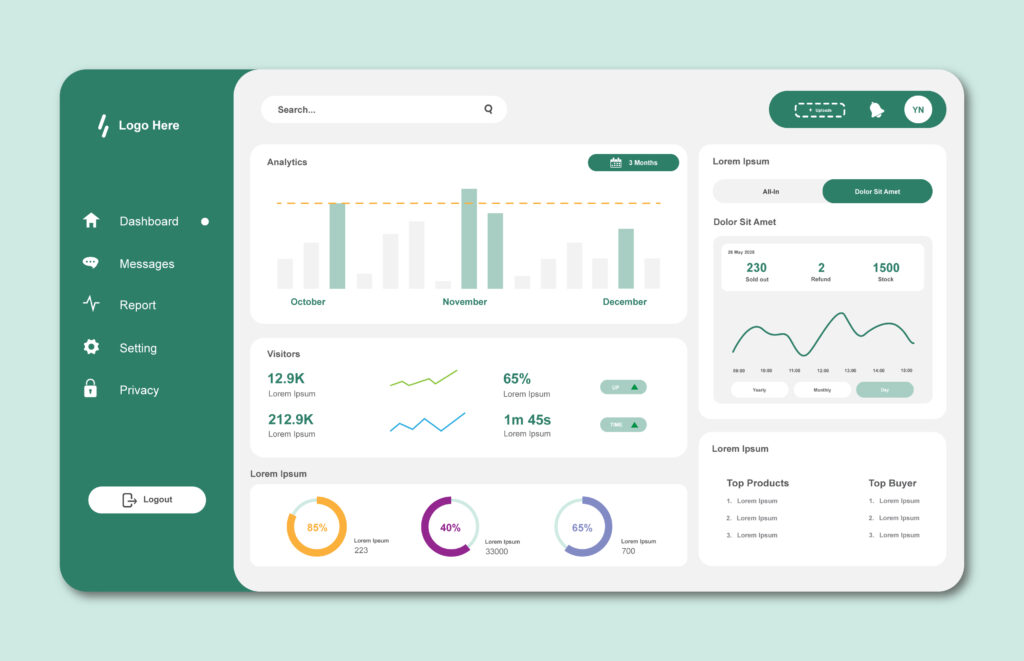
In 2024, the average SaaS dashboard presents users with 67 different data points within the first screen—and research from the Nielsen Norman Group shows that cognitive overload occurs when users process more than 7±2 chunks of information simultaneously. This fundamental mismatch between design ambition and human cognitive capacity explains why 61% of B2B SaaS users report feeling overwhelmed by their primary work tools, according to recent UX research.
The stakes are measurably high: SaaS companies with poorly designed dashboards experience 23% higher churn rates and 40% lower feature adoption compared to platforms with cognitively optimized information architectures. For B2B SaaS platforms serving complex workflows—project management suites, analytics platforms, CRM systems, marketing automation tools—the challenge intensifies exponentially as feature sets expand and user bases diversify.
This comprehensive guide examines how strategic information architecture, progressive disclosure, and cognitive load management transform overwhelming SaaS dashboards into intuitive command centers that drive engagement, retention, and measurable business outcomes.
The Cognitive Cost of Dashboard Complexity
Before addressing solutions, we must understand the specific mechanisms through which poor dashboard design creates cognitive overload and measurable business impact.
Understanding Cognitive Load in SaaS Interfaces
Cognitive psychology research identifies three distinct types of mental load that SaaS dashboards impose on users:
Intrinsic cognitive load stems from the inherent complexity of tasks users need to accomplish. Managing a marketing campaign across six channels or analyzing quarterly sales performance across 40 regions carries unavoidable complexity that designers cannot eliminate—only support through thoughtful information presentation.
Extraneous cognitive load results from poor design choices that make tasks artificially difficult. Inconsistent navigation patterns, unclear visual hierarchies, ambiguous labels, and poorly organized information create unnecessary mental work that directly reduces user productivity and satisfaction.
Germane cognitive load represents the productive mental effort users invest in understanding patterns, building mental models, and developing expertise with your platform. Well-designed dashboards maximize germane load while minimizing extraneous load.
The User Experience Research Institute found that reducing extraneous cognitive load by 30% correlates with 47% faster task completion and 58% higher user satisfaction scores across B2B SaaS platforms. Every unnecessary click, confusing label, or visual distraction directly impacts your bottom line through reduced productivity and increased support costs.
The Compounding Effect of Feature Proliferation
B2B SaaS platforms face a unique challenge: as you add features to remain competitive, dashboard complexity compounds exponentially rather than linearly. Adding your 50th feature creates far more cognitive burden than adding your 10th, because users must navigate increasingly complex information hierarchies and make more decisions about where to find specific functionality.
Research from the Interaction Design Foundation reveals that platforms with more than 40 primary features experience a 3.2x increase in time-to-proficiency for new users compared to platforms with focused feature sets. This extended learning curve directly impacts onboarding completion rates, trial-to-paid conversion, and customer lifetime value.
The solution isn’t limiting features—it’s implementing information architecture that scales gracefully as complexity grows.
Strategic Information Architecture Foundations
Effective dashboard design begins with rigorous information architecture that reflects genuine user mental models rather than internal organizational structure or technical implementation details.
User Mental Model Alignment
The most common dashboard design failure occurs when platforms organize information according to how engineers built the system or how the company structures its departments, rather than how users conceptualize their work.
Consider a marketing automation platform: engineers might organize features into “Email Management,” “Database Operations,” “Automation Engine,” and “Reporting Systems” because that reflects the technical architecture. But marketers think in terms of campaigns, audiences, content, and performance—a fundamentally different mental model.
Dashboard navigation and information hierarchy must mirror user mental models discovered through comprehensive user research, not internal company logic. The UX Design Institute emphasizes that platforms achieving >90% mental model alignment see 52% fewer support tickets and 34% higher feature discovery rates compared to internally-organized systems.
Conducting card sorting exercises, user interviews focused on workflow language, and task analysis studies reveals the authentic categories and relationships that exist in your users’ minds. This research investment pays immediate dividends through reduced confusion and accelerated proficiency.
Progressive Disclosure Architecture
Progressive disclosure—the practice of revealing complexity gradually as users need it—represents the most powerful technique for managing cognitive load in feature-rich SaaS platforms. Rather than presenting all available functionality simultaneously, progressive disclosure surfaces information and options at contextually appropriate moments.
Three-tier information hierarchy provides an effective framework:
Primary tier displays the 5-7 most critical metrics, actions, or insights that 80% of users need 80% of the time. This tier occupies the most prominent visual real estate and requires zero additional clicks or interactions to access.
Secondary tier contains important but less frequently accessed information—perhaps weekly rather than daily needs. This tier appears through a single, predictable interaction: expanding a panel, clicking a tab, or accessing a clearly labeled section.
Tertiary tier houses specialized functionality for power users or edge cases—features that 20% of users need but would create clutter for the majority. This tier requires intentional navigation but remains logically organized and easily discoverable when needed.
Analytics platforms like Mixpanel and Amplitude demonstrate this approach effectively: they surface key metrics immediately while organizing detailed segmentation, funnel analysis, and custom reporting behind intuitive progressive disclosure patterns that power users navigate effortlessly.
Contextual Information Density
Not all dashboard sections require identical information density. Strategic variance based on user intent and task type significantly reduces cognitive load while maintaining comprehensive functionality.
Overview contexts benefit from lower information density—generous whitespace, larger type, simplified visualizations—because users scanning for high-level insights process information faster with reduced visual clutter. Research shows overview screens with <40% information density correlate with 63% faster pattern recognition compared to dense layouts.
Analysis contexts where users perform deep investigation support higher information density because focused attention on specific datasets justifies more detailed presentations. Users actively analyzing data expect and appreciate comprehensive information that would overwhelm someone seeking quick status checks.
Action contexts where users execute specific tasks require the exact information necessary to make decisions confidently—nothing more, nothing less. Forms, configuration panels, and task-specific interfaces should present only contextually relevant options to prevent analysis paralysis.
The design challenge lies in creating seamless transitions between these density contexts as users shift between scanning, analyzing, and acting.
Data Visualization Strategies That Enhance Comprehension
How you visualize data fundamentally determines whether users gain insights or experience confusion. Strategic visualization choices reduce cognitive load while accelerating pattern recognition and decision-making.
Choosing Appropriate Chart Types
Visualization effectiveness depends entirely on matching chart types to the specific insights users need to extract. Using the wrong visualization—even with perfect data—creates unnecessary cognitive work as users mentally translate inappropriate visual metaphors into meaningful information.
Trend analysis over time demands line charts that make temporal patterns immediately visible. Bar charts force users to mentally connect discrete points to understand trends, increasing cognitive load unnecessarily.
Part-to-whole relationships require pie charts or stacked area charts that make proportional relationships visually obvious. Tables listing percentages force mental calculation to understand relative contribution.
Distribution patterns need histograms or box plots that reveal data spread and concentration. Summary statistics alone hide the distribution story that often matters more than central tendencies.
Correlation exploration benefits from scatter plots that make relationships between variables visually apparent. Separate charts force users to hold multiple images in working memory simultaneously while mentally comparing patterns.
The Edward Tufte principle of maximizing data-ink ratio remains relevant: every visual element should encode meaningful information. Decorative chart embellishments, unnecessary 3D effects, and redundant visual encodings add cognitive load without providing insight value.
Implementing Smart Defaults with Customization Pathways
The customization paradox in SaaS dashboards creates a persistent design challenge: users want personalization options but become overwhelmed when confronted with too many choices upfront. Research from the Nielsen Norman Group shows platforms offering >15 customization options during initial setup see 38% lower setup completion rates compared to those with smart defaults and optional customization.
The solution involves intelligent defaults based on role, industry, or usage patterns combined with clearly signposted customization pathways for when users need them. Default configurations should deliver immediate value for 70-80% of users while making customization discoverable and straightforward for the remainder.
Progressive customization works more effectively than all-or-nothing approaches. Allow users to start with useful defaults, experience the platform’s value, then incrementally personalize as they develop preferences and expertise. Platforms like Datadog and New Relic excel at this pattern—providing role-based dashboard templates while making widget customization, layout adjustment, and metric selection accessible but not mandatory.
Template libraries categorized by role, use case, or industry accelerate value realization while reducing setup burden. A content marketer opening your platform for the first time should find a “Content Marketing Performance” template ready to use, not a blank canvas requiring extensive configuration before providing any value.
Real-Time Data Without Distraction
Real-time data updates create engagement and enable rapid response but can also induce anxiety and distraction when implemented poorly. The goal is keeping users informed without triggering constant context switching or creating false urgency.
Notification hierarchy prevents alert fatigue by categorizing updates by genuine urgency. Critical issues requiring immediate action deserve prominent, interruptive notifications. Important changes merit passive indicators users notice during normal workflow. Informational updates should aggregate in review centers users check intentionally rather than constantly.
Research indicates platforms with >5 simultaneous real-time updates experience 41% more user-reported stress and 27% lower task completion rates compared to platforms with selective, hierarchical update patterns. Not every metric needs live updates—strategic selection based on decision impact prevents unnecessary distraction.
Micro-interactions for change indication provide awareness without disruption. Subtle animations drawing attention to updated metrics, color shifts indicating threshold crossings, or small badges showing new data availability keep users informed while preserving focus on current tasks.
Layout Patterns That Scale With Complexity
Information architecture principles remain abstract until translated into concrete layout patterns that organize content, guide attention, and scale gracefully as feature sets expand.
Grid-Based Modular Systems
Grid systems provide the structural foundation for consistent, scannable, predictable dashboard layouts. Rather than arbitrarily positioning elements, grid-based design creates visual rhythm and logical relationships that reduce cognitive load through spatial consistency.
12-column grids offer sufficient flexibility for diverse content types while maintaining mathematical divisibility that creates pleasing proportions. Widgets spanning 3, 4, 6, or 12 columns maintain consistent ratios regardless of screen size.
Consistent spacing scales using 8-pixel base units (8px, 16px, 24px, 32px) create visual harmony that users subconsciously recognize, even without conscious awareness. This rhythm makes interfaces feel more organized and professional while simplifying responsive behavior across devices.
The material design and carbon design systems demonstrate how rigorous grid discipline enables remarkably complex interfaces to remain comprehensible. Study how enterprise platforms like IBM Cloud or Google Cloud Console use grid systems to organize dozens of simultaneous information streams without creating visual chaos.
F-Pattern and Z-Pattern Optimization
Eye-tracking research consistently reveals that users scan digital interfaces in predictable patterns—understanding and leveraging these patterns ensures critical information receives attention while supporting natural visual flow.
F-pattern scanning occurs when users encounter text-heavy interfaces: they read horizontally across the top, scan down the left side, then read horizontally again lower in the layout. Dashboard layouts optimized for F-pattern flow place critical metrics and actions along the top and left edges where they receive maximum attention.
Z-pattern scanning emerges with visually balanced layouts featuring less dense text: users scan from top-left to top-right, diagonally to bottom-left, then across to bottom-right. Dashboard sections intended for quick scanning benefit from Z-pattern optimization with key information at visual pattern intersections.
Strategic element placement based on proven scanning patterns reduces the mental effort required to find important information. The Nielsen Norman Group reports layouts optimized for natural scanning patterns correlate with 34% faster information location and 29% higher task success rates compared to arbitrarily organized designs.
Card-Based Content Organization
Card UI patterns—discrete, self-contained content blocks with clear boundaries—provide exceptional flexibility for complex dashboards while maintaining visual organization and enabling intuitive customization.
Cards create clear information scent: each card communicates its content through title, icon, and preview, allowing users to quickly assess relevance without reading details. This scanability becomes critical as dashboard complexity increases.
Drag-and-drop rearrangement feels natural with card-based layouts because clear boundaries make movement predictable and reversible. Platforms like Monday.com and Notion demonstrate how card-based interfaces enable powerful customization while remaining approachable for non-technical users.
Responsive stacking behaves more gracefully with card layouts than fixed-grid alternatives. Cards naturally reflow across different screen sizes, maintaining content integrity and reducing the complexity of responsive design implementation.
Managing Cognitive Load Through Interaction Design
Beyond static layout, interaction patterns fundamentally shape cognitive load by determining how users access, manipulate, and navigate information.
Reducing Decision Points
Every decision point—every moment users must choose between multiple options—creates cognitive load. While some decisions are inherent to tasks, many result from poor design that forces unnecessary choices.
Intelligent automation eliminates decisions by predicting user intent and providing appropriate defaults. Rather than asking users whether they want daily, weekly, or monthly trend analysis, analyze their historical behavior and automatically surface the timeframe they typically examine while making alternatives easily accessible.
Consolidated actions reduce choice complexity by grouping related operations into logical sets. Instead of presenting “Export as CSV,” “Export as Excel,” “Export as PDF,” and “Schedule Report” as four separate options, organize these as “Export” with a simple submenu. The first decision becomes singular (do I want to export?) with additional specificity available through logical progression.
Research from the Interaction Design Foundation shows reducing decision points by 40% correlates with 52% faster task completion without negatively impacting user control or flexibility. The goal isn’t limiting options—it’s reducing the mental burden of exercising those options.
Implementing Effective Search and Filtering
As SaaS platforms scale, search and filtering capabilities transition from convenience features to cognitive load lifesavers. Well-implemented search enables users to bypass complex navigation hierarchies and directly access needed information.
Predictive search with intelligent autocomplete reduces typing burden while surfacing relevant options users might not have considered. Analyzing common queries and successful search patterns enables increasingly accurate predictions that guide users toward solutions.
Multi-faceted filtering supports complex queries while maintaining comprehensibility through progressive refinement. Rather than presenting 20 simultaneous filter options, allow users to apply basic filters that dynamically reveal contextually relevant secondary filters based on current selection.
Filter persistence and sharing transforms search from repeated effort into reusable assets. Allowing users to save complex filter configurations and share them with teammates converts individual efficiency gains into team-wide productivity improvements.
Analytics platforms demonstrate search and filtering excellence: Amplitude’s query builder, Tableau’s visual filtering, and Elasticsearch’s faceted search all enable remarkably complex data access patterns while maintaining interface simplicity through progressive disclosure and intelligent defaults.
Micro-Interactions That Provide Feedback
Micro-interactions—small, focused moments of design that accomplish singular tasks—dramatically reduce cognitive uncertainty by confirming system state and providing instant feedback on user actions.
Loading states prevent user anxiety during data fetching by confirming the system is processing requests. Research indicates perceived wait time decreases 58% when loading indicators provide progress feedback compared to blank screens or frozen interfaces.
State change animations make system behavior visible and predictable. When users toggle settings, animations showing the transition between states create confidence that actions registered successfully. Abrupt, instantaneous state changes create uncertainty about whether something happened.
Success confirmations close the interaction loop by explicitly confirming completed actions. After saving dashboard configurations, exporting reports, or updating settings, brief confirmations eliminate doubt and prevent repeated, unnecessary actions.
The principle of visibility of system status—one of Jakob Nielsen’s 10 usability heuristics—becomes increasingly critical as SaaS platforms grow more complex. Users should never wonder whether their action succeeded, what state the system currently occupies, or what options are available given their current context.
Personalization and Adaptive Interfaces
Static interfaces that present identical experiences to all users inevitably create cognitive overload for some user segments while under-serving others. Strategic personalization adapts complexity to individual needs, expertise levels, and contextual requirements.
Role-Based Dashboard Variations
User roles within B2B SaaS platforms often represent fundamentally different mental models, priorities, and information needs. A CFO, sales manager, and customer success representative using the same CRM have minimal overlap in their daily workflows—forcing identical interfaces onto diverse roles guarantees suboptimal experiences.
Role-based templates provide appropriate starting points that respect user expertise and responsibilities. Rather than requiring each user to configure dashboards from scratch, intelligent defaults based on role assignment immediately surface relevant metrics and workflows.
Permission-aware interfaces prevent cognitive clutter by hiding functionality users cannot access. Presenting options that trigger permission errors when selected creates frustration while adding visual noise that obscures available actions.
My professional experience designing enterprise SaaS platforms demonstrates that role-based personalization reduces time-to-value by 45-60% while decreasing support tickets related to “finding features” by 40%. Users appreciate platforms that understand their specific needs rather than forcing them to navigate irrelevant functionality.
Adaptive Complexity Based on Expertise
Expertise levels dramatically impact optimal information density and interface complexity. Novice users benefit from simplified interfaces with extensive guidance, while power users find those same helpful elements patronizing and inefficient.
Progressive interface disclosure adapts to demonstrated expertise by gradually revealing advanced functionality as users master foundational features. Early sessions present simplified interfaces; as the system observes successful task completion and feature adoption, it surfaces more sophisticated capabilities.
Expert mode toggles provide explicit control for users who want to bypass progressive disclosure and immediately access full functionality. Some users arrive with expertise from competitor platforms or extensive domain knowledge—forcing them through graduated complexity creates unnecessary friction.
Research from the User Experience Research Institute shows adaptive complexity systems increase feature adoption by 37% while decreasing perceived learning curve by 42% compared to static interfaces serving all expertise levels identically.
Contextual Recommendations
Machine learning enabling contextual recommendations transforms passive dashboards into intelligent advisors that guide users toward valuable insights they might otherwise miss.
Anomaly detection highlighting unexpected metric changes saves users from manually scanning every data point. When conversion rates drop 15% or customer acquisition cost spikes unexpectedly, proactive alerts enable rapid investigation and response.
Suggested actions based on current context reduce decision fatigue. When users view underperforming campaign data, contextually suggesting A/B testing or audience refinement provides actionable next steps without requiring users to independently diagnose solutions.
Similar pattern surfacing helps users discover insights by connecting current observations with historical patterns or peer benchmarks. Showing that similar metric patterns preceded successful outcomes in the past provides decision-making confidence.
The key to recommendation effectiveness lies in precision over volume: poorly targeted suggestions create alert fatigue and erode trust in system intelligence. Conservative recommendation thresholds that prioritize accuracy over completeness maintain credibility while providing genuine value.
Accessibility and Inclusive Design Considerations
Cognitive load management inherently connects to accessibility—reducing unnecessary mental burden benefits all users while proving essential for users with cognitive, visual, or motor impairments.
Supporting Diverse Cognitive Abilities
Cognitive disabilities ranging from attention disorders to memory challenges to processing speed differences affect millions of potential users. Design patterns that accommodate these variations create more inclusive, effective experiences for everyone.
Consistent navigation patterns reduce memory burden by eliminating the need to relearn interface logic across different sections. When primary navigation remains predictable, users develop muscle memory that reduces cognitive load over time.
Clear visual hierarchies benefit users with attention challenges by guiding focus toward important elements while allowing less critical information to recede visually. Proper use of size, contrast, spacing, and color creates obvious importance rankings that reduce decision-making overhead.
Undo capabilities and confirmation dialogs for destructive actions prevent anxiety and enable confident exploration. Users with impulsivity challenges particularly benefit from systems that prevent catastrophic errors while allowing easy reversal of minor mistakes.
The Web Content Accessibility Guidelines (WCAG) cognitive accessibility criteria provide detailed guidance on supporting diverse cognitive abilities through thoughtful design choices that reduce complexity, improve predictability, and prevent errors.
Color and Contrast for Comprehension
Color serves powerful communicative functions in dashboards—indicating status, creating visual hierarchy, supporting data categorization—but only when implemented accessibly and thoughtfully.
WCAG AA contrast ratios (minimum 4.5:1 for standard text, 3:1 for large text) ensure legibility across visual abilities. Research shows interfaces meeting WCAG AA standards see 28% fewer reported comprehension issues and 35% faster task completion compared to low-contrast alternatives.
Color-independent information encoding prevents accessibility barriers while improving comprehension for all users. Never rely solely on color to communicate critical information—supplement color coding with icons, labels, patterns, or position to ensure colorblind users and those consuming information via screen readers access equivalent information.
Semantic color use creates intuitive meaning through culturally consistent conventions: red for errors or critical alerts, green for success or positive trends, yellow for warnings or caution. Violating these established conventions creates confusion that increases cognitive load unnecessarily.
My work on accessible web design emphasizes that accessibility improvements benefit all users, not just those with disabilities. High contrast benefits users in bright environments, semantic color assists quick scanning, and consistent patterns accelerate expertise development.
Keyboard Navigation and Screen Reader Support
Keyboard-only navigation and screen reader compatibility represent fundamental accessibility requirements that also create efficiency benefits for power users who prefer keyboard shortcuts to mouse interactions.
Logical tab order following visual hierarchy ensures keyboard navigation feels natural and predictable. Users should encounter interactive elements in the sequence their eyes naturally scan content, not in arbitrary DOM order that makes no visual sense.
Skip links enabling users to bypass repetitive navigation elements prevent frustration when accessing frequently-used features. Power users appreciate keyboard shortcuts that eliminate unnecessary navigation just as much as screen reader users benefit from bypass mechanisms.
Descriptive labels and ARIA attributes communicate interface purpose and state to assistive technologies while improving general comprehension. Clear, descriptive text benefits everyone—”Export quarterly revenue report as Excel spreadsheet” proves more useful than “Export” for all users, regardless of abilities.
Case Studies: Information Architecture Success Stories
Examining real-world implementations illustrates how theoretical principles translate into measurable business outcomes across diverse B2B SaaS contexts.
Datadog: Observability Without Overwhelm
Datadog monitors infrastructure performance across distributed systems—an inherently complex domain generating millions of data points hourly. Their dashboard design demonstrates progressive disclosure and contextual density variation at scale.
Default dashboards surface the 5-7 most critical health indicators for specific infrastructure types (databases, containers, serverless functions) providing immediate value while avoiding paralysis through excessive options. Users gain actionable insights within seconds of onboarding.
Hierarchical drill-down enables seamless transitions from overview to deep analysis without navigation disruption. Clicking any metric reveals detailed time-series data, host-level breakdowns, and correlation analysis—all while maintaining context of the original overview dashboard.
Template marketplace provides role-based and technology-specific starting points that new users can deploy instantly. Rather than building monitoring dashboards from scratch, users select templates matching their infrastructure and customize incrementally as expertise develops.
Results: Datadog maintains industry-leading net retention rates (>130%) despite serving remarkably complex use cases, demonstrating how thoughtful information architecture supports both rapid value realization and long-term platform expansion.
Amplitude: Analytics Complexity Tamed
Digital analytics platforms face a particular challenge: providing sophisticated analysis capabilities while remaining accessible to non-technical product managers and marketers. Amplitude’s interface architecture exemplifies managing this tension effectively.
Chart builder uses progressive disclosure brilliantly—starting with simple event selection then contextually revealing segmentation, filtering, and breakdown options only after users establish analysis foundations. This prevents the paralysis that occurs when confronted with 30 simultaneous configuration options.
Saved query library transforms one-time analyses into reusable assets that reduce future cognitive load. After building a complex funnel analysis once, users access it instantly rather than reconstructing logic from memory—converting intrinsic complexity into convenient routine.
Cohort analysis workflows guide users through multi-step processes with clear progress indicators and contextual help, preventing abandonment while enabling remarkably sophisticated behavioral analysis from product managers without SQL expertise.
Results: Amplitude achieves 95%+ annual retention among paying customers while expanding from simple event tracking into complex predictive analytics—growth enabled by information architecture that scales gracefully with platform sophistication.
Notion: Customization Without Chaos
Notion represents an interesting case study because it provides extreme customization flexibility while maintaining approachability for non-technical users—a combination that typically fails.
Block-based architecture creates clear mental models through consistent patterns: everything is a block, blocks nest hierarchically, blocks transform between types. This conceptual simplicity supports remarkable complexity without overwhelming users.
Template gallery organized by use case rather than feature set enables rapid value realization. Users exploring Notion for project management discover ready-to-use templates rather than blank pages requiring extensive configuration knowledge.
Progressive property introduction in databases prevents early overwhelm: basic tables appear simple, with properties, formulas, and relations surfacing through intentional exploration rather than upfront configuration demands.
Results: Notion scaled from productivity enthusiasts to enterprise adoption while maintaining passionate user communities that create extensive template libraries—evidence of interface approachability despite platform power.
Implementation Frameworks and Best Practices
Translating principles into practical implementation requires systematic approaches that balance user research, design iteration, and measurable validation.
Research-Driven Dashboard Design Process
Effective dashboard design begins with comprehensive understanding of user mental models, workflows, pain points, and success metrics—not assumptions about what users need.
Contextual inquiry observing users in their actual work environments reveals authentic workflows including workarounds, frequent tasks, and points of confusion that users might not articulate in interviews. Watching a sales manager actually use your CRM during a team meeting provides insights that surveys never capture.
Card sorting exercises expose user mental models by having participants organize features, metrics, and workflows into self-defined categories. The structures users create reveal how they conceptualize your platform’s information architecture.
Task analysis identifying critical workflows and their constituent steps ensures dashboard designs support actual work rather than imagined use cases. Understanding that users execute specific tasks in predictable sequences enables interface optimizations that reduce cognitive load through task-aware information presentation.
The Nielsen Norman Group emphasizes that user research investments generate 10:1 returns through reduced development waste, fewer post-launch redesigns, and accelerated user adoption. My UX research consulting helps B2B SaaS companies implement systematic research programs that inform measurably better design decisions.
Metrics for Measuring Cognitive Load Reduction
Dashboard effectiveness requires quantifiable measurement beyond subjective assessments of “feeling simpler” or “looking cleaner.” Specific metrics reveal whether design changes actually reduce cognitive load and improve user outcomes.
Time to first value measures how quickly new users accomplish meaningful tasks after initial login. Reduced time to first value indicates effective information architecture that guides users toward important functionality without confusion or excessive navigation.
Task completion rates across key workflows reveal whether users successfully accomplish intended actions. Low completion rates suggest cognitive barriers preventing task success—unclear navigation, insufficient context, or overwhelming complexity.
Feature discovery rates track what percentage of users find and adopt specific capabilities within defined timeframes. Low discovery despite high potential value indicates information architecture failures that hide valuable functionality.
Support ticket analysis categorizing requests by root cause (can’t find feature, don’t understand data, confused by options) provides qualitative insights into specific cognitive load sources that quantitative metrics might miss.
NASA Task Load Index surveys providing validated cognitive load measurement enable before/after comparisons of design changes. This research-grade instrument measures mental demand, temporal demand, performance, effort, and frustration—creating comprehensive cognitive load profiles.
A/B Testing Dashboard Variations
Systematic experimentation enables data-driven decisions about information architecture alternatives rather than relying solely on designer intuition or stakeholder opinions.
Multivariate testing of layout patterns, information density levels, and progressive disclosure implementations reveals which approaches actually improve user outcomes rather than which seem preferable in design reviews. Real user behavior often contradicts designer assumptions.
Cohort comparison testing different architectures with matched user groups controls for expertise, industry, and usage patterns that might confound results. Comparing outcomes between similar users experiencing different designs isolates the impact of specific design choices.
Long-term impact measurement tracks whether cognitive load reductions during initial experiences translate into sustained engagement, feature adoption, and retention improvements. Some design changes improve first impressions without generating durable value—measurement periods must extend beyond initial sessions.
The key to effective A/B testing lies in defining clear hypotheses and success metrics before implementation. “Test two dashboard layouts” lacks direction; “Hypothesis: card-based modular layouts will increase widget customization rates by 20% and reduce dashboard setup time by 30%” creates measurable learning regardless of test outcome.
Tools and Resources for Dashboard Design
Effective implementation requires appropriate tools supporting research, design, prototyping, and measurement across the complete development lifecycle.
Design and Prototyping Tools
Figma dominates modern dashboard design for good reason: real-time collaboration, comprehensive component systems, auto-layout enabling responsive behavior, and extensive plugin ecosystems supporting accessibility checking, contrast validation, and design systems management. Interactive prototyping capabilities enable user testing before development investment.
Sketch remains popular particularly for teams deeply invested in the Apple ecosystem, offering powerful vector design, symbols for component reusability, and extensive third-party plugins. Library features support design system consistency across large teams.
Adobe XD provides comprehensive design-to-development workflows with excellent prototyping features, voice interface testing capabilities, and integration with broader Adobe Creative Cloud ecosystems.
My web design services leverage these platforms to create high-fidelity prototypes that enable stakeholder validation and user testing before committing to development—reducing risk while improving outcomes.
Analytics and Research Platforms
Hotjar provides heatmaps, session recordings, and user feedback tools revealing how users actually interact with dashboards beyond what analytics show. Watching real users struggle with specific interface elements provides insights that click data alone never captures.
FullStory offers session replay with rage click detection, dead click identification, and error tracking that surfaces specific usability problems impacting user success. Seeing the exact sequence of actions leading to user frustration enables targeted improvements.
Maze enables remote usability testing of prototypes with quantitative metrics including misclick rates, task completion, and time-on-task measurements. Iterative testing of design variations before development reduces costly post-launch redesigns.
UserTesting provides access to diverse user panels for qualitative feedback on dashboard designs, enabling rapid validation of information architecture decisions with representative users before committing development resources.
Component Libraries and Design Systems
Material Design from Google provides comprehensive component specifications, interaction patterns, and accessibility guidelines suitable for complex dashboard implementations. Extensive documentation and code examples accelerate development.
Carbon Design System from IBM specifically targets enterprise software design with sophisticated data visualization components, dashboard patterns, and progressive disclosure implementations proven at scale.
Ant Design offers React-based components optimized for enterprise applications with comprehensive dashboard examples, data visualization libraries, and form patterns supporting complex workflows.
Tailwind UI provides professionally designed component examples including dashboard layouts, data tables, and stat panels that accelerate development while maintaining design quality.
Building custom design systems using these foundations enables consistency and efficiency while supporting unique brand requirements and specific user needs.
Emerging Trends in SaaS Dashboard Design for 2026
Understanding trajectory helps organizations anticipate future user expectations and position platforms competitively as design standards evolve.
AI-Powered Insights and Automated Analysis
Machine learning integration moves dashboards from passive data presentation toward active insight generation that reduces analytical burden.
Natural language query interfaces enable users to ask questions conversationally rather than constructing complex filter configurations. “Show me our best performing campaigns last quarter among customers in healthcare” should produce appropriate visualizations without requiring users to navigate multiple filter dropdowns.
Automated anomaly detection surfacing unexpected patterns reduces manual monitoring burden while ensuring users notice critical changes quickly. When customer churn increases 20% week-over-week, proactive alerts enable rapid investigation regardless of whether users thought to check that specific metric.
Predictive analytics suggesting likely future outcomes based on historical patterns helps users shift from reactive to proactive decision-making. Forecasting likely revenue impacts of current campaign performance enables mid-course corrections before problems solidify.
The challenge lies in implementing AI features that genuinely reduce cognitive load rather than adding complexity through unreliable suggestions or difficult-to-understand black-box recommendations.
Voice and Conversational Interfaces
Voice interaction represents a frontier for dashboard accessibility and hands-free operation in contexts where visual interfaces prove impractical.
Voice commands for common actions—”Show me today’s revenue,” “Export last month’s sales report,” “Switch to marketing dashboard”—enable efficient task execution without manual navigation, particularly valuable when users multitask or access dashboards from mobile devices.
Verbal data queries transform complex analytical workflows into natural conversations. Rather than configuring elaborate filters and breakdowns, users ask questions and systems interpret intent, construct appropriate queries, and present results.
Audio data summaries provide alternative consumption modes for visually-dense information. Hearing “Revenue is up 12% this month, with strongest growth in enterprise segments” while driving or exercising extends dashboard value beyond desk-based work.
Implementation requires sophisticated natural language understanding, careful voice UI design preventing ambiguity, and thoughtful consideration of contexts where voice interaction provides genuine value versus creating awkward experiences.
Augmented Analytics and Embedded Intelligence
Embedded intelligence transforms static dashboards into active partners that guide users toward valuable insights and optimal decisions.
Smart narratives automatically generating text explanations of data patterns reduce interpretation burden. Rather than requiring users to analyze complex visualizations independently, systems describe what matters: “Conversion rate decreased 8% this week primarily due to reduced performance in mobile traffic from paid search campaigns.”
Automated insight highlighting draws attention to important patterns users might miss during manual exploration. When regional sales data reveals that midwest performance dramatically outpaces other territories, visual emphasis ensures users notice the pattern.
Comparative analytics providing automatic benchmarking against historical performance, peer companies, or industry standards gives context that makes raw metrics meaningful. Knowing your conversion rate is 3.2% matters far more when you also know your historical average is 2.8% and industry median is 2.5%.
Spatial Computing and 3D Data Visualization
Emerging spatial computing platforms including Vision Pro and Meta Quest create opportunities for reimagining dashboard experiences beyond 2D screens.
Immersive data environments enabling users to physically walk through data representations could transform how analysts explore complex, multi-dimensional datasets. Standing inside a 3D representation of customer journey data might reveal patterns that 2D funnel charts obscure.
Multi-panel spatial layouts unconstrained by physical screen dimensions enable more comprehensive information presentation without scrolling or tab switching. Users could arrange unlimited dashboard panels in 3D space, maintaining peripheral awareness of multiple data streams simultaneously.
Gestural interaction replacing mouse-based manipulation could feel more natural for certain data exploration tasks, though careful design preventing fatigue remains essential.
The technology remains nascent, but forward-thinking B2B SaaS platforms should begin experimenting with spatial interfaces to understand how they might enhance or transform dashboard experiences.
Frequently Asked Questions
Q: How do I balance customization flexibility with maintaining usable defaults for new users?
The key lies in progressive customization rather than all-or-nothing approaches. Provide intelligent role-based defaults that deliver immediate value for 70-80% of users without any configuration. Make customization pathways clearly discoverable but not mandatory. Start users with functional defaults, allow them to experience platform value, then progressively introduce customization options as they develop preferences and expertise. Template libraries categorized by role or use case also help—users can start with relevant templates and customize incrementally rather than building from blank canvases. Research shows this approach increases both rapid value realization for mainstream users and deep customization among power users compared to forcing everyone through extensive setup before accessing any functionality.
Q: What’s the optimal number of widgets or data visualizations to include on a single dashboard view?
Cognitive psychology research suggests humans can effectively process 5-7 chunks of information simultaneously without experiencing overload. For dashboard design, this translates to 5-7 primary widgets or visualizations in the immediate viewport. However, this guideline requires nuance based on information density and task context. Overview dashboards benefit from fewer, larger visualizations (4-5 key metrics) with generous whitespace supporting rapid scanning. Analysis dashboards where users engage in focused investigation can support slightly higher density (7-9 elements) because sustained attention rather than quick scanning dominates interaction. The critical principle: users should be able to understand the dashboard’s overall story and identify areas requiring deeper investigation within 3-5 seconds of viewing. If comprehension takes longer, reduce information density or improve visual hierarchy.
Q: How can I effectively communicate complex data relationships without overwhelming users?
Start with the simplest possible visualization that accurately represents the relationship you’re communicating. Many designers over-complicate data presentation by including every available dimension simultaneously. Instead, surface the primary relationship prominently while providing progressive disclosure of additional context through interactions. Tooltips revealing detailed breakdowns on hover, expandable panels showing temporal trends, or modal overlays presenting correlation data all enable comprehensive analysis without creating overwhelming initial presentations. Narrative text annotations explaining what data means and why it matters dramatically improve comprehension—many users struggle interpreting raw visualizations without context. Consider implementing tiered complexity where casual viewers see simplified summaries while analysts access detailed interactive explorations through intentional actions. Finally, test visualizations with actual users rather than assuming comprehension—what seems clear to designers with deep domain knowledge often confuses users encountering information for the first time.
Q: What role should real-time updates play in dashboard design, and how do I prevent constant distraction?
Real-time updates create engagement and enable rapid response but require thoughtful implementation to avoid anxiety and distraction. Start by identifying which metrics genuinely benefit from live updates versus those better served by periodic refresh (hourly, daily). Critical system health indicators, active campaign performance during launches, or customer service queue depths merit real-time visibility. Historical trend analysis, monthly revenue tracking, or quarterly goal progress don’t require live updates and may actually create false urgency when presented in real-time. Implement notification hierarchy that reserves interruptive alerts for truly critical situations (system outages, security incidents, threshold violations requiring immediate action) while using passive indicators for important but non-urgent changes. Consider update batching that refreshes data at regular intervals (every 30 or 60 seconds) rather than streaming constant changes that make pattern recognition difficult. Provide user controls enabling individuals to adjust update frequency based on their specific roles and preferences—customer success teams may want more frequent updates than finance teams analyzing historical data.
Q: How do I design dashboards that work effectively across desktop, tablet, and mobile devices?
Responsive dashboard design requires more than simply making layouts flexible—it demands thoughtful reconsideration of information architecture and interaction patterns for each context. Start by identifying the essential use cases for each device category. Desktop users typically engage in deep analysis and configuration; mobile users need quick status checks and critical alerts; tablet users often fall between these extremes with focused analysis sessions but less intensive interaction than desktop. Design for mobile-first by identifying the 3-5 most critical metrics or actions users need on small screens, then progressively enhance for larger displays rather than trying to cram desktop complexity onto mobile. Card-based layouts respond more gracefully than fixed grids across screen sizes. Consider gesture-based interactions for mobile (swipe to reveal additional data, pinch to zoom into specific visualizations) that feel natural on touch devices but wouldn’t work with mouse input. Test extensively on actual devices rather than browser resizing—touch targets, finger occlusion, and gesture recognition behave differently on physical devices than desktop simulations suggest. My responsive design services help B2B SaaS companies create dashboard experiences that maintain usability and value across device categories without simply shrinking desktop interfaces.
Q: What specific accessibility considerations matter most for dashboard design beyond basic WCAG compliance?
While WCAG AA compliance provides essential accessibility foundations (color contrast, keyboard navigation, screen reader support), dashboard design presents unique challenges deserving specific attention. Cognitive accessibility proves particularly important—users with attention challenges, memory limitations, or processing speed differences benefit dramatically from consistent navigation patterns, clear visual hierarchies, and predictable interaction models. Implement undo capabilities for all destructive actions and confirmation dialogs for significant changes to prevent anxiety and enable confident exploration. Provide multiple ways to access the same information—some users find visual charts intuitive while others prefer tabular data or text summaries. Motion sensitivity considerations matter more in dashboards than static pages due to frequent data updates, animations, and interactive visualizations. Provide user controls to reduce motion or disable non-essential animations without removing functionality. Color-independent information encoding proves essential—never rely solely on color to communicate status, trends, or categories since this creates barriers for colorblind users and those consuming content through screen readers. Consider providing customizable text sizing beyond browser defaults since data-dense dashboards often use smaller type than content pages. Finally, support alternative consumption methods like data export, email summaries, or API access for users who find visual dashboards fundamentally incompatible with their needs or assistive technologies.
Conclusion: Building Dashboards That Scale With Complexity
The central challenge of B2B SaaS dashboard design lies not in adding features or presenting data, but in managing the cognitive burden that inevitably accompanies platform sophistication. Every additional metric, feature, or customization option creates exponential rather than linear complexity—making thoughtful information architecture not merely beneficial but essential for platform success.
The principles explored throughout this guide—progressive disclosure, role-based personalization, strategic data visualization, contextual information density, and cognitive load awareness—work synergistically to create dashboards that feel simple despite underlying complexity. These aren’t cosmetic improvements but fundamental design approaches that measurably impact user satisfaction, feature adoption, productivity, and ultimately business outcomes including retention and expansion.
Implementation requires systematic user research revealing authentic mental models and workflows, iterative design testing validating architectural decisions before development, and continuous measurement ensuring cognitive load reductions translate into sustained user value. The investment proves worthwhile: platforms achieving information architecture excellence consistently outperform competitors on adoption speed, user satisfaction, and long-term retention.
As B2B SaaS platforms continue evolving toward greater sophistication—incorporating AI capabilities, spatial computing interfaces, voice interactions, and predictive analytics—the core challenge of managing cognitive load while maintaining comprehensive functionality only intensifies. Organizations mastering these principles position themselves to harness emerging capabilities without overwhelming users.
The dashboards that succeed in 2026 and beyond won’t be those presenting the most data or offering the most features, but those thoughtfully curating information, intelligently managing complexity, and respectfully accommodating the cognitive constraints inherent to human information processing.
If you’re building or refining B2B SaaS dashboards and need strategic guidance on information architecture, progressive disclosure implementation, or cognitive load optimization, I’d welcome the opportunity to discuss how my UX design and consulting services can help your platform achieve measurable improvements in user satisfaction and business outcomes.
About the Author: Sanjay Dey specializes in UX/UI design and digital strategy for B2B SaaS platforms, focusing on information architecture that scales gracefully with platform complexity. With expertise spanning web design, user research, and conversion optimization, Sanjay helps companies create interfaces that balance comprehensive functionality with cognitive accessibility. Learn more at sanjaydey.com.
Leave a Reply