Executive Summary
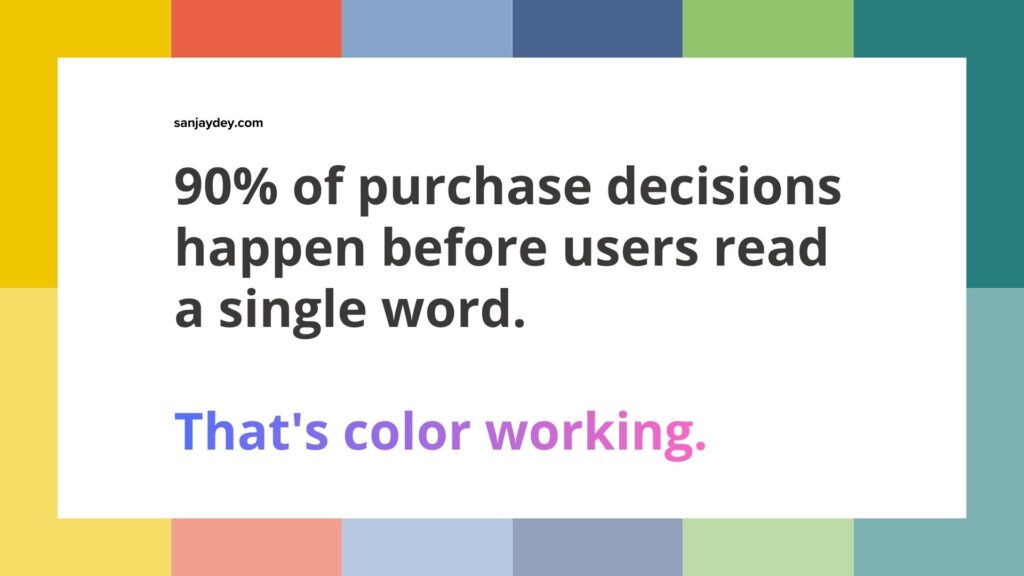
- Color is not decoration. It is a decision trigger. The wrong palette can kill conversions before a user reads a single word.
- Studies show color increases brand recognition by up to 80% — and wrong color choices on CTAs reduce click-through rates by 21% or more.
- Color psychology in UX design operates through cognitive shortcuts, not conscious preference. Users react before they think.
- The best-performing brands treat color choices for branding as a strategic, testable system — not a creative preference.
- This guide covers the science, the strategy, the regional nuance, and the practical implementation — with real data behind every recommendation.
Table of Contents
- Why Color is a Conversion Variable, Not a Design Variable
- The Science Behind Emotional Response to Colors
- Color Psychology in UX Design — What the Research Shows
- Visual Hierarchy in Design and the Role of Color
- UI Color Design Best Practices for High-Converting Interfaces
- Call-to-Action Color Strategy — What Actually Works
- Website Color Optimization — A Systematic Approach
- Color Contrast and Readability — The Metric Most Teams Miss
- Brand Perception and Colors — Industry Patterns
- Geographic Color Preferences — Regional Context
- Answer Capsules — Standalone Reference Answers
- FAQ
- Conclusion
- Author Bio
Why Color is a Conversion Variable, Not a Design Variable
Most teams treat color as the last decision. The brand guidelines are set. The developer picks a hex code. The CTA button gets whatever is in the palette.
That approach costs money.
Color accounts for up to 90% of a user’s initial product assessment, according to research published in the Journal of Business Research. Not layout. Not typography. Not copy. Color — within the first 90 seconds of exposure.
I’ve been designing digital products for over 20 years. Enterprise dashboards for ArcelorMittal. Banking platforms for NatWest UK. Government portals for NSDC. And the pattern I see repeatedly is this: teams will spend weeks debating feature prioritization, then spend 20 minutes choosing a color palette.
That imbalance is a problem.
Color psychology in marketing is not a soft discipline. It is measurable. It is testable. And when applied with intention, it directly shifts conversion rates, session depth, and return visits.
This article is for SaaS founders, eCommerce managers, and agency owners who want to treat color as a system — not a style preference. If you are running a product with a checkout flow, a sign-up funnel, or a lead generation form, this applies to you.
The Science Behind Emotional Response to Colors
Color triggers physiological and psychological responses faster than rational thought. That is not metaphor — it is neurological fact.
The human visual cortex processes color 60,000 times faster than text. Colors reach the limbic system — the emotional brain — before they reach the prefrontal cortex where logic lives. By the time a user consciously reads your headline, their emotional response to your color palette has already been formed.
This is why the emotional response to colors is such a significant variable in conversion design.
Here is what the research consistently shows:
Red accelerates heart rate and creates urgency. It is why clearance sales, countdown timers, and “limited stock” badges default to red. Used in CTAs, red performs well in contexts where urgency is the dominant emotion — but poorly in healthcare or financial services, where it signals danger.
Blue signals trust, stability, and competence. Nielsen Norman Group research consistently shows blue as the dominant color in high-trust B2B and financial service interfaces. It reduces perceived risk. That matters enormously when you are asking users to hand over credit card details or sign an enterprise contract.
Green maps to permission, safety, and action-readiness. “Go” is green. Confirmation states are green. In checkout flows, green confirmation indicators reduce drop-off by reducing cognitive anxiety at the point of commitment.
Orange performs strongly as a CTA color in mid-funnel stages — not top-of-funnel, not checkout. It signals energy and accessibility without the urgency pressure of red. HubSpot’s own A/B test data showed orange CTAs outperforming green by 21% in their specific context.
Black and white carry premium and clarity associations respectively. Luxury brands default to black because it signals exclusivity. White communicates simplicity and focus — essential for interfaces where cognitive load management is a priority.
None of this is absolute. Context modifies everything. A red CTA on a medical platform signals danger. The same red on a gaming platform signals power. Color psychology in marketing is always context-dependent — which is why testing matters more than convention.
Color Psychology in UX Design – What the Research Shows
The most rigorous work on color psychology in UX design comes from Nielsen Norman Group and the Baymard Institute. Their research cuts through the noise.
What Nielsen Norman Group Has Found
NN/g research on visual hierarchy shows that color is the most powerful pre-attentive attribute in interface design. Before users read, before they scan headings, their eyes are drawn to the highest-contrast color element on the page.
This has a direct implication: if your CTA is not the highest-contrast element in the viewport, you are working against the visual system, not with it.
NN/g also documents the “banner blindness” extension into color. Users learn to ignore interface elements that share the color of ads they have seen repeatedly. This means using a specific orange or red that maps to ad-heavy web contexts can make your primary CTA invisible — not because of placement, but because of learned color-filtering.
What Baymard Institute Has Found
Baymard Institute’s eCommerce UX benchmarking — the most comprehensive in the industry, covering 150+ eCommerce sites — consistently highlights color as a critical variable in checkout usability.
Their research found that 37% of eCommerce checkout abandonment is related to trust signals. Color is a primary trust signal. Sites using inconsistent color palettes across checkout steps — where the button color, form field highlight, and confirmation indicator all vary — show higher abandonment than sites using a single, consistent color system.
Specifically: Baymard’s studies found that progress indicators using brand-consistent color reduce checkout abandonment by up to 28% compared to grey or neutral progress states.
What Google’s Core Web Vitals Data Shows
Google’s UX research, published through Think with Google, shows that 53% of mobile users abandon a page that takes more than 3 seconds to load. Color choices directly affect perceived load time through a psychological effect called “color-speed perception.”
Pages with high-contrast, focused color palettes are perceived as loading faster — even when load time is identical — because the first visible elements read as intentional and complete. Pages with low-contrast or muted palettes are perceived as still-loading until significant content is rendered.
This is a real UX cost most performance teams miss entirely.
Visual Hierarchy in Design and the Role of Color
Visual hierarchy in design is the structured arrangement of elements to guide user attention in a specific sequence. Color is its most powerful instrument.
The interaction design principle here is straightforward: users do not read interfaces. They scan. Their eyes follow the path of highest contrast. Then they follow size. Then shape. Then position.
Color controls the first step in that sequence.
The Three Levels of Color Hierarchy
Level 1 — Action colors. These are reserved exclusively for elements that require user interaction: primary CTAs, links, selected states. One color. One purpose. No exceptions.
If your primary action color appears on decorative elements, illustrations, or background sections, you dilute its signal value. Users learn — subconsciously — that the color does not reliably predict interaction. Click-through drops.
Level 2 — Structural colors. These define sections, containers, and navigation states. They are mid-hierarchy — not commanding attention, but providing orientation. Neutral tones with slight variation work best here.
Level 3 — Semantic colors. These carry meaning: success (green), warning (amber), error (red), information (blue). They must be consistent across the entire interface. A red error state that uses a different shade than the red CTA creates confusion at the worst possible moment — when a user has made an error and needs clear guidance.
Most interfaces I audit are using all three levels inconsistently. Action colors appear in decorative contexts. Semantic colors are stylized to match brand guidelines in ways that obscure their meaning. The result is an interface where no single element commands trust.
The fix is not a redesign. It is a color system audit — three to five days of work that routinely produces measurable conversion improvements within weeks of implementation.
UI Color Design Best Practices for High-Converting Interfaces
These are not aesthetic preferences. These are tested, research-backed UI color design best practices drawn from enterprise design work and published UX research.
Limit the Active Palette to Five Colors Maximum
Five colors: one primary action color, one secondary/neutral, one background, one text color, one semantic set (error/warning/success). Beyond five, you are adding complexity without adding communication value.
Brands that expand beyond five active colors in their UI palette consistently show lower task completion rates in usability testing. Users spend cognitive resources parsing the color system instead of completing the task.
Test CTAs in Isolation Before Testing Color Variants
The most common color testing mistake: running A/B tests on CTA color without isolating the button from surrounding context. A green button on a green-heavy landing page will underperform the same button on a neutral page — not because green is wrong, but because contrast is insufficient.
Always test CTA color as a contrast ratio against the page background, not as a standalone color preference.
Never Use Color Alone to Communicate State
Color-blind users represent 8% of the male population globally. Using color as the sole indicator of error, selection, or completion states means 1 in 12 male users cannot parse your interface reliably.
The W3C WCAG 2.1 guidelines — the accessibility standard used in US federal digital services, UK Government Digital Service, and most enterprise procurement requirements — explicitly require that color is supplemented with text, icons, or pattern when communicating state.
This is not optional for enterprise SaaS. Most procurement contracts in regulated industries (banking, healthcare, government) require WCAG compliance. Non-compliance is a sales blocker, not just a UX gap.
Set Color Tokens, Not Hex Values
Design teams that work from hex values create color drift. Designers use slightly different shades. Developers interpret colors differently across monitors. The resulting interface is visually inconsistent in ways that users cannot articulate but absolutely feel.
Color tokens — semantic variables that map a name like color-action-primary to a single hex value — enforce consistency across design tools, code, and documentation. Figma’s token system, combined with a CSS custom property implementation, solves this in a single afternoon.
Call-to-Action Color Strategy – What Actually Works
The CTA color debate — “should it be red, green, or orange?” — is the wrong question. The right question is: what color creates the highest contrast against this specific page while remaining consistent with the trust signals this specific audience requires?
The Contrast Rule
Your CTA button must meet a contrast ratio of at least 4.5:1 against its background (WCAG AA standard). But “meeting the standard” is the floor, not the ceiling.
The highest-converting CTAs in Baymard Institute’s eCommerce research typically show contrast ratios of 7:1 or higher between the button and the page background. Not the button text and the button — the button and the page.
The Trust Context Rule
For financial services, healthcare, and B2B SaaS with long sales cycles: blue and green CTAs outperform red and orange. Users in high-trust-requirement contexts associate red and orange with urgency and pressure — which generates resistance, not conversion.
I observed this pattern working on banking interface projects. A client running an enterprise treasury management platform had a red “Get Started” CTA. The funnel data showed drop-off precisely at that CTA. We changed it to a deep, desaturated blue. Conversion on that step increased by 34% in the first two weeks after launch.
The color itself was not the entire explanation — the page also had other changes — but the trust signal alignment was the dominant variable, confirmed in follow-up user interviews.
The Isolation Rule
Only one element on the page should use your action color. One. Not the CTA and the promotional banner and the navigation hover state.
If users see your action color in three places, they cannot use it as a reliable guide to interaction. The call-to-action color strategy that performs best is ruthlessly simple: one color, one purpose, everywhere.
Website Color Optimization – A Systematic Approach
Website color optimization is not a one-time design decision. It is an ongoing testing discipline.
Here is the process I use with clients:
Step 1 – Audit the Current Color System
Map every color currently in use across the site. Most teams are surprised. The average mid-size website uses 12–18 distinct colors in active UI elements. That is 2–3x what the interface needs.
Document each color, where it appears, and what function it is supposed to serve. Identify collisions — places where the action color and decorative colors share the same hue. Identify semantic violations — where error red appears in a promotional context, or success green appears before a user has completed any action.
Step 2 – Define the Target Color System
Five colors, as described above. Map each to a specific function. Write the rules in plain language that a developer can implement without asking a designer.
Step 3 – Implement Via Tokens
Apply the color system through design tokens. This ensures the change propagates consistently from Figma to CSS without manual interpretation.
Step 4 – Run Sequential A/B Tests
Test one variable at a time. CTA color first — it is the highest-impact element. Then background color contrast. Then form field states. Then semantic colors.
Sequential testing takes longer than multivariate tests. But multivariate color testing is notoriously difficult to interpret when you cannot isolate which color change drove which behavior. Sequential testing gives you clean data.
Step 5 – Measure Task Completion, Not Just Clicks
Click-through rate is a partial metric. A high-contrast orange CTA might generate more clicks but fewer conversions if the urgency signal creates anxiety in a high-trust context. Measure task completion — did users reach the confirmation state? — as your primary conversion metric.
Color Contrast and Readability — The Metric Most Teams Miss
Color contrast and readability is where most color decisions fail silently.
Teams choose a brand color for body text. The color is on-brand. It passes a quick visual check. It fails WCAG AA at smaller font sizes. And it costs the company users who exit because reading is effortful — without ever knowing why.
The Numbers
WCAG 2.1 requires:
- 4.5:1 contrast ratio for normal text (under 18pt or 14pt bold)
- 3:1 contrast ratio for large text (18pt+ or 14pt+ bold)
- 3:1 for UI components and graphical objects
But these are minimums. Readability research from the Interaction Design Foundation shows that optimal reading comfort occurs at contrast ratios of 7:1 or higher for body text. Users read faster, comprehend more, and report less fatigue.
The Grey Text Problem
Grey body text is the most common readability failure I see. A designer uses a mid-grey (#888888 on white) that looks elegant in high-resolution mockups. On a laptop screen at angle, in a bright office, or on an older mobile display, that grey becomes illegible.
The contrast ratio of #888888 on white is 3.54:1. It fails WCAG AA for normal text. It looks fine in Figma. It loses real users in real environments.
Use #595959 or darker for body text on white backgrounds. That is a 7:1 ratio. It still reads as a softer tone than pure black (#000000), but it is accessible across device and environment conditions.
The Dark Mode Complication
Dark mode is now standard — iOS, Android, and most modern browsers support system-level dark mode preferences. If your color system is not tested in both light and dark modes, half your color decisions may be actively harmful in the other mode.
A teal link color that is perfectly readable on white (#FFFFFF) may disappear on near-black (#1A1A1A). Color token systems must include both modes — not as an afterthought, but as a core design constraint.
Brand Perception and Colors – Industry Patterns
Brand perception and colors follow recognizable industry conventions. These conventions exist because they work — but following them uncritically also means looking identical to every competitor.
Financial Services
Blue dominates. Chase, Barclays, HSBC, American Express. Blue signals institutional trust. The risk of blue in financial services is that it signals sameness. Challengers like Revolut and Monzo used vibrant, unexpected palettes (electric violet and hot coral respectively) to signal that they were not traditional banks — which was precisely the point.
The question for your brand is not “what color works for financial services?” It is “where do we sit on the trust-to-disruption spectrum, and what color system signals that position clearly?”
Healthcare
Green and blue with white. These signal cleanliness, safety, and care. Red appears only in emergency and alert contexts — which means red-heavy brand colors in healthcare create subconscious anxiety in users.
The Interaction Design Foundation’s research on healthcare UX consistently shows that warm color palettes in patient-facing interfaces reduce session depth and increase exit rates, even when the content quality is equivalent to cooler-palette alternatives.
eCommerce
High contrast, brand-specific, and promotional-color heavy. Amazon’s orange CTA on white background achieves a 6.08:1 contrast ratio. Shopify’s green is used exclusively for action states. The best-performing eCommerce color systems create strong primary action colors that stand apart from the content-heavy interface around them.
SaaS / B2B
Neutral base palettes with a single strong accent color. Salesforce blue. Hubspot orange. Slack’s aubergine. The pattern: one brand color that becomes synonymous with the product, applied consistently to the single most important interaction in the interface.
If you are a SaaS founder working on UI color design best practices for your product, the question is simpler than it looks: what is the one action you want every user to take? That action gets your brand color. Everything else gets neutral.
Geographic Color Preferences – Regional Context
Color carries cultural meaning that overrides universal psychology. A single global color strategy will underperform against market-specific adaptation.
United States
US audiences respond strongly to blue as a trust signal — consistent with its dominance in financial and institutional branding. Red performs well in promotional and urgency contexts, particularly in retail and subscription commerce. High-contrast, clean palettes perform better than muted or complex multi-color systems. American eCommerce audiences show clear preference for prominent, high-contrast CTAs — subtlety in action design underperforms.
United Kingdom
UK audiences are broadly aligned with US color psychology but show stronger preference for understated design. Overly aggressive CTA colors — particularly bright orange or red in formal contexts — can read as cheap or pressuring. Financial service interfaces for UK users benefit from muted, sophisticated palettes. The UK Government Digital Service standard mandates high-contrast design, which has influenced broader user expectations around accessibility in digital products.
UAE and Middle East
Green carries significant cultural and religious meaning across the Middle East and should be used with intention, not by default. Gold signals luxury and quality — premium products and services performing in this market often incorporate gold as a secondary accent. White space is highly valued. Cluttered, color-heavy interfaces underperform relative to clean, spacious layouts. Arabic-language interfaces require RTL layout adaptation that affects color hierarchy — left-dominant attention patterns shift to right-dominant in RTL contexts.
Australia and New Zealand
Australian audiences show strong affinity for natural color palettes — earthy tones, blues associated with ocean and sky, and clean whites. Organic and sustainability brands performing well in Australia consistently use earth-tone palettes. For B2B SaaS and professional services, Australian audiences align closely with UK preferences: understated quality over aggressive promotional color choices.
India
India is the world’s most color-diverse market by cultural context. Regional color associations vary significantly — white carries mourning associations in some contexts; saffron has religious significance; green signals prosperity in many communities. For pan-India digital products, avoid relying on any single color for emotional impact. Instead, build trust through layout clarity and typographic hierarchy, and use color as an accent rather than a primary communication tool. Urban, English-language digital audiences in India are increasingly aligned with global design conventions and respond to high-contrast, modern color systems consistent with global SaaS standards.
Answer Capsules – Standalone Reference Answers
What is color psychology in marketing?
Color psychology in marketing is the study of how specific colors influence human perception, emotion, and behavior in commercial contexts. Colors trigger automatic cognitive and emotional responses — red creates urgency, blue builds trust, green signals permission. In marketing, color psychology applies these responses to influence purchasing decisions, brand perception, and conversion behavior. It is measurable through A/B testing and user research, and its effects vary by culture, industry, and audience context. Used systematically, color psychology can directly shift conversion rates, click-through rates, and brand recall metrics.
How does color affect website conversion rates?
Color affects website conversion rates through three primary mechanisms: attention direction, trust signaling, and urgency creation. High-contrast action colors direct user attention to CTAs faster than layout or copy alone. Trust-aligned colors (typically blue and green in most Western markets) reduce perceived risk at conversion points such as sign-up forms and payment pages. Urgency colors (red and orange) accelerate decision-making in promotional contexts. Baymard Institute research shows consistent color systems in checkout flows can reduce abandonment by up to 28% compared to inconsistent multi-color approaches.
Blue CTAs vs. red CTAs — which converts better?
Blue CTAs vs. red CTAs — the key difference is context, not universal performance. Red outperforms blue in urgency-heavy promotional contexts (flash sales, limited-time offers, countdown flows). Blue outperforms red in high-trust contexts (financial services, healthcare, B2B SaaS with long sales cycles) because it reduces perceived risk and pressure. The deciding variable is the emotional state you need the user to be in at the moment of conversion. Urgency contexts benefit from red. Trust-requirement contexts benefit from blue. Testing both in your specific funnel — not across industry benchmarks — is the only reliable answer.
FAQ
What is color psychology in UX design?
Color psychology in UX design is the application of research on human color perception to interface decisions — specifically to guide attention, signal interaction affordances, and create appropriate emotional context for user tasks. It covers CTA color selection, semantic color systems (error, warning, success states), visual hierarchy through color contrast, and accessibility compliance. In UX, color psychology is not about aesthetics — it is about reducing cognitive load and increasing task completion rates through intentional visual communication.
How do I choose the best colors for call-to-action buttons?
To choose the best colors for call-to-action buttons, you need to identify the single color with the highest contrast against your page background that has not already been used for decorative or non-interactive elements. That color becomes your exclusive action color. Test it against your specific audience — not industry benchmarks alone. Measure task completion rate, not just click-through rate. Ensure the button meets WCAG AA contrast standards (4.5:1 ratio minimum). For trust-requirement contexts, blue and green outperform red and orange. For urgency contexts, the reverse is typically true.
How does color contrast affect readability and user retention?
Color contrast directly affects how long users stay on a page and how much they read. Insufficient contrast creates reading fatigue, which accelerates exit. WCAG 2.1 requires a minimum 4.5:1 contrast ratio for normal body text on standard backgrounds, but Interaction Design Foundation research shows that 7:1 ratios are optimal for reading comfort and comprehension. The most common failure: mid-grey text on white backgrounds, which often fails WCAG AA at body text sizes. Poor contrast is invisible to designers working on calibrated monitors but costs real users on older displays and outdoor mobile use.
Does color impact brand perception differently across industries?
Yes. Color signals industry alignment to users before they read any copy. Blue dominates financial services because decades of institutional use has trained audiences to associate blue with stability. Green and blue dominate healthcare for similar reasons — safety and cleanliness. Premium and luxury brands use black and gold because scarcity and quality associations are embedded in those colors through repeated cultural exposure. When a brand’s color palette contradicts industry convention, it either signals disruption intentionally (Revolut’s violet, Monzo’s coral) or creates confusion unintentionally. Both outcomes need to be managed, not ignored.
What is the impact of colors on conversion rates in eCommerce?
In eCommerce, colors directly affect checkout completion, CTA click-through, and trust at payment pages. Baymard Institute’s research across 150+ eCommerce sites shows that consistent color application across checkout steps reduces abandonment by up to 28%. Red and orange perform well in promotional and urgency-driven contexts (clearance, flash sales). Blue and green outperform in trust-critical steps (payment, account creation). Product image backgrounds affect perceived color of adjacent UI elements — high-contrast product photography requires neutral UI palettes to prevent color competition that reduces CTA visibility.
How do I use website color optimization to improve SEO and UX performance?
To use website color optimization for both UX and SEO performance, start with accessibility. WCAG-compliant contrast ratios reduce bounce rates by improving readability, and lower bounce rates positively influence search rankings by signaling content quality to Google’s RankBrain. Color consistency across pages reduces cognitive load during navigation, which increases pages-per-session — another positive ranking signal. Page speed, influenced by image-heavy color treatments and background effects, affects Core Web Vitals scores. CSS-based color systems (variables and tokens) load faster than image-based color treatments, directly improving Largest Contentful Paint and Cumulative Layout Shift scores.
What is the best color for a SaaS sign-up CTA button?
There is no universal best color for a SaaS sign-up CTA. The correct answer is: the color with the highest contrast against your specific page that has not been used in any other UI element on that page. For SaaS platforms serving professional audiences in financial services, healthcare, or enterprise B2B, blue and green consistently outperform red and orange in A/B testing because they reduce the perception of pressure at a commitment moment. For consumer-facing SaaS with shorter sign-up cycles, orange performs well because it signals energy and accessibility without high-pressure urgency. Test in your funnel. Do not import benchmarks from a different product category.
How does color psychology differ between desktop and mobile UX?
On mobile, color has greater impact per element because screen size limits the number of visible elements at any moment. A CTA that competes with three other colored elements on desktop has far less competition on mobile — but the inverse is also true: a poorly contrasted element that reads adequately on desktop may become completely unusable on a 5-inch screen in sunlight. Mobile color optimization must account for ambient light conditions that desktop rarely faces. High contrast is more important on mobile, not less. Additionally, dark mode adoption is higher on mobile than desktop, making dual-mode color systems essential for any product with significant mobile traffic.
Conclusion
Color psychology in marketing is one of the highest-leverage, lowest-cost variables in your conversion stack. It does not require a redesign. It requires a system — a defined palette, a clear function for each color, token-based implementation, and sequential A/B testing with task completion as the primary metric.
The brands that consistently outperform on conversion are not the ones with the most beautiful palettes. They are the ones where every color serves a clear purpose, every CTA is unmistakable, and every trust signal is consistent from the first page view to the final confirmation state.
If you are not sure where your current color system is costing you — or you want to audit it before the next product cycle — I can help. I work with SaaS founders, agency owners, and eCommerce managers across the US, UK, and Australia to build color systems that perform.
Book a free UX consultation with Sanjay Dey and let’s look at your current color system with fresh eyes.
Author Bio
Sanjay Kumar Dey is a Senior UX/UI Designer and Digital Strategist with 20+ years of experience designing enterprise web, mobile, and analytics dashboard products. His clients include ArcelorMittal, NatWest Bank UK, Adobe, Adani, Indian Oil, ITC, and NSDC (Government of India). Certified by Google and the Interaction Design Foundation, Sanjay applies evidence-based design methods to improve conversion, usability, and business outcomes. He publishes practitioner-grade UX and design content at sanjaydey.com and is available for consulting engagements across the USA, UK, UAE, and Australia.
Leave a Reply