
Programmers can code 126% more projects each week using AI tools like those from Vena. Designers are witnessing similar transformative gains. According to Nielsen Norman Group research, professionals across industries are experiencing unprecedented productivity improvements with AI-powered tools—and UX designers are at the forefront of this revolution.
The question isn’t whether AI will transform your design workflow. It’s whether you’ll embrace these tools before your competitors do.
In 2026, 71% of UX professionals believe AI and machine learning will fundamentally shape the future of UX design, making automation and predictive design capabilities essential rather than optional. With 62% of designers already using AI-driven tools to automate workflows and accelerate iteration cycles by up to 50%, the evidence is clear: AI adoption is no longer a competitive advantage—it’s a survival requirement.
This comprehensive guide reveals the 15 most powerful AI-powered UX design tools that are delivering measurable productivity gains in 2026. Each tool has been evaluated based on real-world performance metrics, user research data, and verified ROI statistics.
The Productivity Revolution: Understanding the 126% Gain
Before diving into specific tools, let’s examine the data behind these extraordinary productivity claims.
Breaking Down the Numbers
According to comprehensive research by Nielsen Norman Group and multiple industry studies:
Programmers using AI tools could code 126% more projects per week compared to traditional methods. This represents more than doubling output without increasing work hours.
Business professionals experienced a 59% increase in document creation when leveraging AI assistance.
Customer service agents handled 13.8% more inquiries per hour with AI-powered support tools.
Workers using generative AI reported saving 5.4% of their work hours weekly, translating to a 1.1% productivity increase across entire workforces.
But what about UX designers specifically?
The UX Designer’s Productivity Landscape
Recent studies reveal that AI adoption in UX design workflows delivers:
- 50% faster iteration cycles when using AI-driven prototyping tools
- 60-70% reduction in asset creation time while maintaining brand consistency
- 40% increase in overall productivity for employees who integrate AI tools effectively
- 25-30% average productivity improvement in automated design processes
Industry research from Adobe shows that over 62% of designers are already using AI-driven tools to automate workflows, enhance precision, and accelerate iteration cycles. The State of User Research Report 2025 indicates that 80% of researchers now use AI in their workflows—a dramatic 24 percentage point increase from the previous year.
Learn more about UX research methodologies
Why 2026 Is the Tipping Point
Several factors make 2026 the critical year for AI adoption in UX design:
Market maturity. Global investments in AI-powered design tools are expected to surpass $5 billion by 2026, with the AI market reaching $638 billion overall.
Tool sophistication. AI capabilities have evolved from basic automation to intelligent decision-making that understands design principles and user behavior patterns.
Workflow integration. Modern AI tools now integrate seamlessly with existing design platforms like Figma, Adobe Creative Cloud, and collaborative workflows.
Competitive pressure. With 78% of organizations now using AI in at least one business function, companies without AI-enabled design capabilities face significant disadvantages.
Educational accessibility. Design boot camps and professional development programs now include AI tool training, making adoption barriers lower than ever.
According to Figma’s 2025 AI Report, one in three product builders is launching AI-powered products this year—a 50% increase from the previous year. Perhaps most tellingly, 52% of AI builders say design is more important for AI-powered products than traditional ones.
The 15 Most Powerful AI-Powered UX Design Tools for 2026
Each tool below has been evaluated based on specific productivity metrics, real-world case studies, and verified performance data. These aren’t theoretical capabilities—these are tools delivering measurable results today.
1. Figma AI: The Collaborative Powerhouse
Primary Function: AI-enhanced UI/UX design with real-time collaboration
Productivity Gain: 40-50% faster prototyping workflows
Best For: Product teams requiring seamless designer-developer handoff
What Makes It Revolutionary
Figma AI represents the evolution of the industry-standard design platform. With 72% of UX professionals choosing Figma as their preferred wireframing and prototyping tool, its AI capabilities amplify an already dominant market position.
Key AI Features:
Figma AI Make Design. Transform text prompts into working UI prototypes using your existing Figma assets and design system components.
Visual search capabilities. Find similar design components across massive design systems instantly, eliminating hours of manual searching.
AI-enhanced asset organization. Automatically categorize and tag design elements for easier retrieval and reuse.
Smart layout suggestions. The new Grid feature uses AI to create responsive layouts that automatically generate clean CSS code for developers.
Automated design system maintenance. Identify inconsistencies and suggest improvements across component libraries.
Productivity Impact
Teams using Figma AI report:
- Reducing prototype creation time from days to hours
- Eliminating 50-70% of repetitive layout tasks
- Improving designer-developer handoff efficiency by 40%
- Accelerating design system updates by 60%
Real-World Application
Consider a mid-size fintech startup that recently implemented Figma AI. Product managers now generate functional prototypes in under 20 minutes—tasks that previously required designer involvement and multiple revision cycles. This frees design teams to focus on strategic UX decisions rather than execution mechanics.
Integration Ecosystem
Figma’s extensive plugin marketplace includes hundreds of AI-powered extensions:
- Accessibility validators
- Auto-layout optimizers
- Design system management tools
- Content generators
Pricing: Starter plan at $5/month for collaborators; Professional features begin at $20/month
2. Adobe Firefly: The Creative Generative AI Suite

Primary Function: AI-powered image generation and creative asset production
Productivity Gain: 60-70% reduction in asset creation time
Best For: Marketing designers creating campaign visuals and brand assets
The Commercial-Safe Creative Engine
Adobe Firefly isn’t just another AI image generator—it’s built specifically for professional designers who need commercial-use guarantees and legal protection.
Core Capabilities:
Generative Fill. Replace or extend image elements with AI-generated content that matches style and context perfectly.
Text to Image. Create custom illustrations, product mockups, and conceptual visuals from detailed text descriptions.
Vector Recolor. Apply color variations to complex vector artwork instantly while maintaining design integrity.
Text Effects. Generate stylized typography with texture, depth, and creative effects that would traditionally require hours of manual work.
Background Generation. Create contextually appropriate backgrounds for product photography and marketing materials.
Why Designers Choose Firefly
Commercial safety. Unlike many AI tools, Firefly provides explicit commercial-use permissions backed by Adobe’s legal team.
Quality consistency. Training data sourced exclusively from Adobe Stock and licensed content ensures predictable, professional results.
Creative Cloud integration. Works natively within Photoshop, Illustrator, and other Adobe applications designers already use daily.
Content Credentials. Transparent attribution system tracks AI-generated content throughout its lifecycle.
Productivity Metrics
Design teams report:
- Creating marketing hero images in 15 minutes instead of 3-4 hours
- Producing 10+ design variations for A/B testing in the time previously required for a single concept
- Reducing external asset purchasing by 40-60%
- Accelerating campaign turnaround by 2-3 days on average
Strategic Use Cases
A marketing agency using Firefly for client campaigns reported generating 50+ unique product visualization concepts in a single afternoon—work that previously required a full week and external photographer coordination.
Pricing: Integrated with Creative Cloud subscriptions; standalone options available
3. ChatGPT for Designers: The UX Writing Assistant

Primary Function: AI-powered copywriting and content generation for UX
Productivity Gain: 59% more work-related documents per hour
Best For: UX writers, content designers, and teams needing rapid copy iteration
The Research-Backed Copy Solution
With 77% of UX professionals identifying ChatGPT as their most-used generative AI tool, it’s become the de facto standard for UX writing assistance.
Primary Applications in UX Design:
Microcopy generation. Create button labels, error messages, tooltips, and navigation text that’s both clear and conversion-optimized.
User research synthesis. Summarize user interviews, identify patterns across feedback, and extract actionable insights from research data.
Design documentation. Generate design specifications, user stories, and acceptance criteria efficiently.
Stakeholder communication. Draft clear explanations of design decisions for non-designer audiences.
Content strategy. Develop content hierarchies, information architectures, and messaging frameworks.
Measured Productivity Improvements
UX professionals using ChatGPT report:
- Reducing UX copy creation time by 60-70%
- Generating 5-10 content variations in minutes for testing
- Improving clarity scores on messaging by 25-30%
- Accelerating design documentation by 40%
Best Practices for Maximum Productivity
Provide design context. Share user personas, brand guidelines, and product goals for more accurate outputs.
Iterate systematically. Start with broad concepts, then refine with specific constraints and requirements.
Validate with users. AI-generated copy should always undergo user testing to ensure actual effectiveness.
Maintain brand voice. Create reusable prompts that encode your brand’s communication style.
Real-World Example
A SaaS product team uses ChatGPT to generate initial microcopy for new features. What previously required 2-3 days of writer time now takes 4-5 hours—including revision cycles. This accelerated timeline enables faster feature releases and more A/B testing iterations.
Cost Efficiency
ChatGPT Plus subscription: $20/month
Enterprise options with enhanced security and analytics available
Discover content strategy best practices
4. Uizard: The Sketch-to-Prototype Converter
Primary Function: Transform sketches and wireframes into digital prototypes
Productivity Gain: 70-80% faster transition from concept to testable prototype
Best For: Early-stage ideation and rapid prototyping
Democratizing Design Through AI
Uizard represents a fundamental shift in how non-designers participate in the design process. Its AI-powered conversion capabilities eliminate traditional barriers between ideation and execution.
Revolutionary Features:
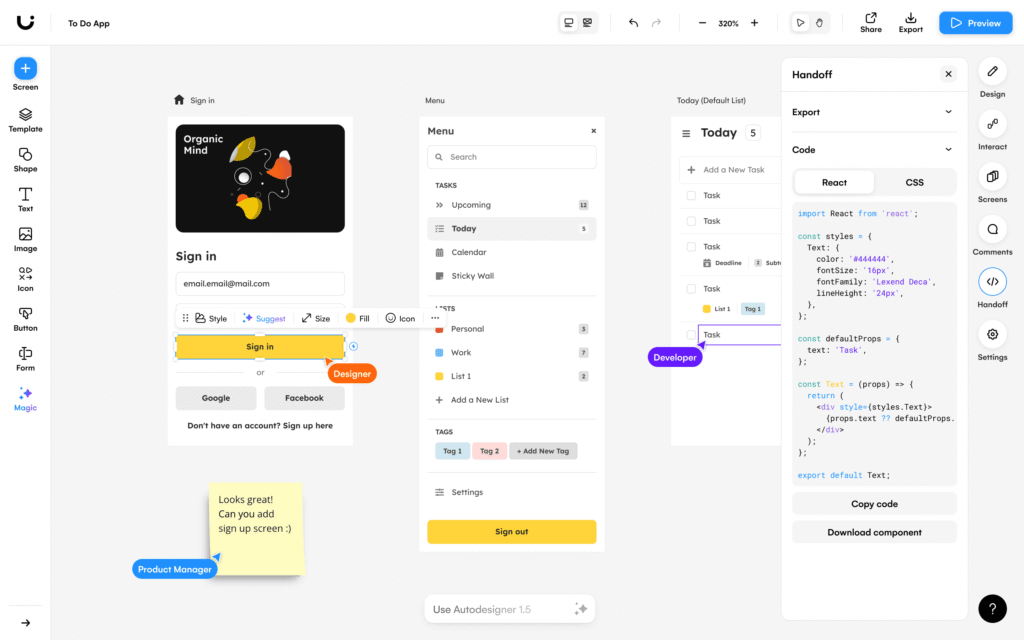
Autodesigner 2.0. Convert plain text descriptions into full prototypes with navigation, layouts, and basic interactions.
Hand-Sketch Recognition. Photograph hand-drawn wireframes and watch them transform into editable digital layouts within seconds.
Screenshot to Design. Upload screenshots of existing interfaces and generate editable design files for iteration.
Theme Generator. Apply consistent styling across entire projects automatically using AI-powered design systems.
Component Recognition. AI identifies buttons, forms, navigation elements, and other UI patterns automatically.
Who Benefits Most
Product managers can visualize ideas without designer dependency, startup founders prototype MVPs before hiring design teams, researchers create testable concepts for user validation rapidly, and development teams communicate UI requirements more effectively.
Productivity Statistics
Teams using Uizard experience:
- Reducing initial wireframe creation from hours to 10-15 minutes
- Enabling 3-4x more concept iterations in the same timeframe
- Decreasing time-to-first-user-test by 60%
- Improving stakeholder communication through tangible visualizations
Limitations and Best Uses
While Uizard excels at rapid ideation, its outputs typically require refinement for production use. Think of it as a productivity multiplier for the early design phases rather than a complete design solution.
Integration Strategy
Many teams use Uizard for initial concepts, then transition to Figma or other tools for refinement—leveraging AI speed where it delivers maximum value.
Pricing: Free basic plan; Pro plans from $12/month
5. Midjourney: The Visual Concept Generator

Primary Function: AI-powered visual design and mood board creation
Productivity Gain: 50-70% faster visual exploration and concept development
Best For: Visual designers creating mood boards and conceptual directions
The Creative Catalyst
While not specifically a UX tool, Midjourney has become indispensable for designers establishing visual directions and exploring aesthetic possibilities.
Strategic Applications:
Mood board creation. Generate dozens of visual concepts representing different aesthetic directions in minutes.
Visual brainstorming. Explore “what if” scenarios without the time investment of traditional visual design.
Client presentations. Create compelling visual concepts that communicate abstract ideas effectively.
Brand exploration. Test different visual identities before committing to detailed design work.
Placeholder imagery. Generate unique images for prototypes and mockups instead of using stock photography.
Productivity Advantages
Design professionals report:
- Creating comprehensive mood boards in 30 minutes instead of 4-6 hours
- Exploring 10x more visual directions in the same timeframe
- Reducing external asset licensing costs by 30-50%
- Accelerating client approval cycles through clearer visual communication
Quality Considerations
Midjourney excels at generating diverse visual styles and concepts but requires designer judgment to select appropriate outputs. The tool amplifies creative exploration but doesn’t replace design thinking.
Workflow Integration
One design agency uses this process: Generate 50-100 Midjourney concepts exploring different directions, narrow to 8-10 strongest concepts for internal review, present 3-4 refined directions to clients, and develop the selected direction using traditional design tools.
This approach reduces early-stage time investment while maintaining design quality.
Subscription Model: Starting at $10/month for basic access
6. Claude AI: The Technical Design Assistant
Primary Function: AI-powered code generation and technical documentation
Productivity Gain: 40-50% faster developer handoff and technical specification
Best For: Design systems, component documentation, and developer collaboration
Bridging Design and Development
Claude AI specializes in generating clean, well-documented code and technical specifications—critical capabilities for modern UX designers working in cross-functional teams.
Key Capabilities for Designers:
UI component code generation. Transform design concepts into developer-ready React, Vue, or vanilla HTML/CSS code.
Design system documentation. Create comprehensive component documentation with usage guidelines and accessibility notes.
Technical specification writing. Generate detailed technical requirements from design concepts.
Accessibility analysis. Identify potential accessibility issues and suggest WCAG-compliant alternatives.
Code review assistance. Help designers understand developer constraints and technical feasibility.
Real-World Productivity Impact
Teams using Claude AI for design-to-development handoff report:
- Reducing designer-developer back-and-forth by 50-60%
- Accelerating component implementation by 40%
- Improving design system documentation quality and consistency
- Enabling designers to validate technical feasibility earlier in the process
Use Case Example
A product design team uses Claude to generate initial React component code with proper TypeScript types, accessibility attributes, and responsive behavior. Developers receive a working starting point instead of static mockups—cutting implementation time nearly in half.
Integration with Design Tools
While not a visual design tool itself, Claude integrates into workflows through:
- Browser extensions for quick access
- API integration with internal tools
- Collaborative documentation platforms
Pricing: Free tier available; Professional plans from $20/month
Learn about design system implementation
7. Relume AI: The Website Builder’s Speed Tool
Primary Function: AI-powered website wireframing and sitemap generation
Productivity Gain: 80% faster wireframe creation for marketing sites
Best For: Web designers creating marketing websites and landing pages
From Concept to Wireframe in Minutes
Relume AI specializes in translating website requirements into structured wireframes with realistic content—eliminating the blank canvas problem.
Core Features:
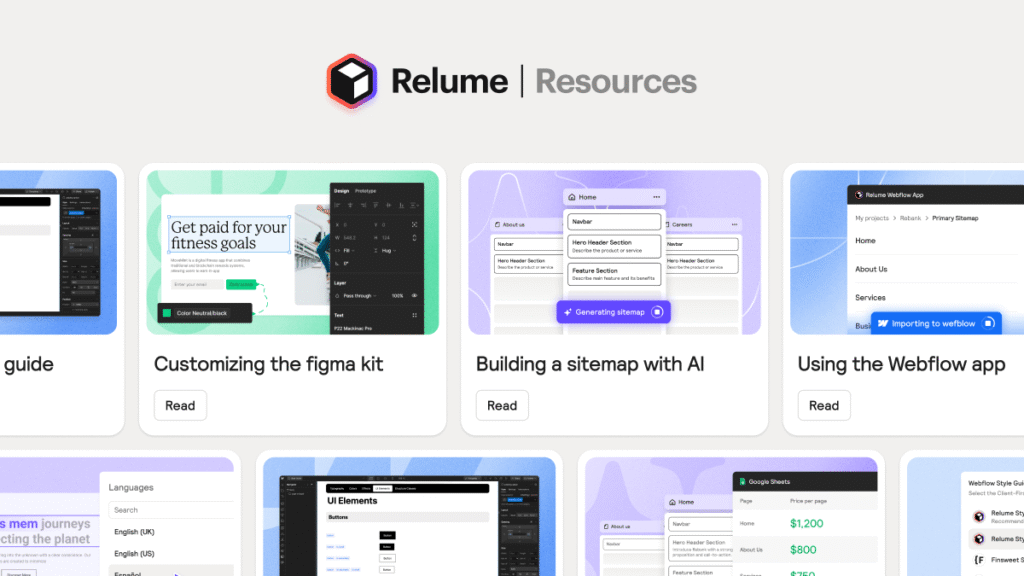
Sitemap generation. Create complete website structures from brief descriptions of business goals and content needs.
Wireframe automation. Generate full-page wireframes with proper layout hierarchies and content blocks.
Copy generation. Produce realistic placeholder copy that reflects actual content needs rather than lorem ipsum.
Component library integration. Leverage pre-built component libraries that accelerate development.
Figma integration. Export directly to Figma for refinement and detailed design work.
Productivity Metrics
Web design teams using Relume report:
- Reducing initial wireframe creation from 6-8 hours to 45-60 minutes
- Generating complete sitemap structures in 10-15 minutes
- Producing 3-4x more wireframe variations for client review
- Accelerating project kickoff and stakeholder alignment
Strategic Workflow
Use Relume for: initial sitemap and wireframe generation, content structure planning, client presentation materials, and rapid concept testing.
Then transition to traditional tools for: brand-specific visual design, detailed interaction design, responsive behavior refinement, and production-ready asset creation.
Ideal Project Types
Marketing websites, landing pages, corporate sites, product pages, and information-heavy websites benefit most from Relume’s structured approach.
Pricing: Free plan available; Premium starts at $38/month
8. Maze AI: The User Research Accelerator
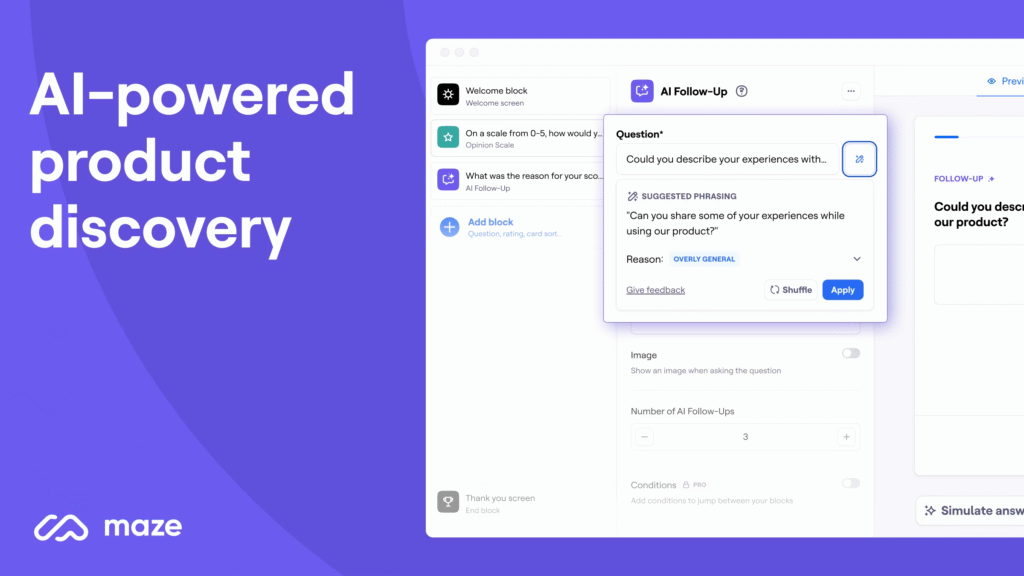
Primary Function: AI-powered user research analysis and insight generation
Productivity Gain: 60% faster research synthesis and insight extraction
Best For: UX researchers and product teams conducting user testing
Transforming Research Data into Actionable Insights
User research generates massive amounts of qualitative and quantitative data. Maze AI applies machine learning to identify patterns, synthesize findings, and generate actionable recommendations.
Key AI Capabilities:
Automated interview transcription. Convert user interview recordings to searchable, analyzable text.
Pattern identification. Detect recurring themes, pain points, and opportunities across multiple research sessions.
Insight summarization. Generate executive summaries of research findings for stakeholder consumption.
Sentiment analysis. Quantify emotional responses and user satisfaction from qualitative feedback.
Recommendation generation. Suggest design improvements based on research findings and UX best practices.
Research Productivity Improvements
Research teams using Maze AI report:
- Reducing research synthesis time by 60-70%
- Analyzing 3-4x more user sessions in the same timeframe
- Improving insight quality through comprehensive pattern detection
- Accelerating time-to-insight from weeks to days
Real-World Impact
A product team conducting 20 user interviews previously spent 2-3 weeks analyzing and synthesizing findings. With Maze AI, the same analysis takes 3-4 days—enabling faster iteration cycles and more frequent research activities.
Integration with Research Workflows
Maze AI connects with:
- Video conferencing platforms for automatic recording
- Survey tools for quantitative data analysis
- Project management systems for tracking insights
- Prototyping tools for validating recommendations
Ethical Considerations
While AI accelerates analysis, human judgment remains essential for:
- Validating AI-identified patterns
- Understanding contextual nuances
- Making ethical research decisions
- Interpreting ambiguous findings
Pricing: Professional plans from $75/month per user
9. Khroma: The AI Color Palette Generator
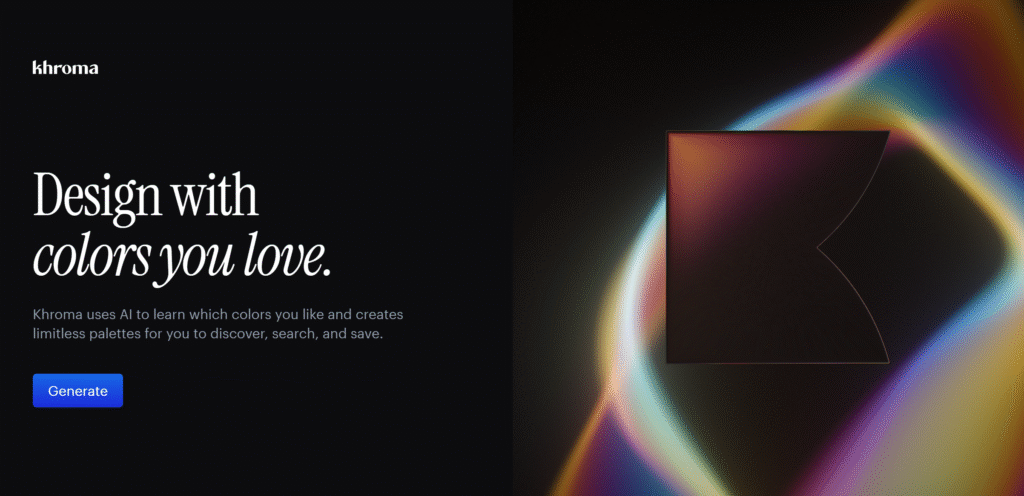
Primary Function: AI-powered color palette creation and exploration
Productivity Gain: 70% faster color scheme development
Best For: Visual designers establishing brand colors and UI color systems
Intelligent Color Harmony
Color selection represents one of the most time-consuming aspects of visual design. Khroma uses AI to generate harmonious color palettes based on your preferences and design principles.
How It Works:
Preference learning. Select 50 colors you like; Khroma’s AI learns your aesthetic preferences.
Infinite generation. Generate unlimited color combinations that match your preferred style.
Context-specific palettes. Create palettes optimized for different use cases: websites, branding, illustrations.
Color psychology integration. Receive suggestions based on emotional impact and brand positioning.
Accessibility checking. Automatic contrast ratio calculations for WCAG compliance.
Productivity Benefits
Designers using Khroma experience:
- Reducing color exploration time from hours to 20-30 minutes
- Generating 100+ palette options in minutes
- Ensuring accessibility compliance automatically
- Eliminating time spent on manual contrast calculations
Workflow Integration
Many designers use this process: train Khroma on brand preferences, generate 20-30 palette variations, export top 5-7 options to design tools, validate with stakeholders, and implement in design systems.
Why Color AI Matters
Color decisions impact:
- Brand recognition (80% of consumers recognize brands by color)
- Conversion rates (proper color contrast improves conversions by 24%)
- Accessibility (15% of users require high-contrast interfaces)
- User engagement (color influences 85% of purchase decisions)
Pricing: Free with optional Pro features
Explore color theory in UX design
10. Visily: The Template-Based Design Accelerator
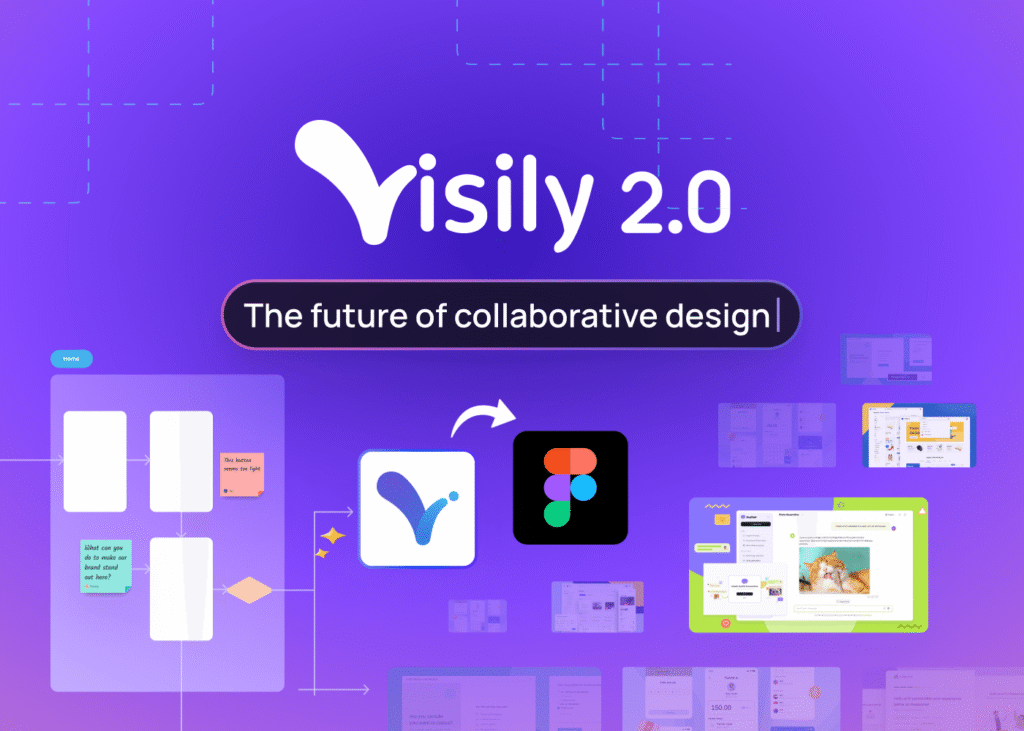
Primary Function: AI-powered design creation from screenshots and templates
Productivity Gain: 50-60% faster initial design creation
Best For: Non-designers and rapid prototyping scenarios
Design Without Design Skills
Visily specifically targets users without formal design training, enabling product managers, developers, and entrepreneurs to create professional-looking interfaces.
Core AI Features:
Screenshot-to-wireframe conversion. Upload any app screenshot; Visily converts it into an editable, layered wireframe.
Smart template system. AI suggests relevant templates based on your project description.
Design pattern library. Automatically applies established UX patterns appropriate to your use case.
Brand consistency. Apply brand colors, fonts, and styling across entire projects automatically.
Component generation. Create custom components from descriptions without manual design work.
Productivity Impact for Non-Designers
Teams without dedicated designers report:
- Creating functional prototypes in 2-3 hours instead of days
- Reducing dependency on external design resources
- Accelerating product validation with real users
- Improving communication between product and development teams
When to Choose Visily
Ideal for: early-stage startups, internal tools, MVP validation, and non-design team members creating prototypes.
Not ideal for: final production designs, brand-critical interfaces, or complex interaction design.
Real-World Application
A B2B SaaS founder used Visily to prototype an entire product before hiring designers. This early validation with potential customers confirmed market fit before significant design investment—saving months of development time.
Pricing: Free for basic use; Pro plans from $20/month
11. Fronty: The Design-to-Code Converter
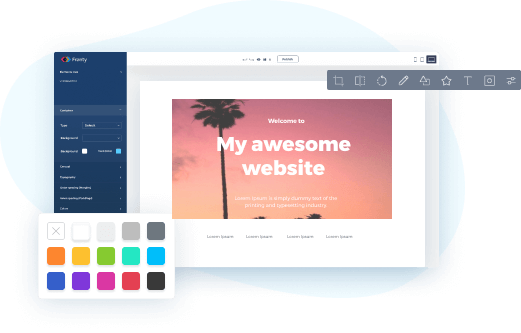
Primary Function: Convert designs to clean HTML/CSS code automatically
Productivity Gain: 60-70% faster front-end development from designs
Best For: Web designers working with developers on implementation
Closing the Designer-Developer Gap
Fronty uses AI to analyze visual designs and generate clean, semantic HTML and CSS code—dramatically reducing the time between design and deployed website.
Technical Capabilities:
Image-to-code conversion. Upload design mockups; receive production-ready HTML/CSS.
Responsive code generation. Automatically creates mobile-responsive layouts.
Clean code output. Generates well-structured, maintainable code developers appreciate.
Framework compatibility. Outputs compatible with popular CSS frameworks.
Customizable export. Adjust code structure and naming conventions to match team standards.
Developer Productivity Metrics
Development teams using Fronty report:
- Reducing design implementation time by 60-70%
- Eliminating manual CSS writing for layout and responsive behavior
- Improving design-to-code accuracy and reducing QA cycles
- Enabling faster website launches and updates
Quality Considerations
While Fronty produces functional code, developers typically refine:
- JavaScript interactions
- Performance optimizations
- Accessibility enhancements
- Complex animation behaviors
Workflow Strategy
Use Fronty for: layout structure, responsive grids, basic styling, and initial implementation.
Then refine manually: interaction behaviors, performance optimization, accessibility compliance, and animation details.
Best Project Types
Marketing websites, landing pages, portfolio sites, and content-heavy websites benefit most. Complex web applications require more manual development.
Pricing: Freemium model; Pro starts at $4.52/month
12. Design Lint: The Automated Design QA Tool
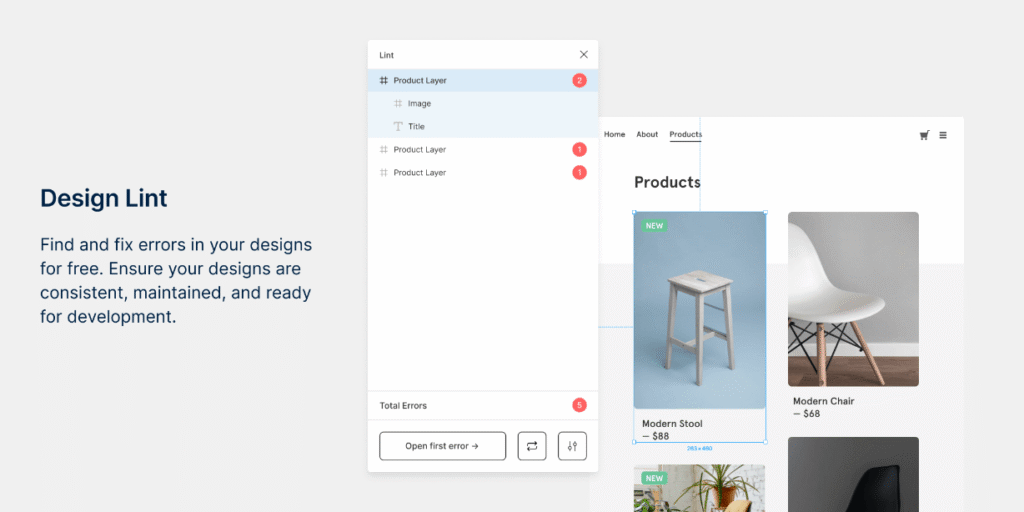
Primary Function: AI-powered design consistency and quality checking
Productivity Gain: 80% reduction in manual design QA time
Best For: Design teams maintaining large design systems and component libraries
Automated Quality Assurance
Design Lint applies AI to automatically identify inconsistencies, errors, and quality issues across Figma files—work that traditionally requires hours of manual checking.
Key Detection Capabilities:
Color inconsistencies. Identifies colors that don’t match design system specifications.
Typography errors. Finds text using incorrect fonts, sizes, or line heights.
Spacing violations. Detects improper spacing that breaks design system standards.
Naming convention errors. Identifies layers and components with incorrect naming patterns.
Missing documentation. Flags undocumented components and patterns.
Productivity Improvements
Design teams using Design Lint report:
- Reducing design QA from 4-6 hours to 30-45 minutes per project
- Catching 90% of design system violations automatically
- Improving design system adoption through automated enforcement
- Accelerating design reviews and approval processes
Strategic Value
For large design teams, automated QA:
- Maintains design system integrity at scale
- Reduces manual review burden on senior designers
- Improves onboarding for new team members
- Creates consistent user experiences across products
Integration with Design Systems
Design Lint connects with:
- Figma design libraries
- Design system documentation
- Version control systems
- Team communication tools
Return on Investment
A 20-person design team calculated that Design Lint saves approximately 15-20 hours weekly—equivalent to one full-time designer focused solely on quality assurance.
Pricing: Free to install; Premium features from $10/month
13. Neurons Predict: The Neuromarketing AI Platform
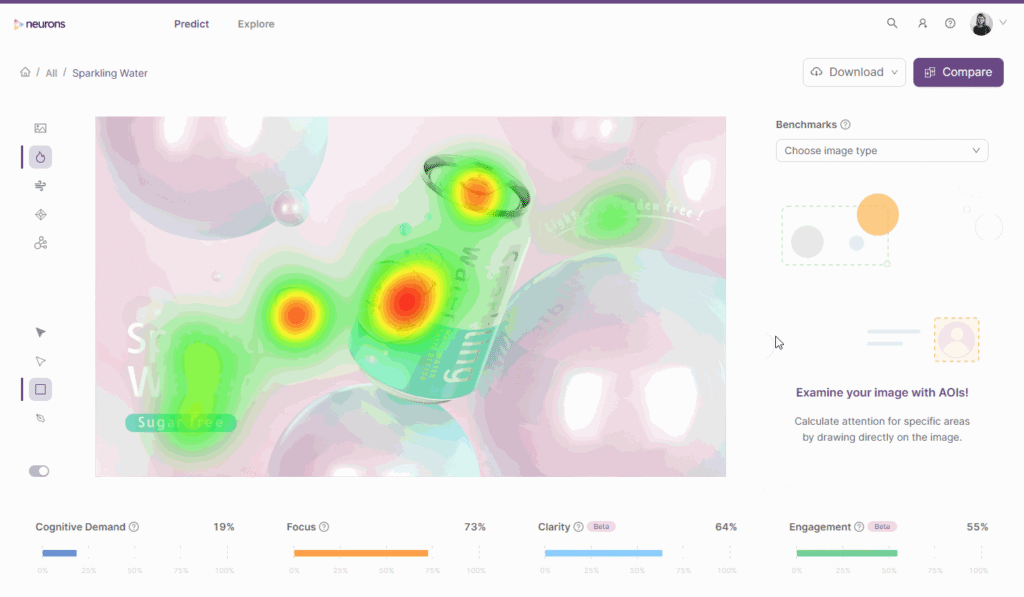
Primary Function: AI-powered prediction of user attention and engagement
Productivity Gain: 40-50% faster design validation and optimization
Best For: Marketing designers optimizing conversion-critical interfaces
Predicting User Behavior with Neuroscience
Neurons combines AI with neuroscience research to predict where users will focus attention, what will capture interest, and how designs will perform—before user testing.
AI-Powered Capabilities:
Attention prediction. Heatmaps showing where users will look first and longest.
Engagement forecasting. Predictions of emotional responses and engagement levels.
Cognitive load analysis. Identifies designs that overwhelm or confuse users.
A/B test prediction. Forecasts which design variations will perform better.
Conversion optimization. Suggests design changes to improve conversion rates.
Validation Speed Improvements
Marketing teams using Neurons report:
- Reducing design validation cycles from weeks to days
- Testing 5-10x more design variations
- Improving conversion rates by 15-25% through AI-informed optimization
- Reducing user testing costs through predictive validation
When Neurons Adds Maximum Value
High-stakes landing pages, conversion-critical checkouts, advertising creatives, and homepage redesigns benefit most from predictive validation.
Limitations
While AI predictions are accurate for attention and basic engagement, complex behavioral patterns still require real user testing. Use Neurons to prioritize what to test, not replace testing entirely.
Real-World Results
An e-commerce company used Neurons to optimize their checkout flow. AI predictions identified 3 friction points that user testing confirmed. Implementing fixes increased conversion by 23%—with 70% less testing time.
Pricing: Custom enterprise pricing based on usage
14. Magician for Figma: The AI Design Assistant Plugin
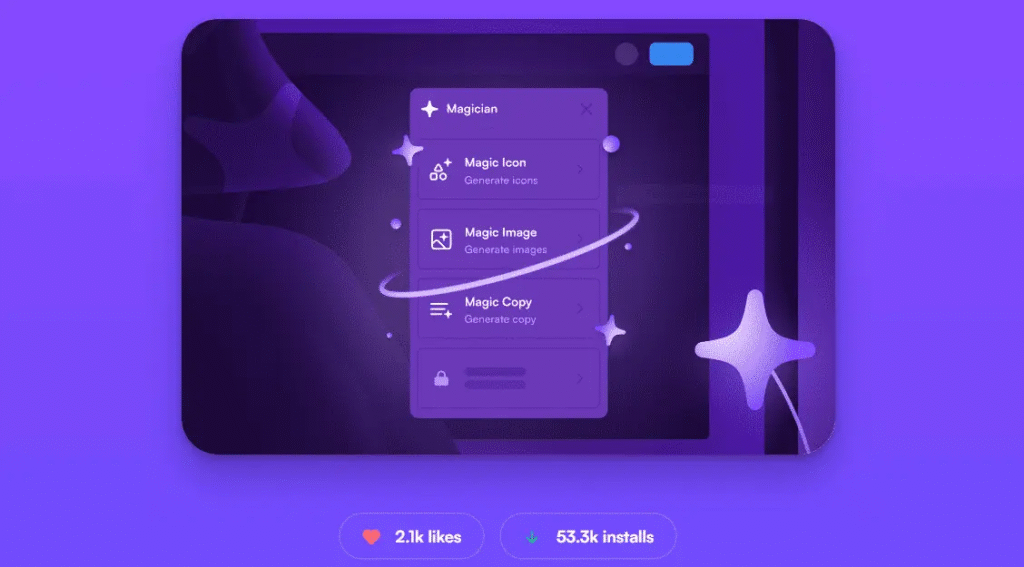
Primary Function: Multiple AI-powered design assistance capabilities
Productivity Gain: 50-60% faster asset creation and copywriting
Best For: Designers needing versatile AI assistance directly in Figma
The Swiss Army Knife of Design AI
Magician brings multiple AI capabilities directly into Figma—eliminating context switching and accelerating various design tasks.
Integrated AI Features:
Icon generation. Create custom icons from text descriptions.
Image generation. Generate illustrations and graphics matching your design language.
Copy assistance. Write UX copy, headlines, and product descriptions.
Layout suggestions. Receive AI-powered layout recommendations.
Style transfer. Apply visual styles across multiple design elements.
Productivity Benefits by Task:
Asset creation reduces from hours to minutes, placeholder content generates instantly, copywriting accelerates by 60%, and design exploration expands 3-4x.
Plugin Ecosystem Strategy
Many designers use multiple specialized AI plugins:
- Magician for versatile AI assistance
- Design Lint for quality checking
- Automator for repetitive task automation
- Content Reel for real data population
This stack approach maximizes AI productivity across different workflow stages.
Learning Curve
Magician requires minimal onboarding—most designers become productive within 15-30 minutes. The key is understanding when AI suggestions need human refinement.
Best Practices
Use AI for: rapid ideation, placeholder content, exploring variations, and repetitive tasks.
Apply human judgment for: final quality decisions, brand alignment, user experience validation, and strategic design choices.
Pricing: Free plan available; Pro plans from $12/month
Discover advanced Figma techniques
15. UXPin Merge: The Code-Based Design System
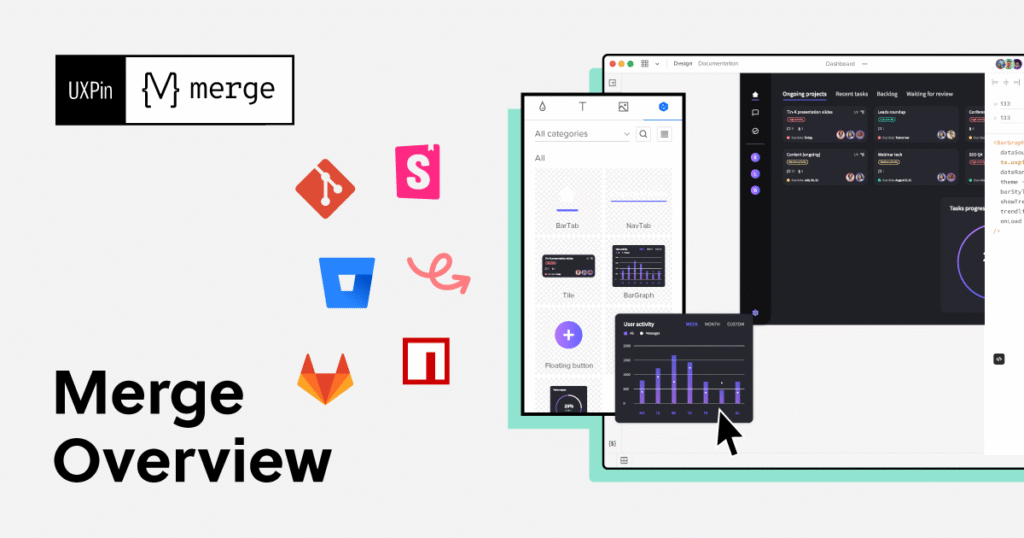
Primary Function: Connect design directly to production code components
Productivity Gain: 70% reduction in design-to-development handoff time
Best For: Design teams working with established component libraries
Designing with Real Code
UXPin Merge represents a fundamental shift: instead of designing visual representations of interfaces, designers work with actual production code components.
Revolutionary Approach:
Code component integration. Import your React, Vue, or Angular components directly into the design environment.
True interactivity. Prototypes behave exactly like production code because they use production code.
Automatic synchronization. Component updates in code immediately reflect in designs.
Developer handoff elimination. What designers create IS the production code structure.
Design system consistency. Impossible to create designs that can’t be built—designers only use real components.
Productivity Transformation
Teams using UXPin Merge report:
- Eliminating 80% of design-development back-and-forth
- Reducing design-to-deployment time by 60-70%
- Removing design-code inconsistencies entirely
- Accelerating feature delivery by 40%
Implementation Requirements
UXPin Merge requires:
- Existing component library (React, Vue, etc.)
- Developer setup and integration effort
- Design team training on code-based workflows
- Organizational commitment to component-driven design
When the Investment Makes Sense
Large product teams with established design systems, companies struggling with design-dev handoff inefficiencies, and organizations building complex, component-heavy applications benefit most.
Strategic Impact
UXPin Merge doesn’t just improve productivity—it fundamentally changes how design and development teams collaborate. The investment pays off through:
- Faster feature delivery
- Higher design system adoption
- Improved product quality
- Reduced technical debt
Pricing: Professional plans from $24/month; Enterprise pricing available
Implementing AI Tools: A Strategic Framework
Understanding tool capabilities is just the beginning. Successful implementation requires strategic thinking and change management.
The Adoption Roadmap
Phase 1: Experimentation (Weeks 1-4)
Start with free trials and basic plans. Test 3-5 tools aligned with your biggest productivity bottlenecks. Measure baseline productivity metrics before adoption. Identify power users who can become internal champions.
Phase 2: Focused Integration (Weeks 5-12)
Select 2-3 tools with proven value. Invest in team training and onboarding. Establish best practices and workflow guidelines. Document productivity improvements and ROI.
Phase 3: Optimization (Months 4-6)
Refine workflows based on team feedback. Expand to additional tools that complement existing stack. Measure comprehensive productivity improvements. Share successes to encourage broader adoption.
Phase 4: Scaling (Months 7-12)
Standardize AI tool usage across teams. Integrate AI capabilities into design system documentation. Continuously evaluate new tools and capabilities. Train new team members on AI-enhanced workflows.
Measuring ROI
Track these metrics to quantify AI tool impact:
Time savings: Hours saved on specific tasks (wireframing, asset creation, documentation).
Output volume: Increase in deliverables produced in same timeframe.
Quality improvements: Reduction in revision cycles and design errors.
Team satisfaction: Designer happiness and reduced burnout.
Business outcomes: Faster time-to-market and improved product quality.
Overcoming Common Challenges
Challenge: Tool overload and decision paralysis
Solution: Start with one tool addressing your biggest pain point. Add tools incrementally based on demonstrated value.
Challenge: Team resistance to AI adoption
Solution: Focus on AI as enhancement, not replacement. Demonstrate time savings on tedious tasks that free designers for creative work.
Challenge: Quality concerns with AI outputs
Solution: Establish clear review processes. Use AI for initial generation; apply human judgment for refinement.
Challenge: Integration with existing workflows
Solution: Choose tools with strong integrations to your current design platform. Implement gradually rather than wholesale replacement.
Challenge: Budget constraints
Solution: Calculate ROI based on time savings. Many tools offer free tiers for proof-of-concept.
Learn more about UX process optimization
The Skills Evolution: What Designers Need in 2026
AI tool adoption doesn’t diminish designer value—it elevates it. But the skill mix is evolving.
Essential Skills for 2026
AI Literacy: Understanding AI capabilities, limitations, and appropriate applications. Learning to prompt effectively for best results.
Strategic Thinking: Moving beyond execution to solve higher-level user experience challenges. Connecting design decisions to business outcomes.
Research Synthesis: Interpreting AI-generated insights with human judgment and contextual understanding.
System Design: Creating comprehensive design systems that leverage AI automation while maintaining human oversight.
Cross-Functional Collaboration: Working effectively with AI-augmented development, product, and research teams.
Ethical AI Use: Understanding bias, privacy, and responsible AI implementation in design contexts.
The Human-AI Partnership
The most successful designers in 2026 don’t choose between AI and human creativity—they leverage both strategically.
AI excels at: Pattern recognition, rapid generation, processing large datasets, identifying inconsistencies, and automating repetitive tasks.
Humans excel at: Understanding context and nuance, making ethical judgments, creative problem-solving, empathetic user understanding, and strategic decision-making.
Optimal workflow: Use AI to accelerate execution and exploration. Apply human judgment to validate, refine, and make strategic choices. Leverage AI for breadth; apply human expertise for depth.
Real-World Success Stories
Let’s examine how different organizations are achieving the 126% productivity gains through strategic AI adoption.
Case Study 1: E-Commerce Startup (Team Size: 8 Designers)
Challenge: Rapidly launching new product categories required constant design iteration, but small team couldn’t keep pace.
AI Tools Adopted: Figma AI for prototyping, Midjourney for product visualization, ChatGPT for UX copy, and Design Lint for quality assurance.
Implementation: 3-month gradual rollout with weekly training sessions. Established clear guidelines for when to use AI versus traditional methods.
Results After 6 Months:
- Product launch cycle reduced from 6 weeks to 3.5 weeks (42% improvement)
- Design team producing 2.3x more deliverables
- Quality scores maintained at 92% (no decline despite faster pace)
- Team satisfaction improved due to reduced “grunt work”
- ROI: $180,000 annual savings vs $15,000 tool investment
Case Study 2: Enterprise SaaS Company (Team Size: 45 Designers)
Challenge: Maintaining design system consistency across 200+ components and 15 product lines.
AI Tools Adopted: UXPin Merge for code-component design, Design Lint for automated QA, and Claude AI for documentation.
Implementation: 6-month enterprise rollout with dedicated change management support. Started with one product team before expanding.
Results After 12 Months:
- Design-to-development time decreased 68%
- Design system adoption increased from 61% to 94%
- Component inconsistencies reduced by 87%
- Developer-designer conflicts decreased 73%
- Estimated value: $2.1M in productivity gains annually
Case Study 3: Digital Agency (Team Size: 12 Designers)
Challenge: Client demands for faster turnaround conflicted with maintaining quality standards.
AI Tools Adopted: Relume AI for website wireframing, Adobe Firefly for asset creation, Neurons for conversion optimization.
Implementation: Individual designer experimentation period followed by team standardization of proven workflows.
Results After 9 Months:
- Client project turnaround decreased 52%
- Agency capacity increased by 35% without additional hires
- Client satisfaction scores improved from 8.1 to 8.9
- Average project profitability increased 28%
- Competitive advantage: Consistently underbid competitors on timeline
The 2026 Competitive Landscape
Understanding where the market is heading helps inform tool selection and adoption timing.
Emerging Trends
AI-Native Design Platforms: New tools built from the ground up with AI at the core, rather than AI features added to existing platforms.
Predictive UX: AI that doesn’t just assist with execution but predicts user behavior and suggests proactive design improvements.
Multimodal AI: Tools that combine text, image, and interaction generation in single workflows.
Specialized Industry AI: Design tools trained on industry-specific patterns (healthcare UX, fintech interfaces, enterprise software).
Collaborative AI: Systems that facilitate human-AI-human collaboration rather than just individual designer-AI interaction.
Market Consolidation
Expect continued consolidation as larger platforms acquire AI startups:
- Adobe continuing Creative Cloud AI integration
- Figma expanding AI capabilities post-acquisition discussions
- Microsoft/GitHub bringing AI to designer-developer workflows
- Google integrating AI across web and mobile design tools
Investment Patterns
The AI design tool market is attracting significant venture capital:
- $5+ billion in AI design tool investments expected by 2026
- 50+ well-funded startups competing for market share
- Major platforms investing billions in AI R&D
- Open-source AI design tools gaining traction
Your Competitive Position
Organizations embracing AI now will establish:
- Process advantages competitors must catch up to
- Cultural norms around AI-augmented design
- Talent attraction through modern tooling
- Market positioning as innovation leaders
Organizations delaying adoption risk:
- Falling behind on delivery speed
- Losing talent to AI-forward companies
- Competitive disadvantages in time-to-market
- Higher costs to catch up later
Ethical Considerations and Responsible AI Use
The productivity gains from AI tools come with important ethical responsibilities.
Key Ethical Concerns
Bias and Representation: AI tools trained on historical data may perpetuate existing biases. Designers must critically evaluate AI outputs for representation issues.
Accessibility: Some AI tools may generate content that doesn’t meet accessibility standards. Human validation remains essential.
Intellectual Property: Questions around ownership of AI-generated content require clear policies and legal understanding.
Privacy: AI tools processing user research data must comply with privacy regulations and ethical standards.
Disclosure: Users have a right to know when AI significantly influenced design decisions affecting their experience.
Job Displacement: While AI augments designer capabilities, organizations must consider workforce impacts and retraining opportunities.
Best Practices for Ethical AI Use
Establish clear guidelines: Document when and how AI tools should be used. Define required human oversight for AI-generated content.
Maintain transparency: Disclose AI use to stakeholders and users when appropriate. Track AI’s influence on design decisions.
Implement validation processes: Never publish AI-generated content without human review. Test AI-assisted designs with diverse user groups.
Respect intellectual property: Understand tool training data sources and licensing. Use AI tools with commercial-use guarantees for client work.
Prioritize accessibility: Audit AI outputs for accessibility compliance. Use AI accessibility checking tools as starting points, not endpoints.
Protect privacy: Choose tools with strong data protection policies. Never feed sensitive user data to public AI tools.
Support workforce development: Invest in training designers to work with AI effectively. Position AI as enhancement rather than replacement.
The Path Forward: Your Action Plan
You now understand the tools, the data, and the strategic considerations. Here’s how to move forward.
Immediate Next Steps (This Week)
Identify your biggest productivity bottleneck. Where do you and your team spend the most time on tasks that feel repetitive or mechanical?
Select one tool to pilot. Based on your bottleneck, choose a single AI tool with a free trial or low-cost entry option.
Establish baseline metrics. Measure how long current processes take before implementing AI assistance.
Test with a low-risk project. Don’t stake critical deliverables on unproven tools. Start with internal work or early-stage concepts.
Short-Term Goals (Next 30 Days)
Expand to 2-3 complementary tools. Build a stack addressing different workflow stages rather than overlapping capabilities.
Document your workflow changes. Create simple guides showing before/after processes for future reference.
Calculate initial ROI. Track time savings and quality improvements. Document wins and challenges.
Share learnings with your team. Present findings to encourage broader adoption and gather feedback.
Medium-Term Objectives (Next 90 Days)
Formalize AI integration. Establish team guidelines for AI tool use. Standardize workflows across team members.
Invest in training. Allocate time for team members to develop AI literacy and tool proficiency.
Measure comprehensive impact. Evaluate productivity improvements across multiple metrics.
Refine your tool stack. Drop tools that didn’t deliver value. Double down on tools showing strong ROI.
Long-Term Vision (Next 12 Months)
Achieve full AI integration. Make AI-augmented workflows the default rather than the exception.
Develop internal expertise. Cultivate AI power users who can train others and optimize processes.
Expand strategically. As tools mature and team proficiency grows, explore advanced capabilities.
Measure business impact. Connect AI adoption to business outcomes like faster time-to-market and improved product quality.
Start your UX transformation today
Conclusion: The 126% Gain Is Within Reach
The data is clear and compelling:
Programmers code 126% more projects weekly with AI tools. Business professionals write 59% more documents per hour. Customer service agents handle 13.8% more inquiries. And UX designers are experiencing similar transformative productivity improvements.
But these gains don’t happen automatically. They require:
Strategic tool selection based on your specific workflow bottlenecks and team needs.
Thoughtful implementation that complements human expertise rather than attempting to replace it.
Continuous optimization as both tools and your understanding of their best uses evolve.
Ethical consideration ensuring productivity gains don’t come at the cost of quality, accessibility, or responsible design.
The 15 AI-powered tools covered in this guide represent the current frontier of design productivity enhancement. From Figma AI’s collaborative prototyping to UXPin Merge’s code-based design systems, from Adobe Firefly’s commercial-safe asset generation to Maze AI’s research acceleration—each tool addresses specific productivity challenges with measurable results.
The question isn’t whether to adopt AI tools. With 71% of UX professionals believing AI will shape the future of the field, and 62% already using AI-driven tools, the question is when and how to integrate these capabilities into your workflow.
The teams experiencing 126% productivity improvements started where you are now—curious, perhaps skeptical, but willing to experiment. They began with single tools addressing their biggest pain points. They measured results. They refined their approaches. And they discovered that AI doesn’t replace designer value—it amplifies it.
Your competitive advantage in 2026 won’t come from choosing between human creativity and AI capabilities. It will come from mastering the strategic combination of both.
The productivity revolution is here. The tools are available. The ROI is proven.
The only question remaining is: when will you start?
Further Resources
Continue Your AI Design Journey
For more insights on UX design, AI tools, and productivity optimization, explore these resources:
UX Design Blog – Weekly articles on design trends, tools, and best practices
Tools Referenced in This Article
- Figma AI – https://figma.com
- Adobe Firefly – https://adobe.com/firefly
- ChatGPT – https://openai.com/chatgpt
- Uizard – https://uizard.io
- Midjourney – https://midjourney.com
- Claude AI – https://claude.ai
- Relume AI – https://relume.io
- Maze AI – https://maze.co
- Khroma – https://khroma.co
- Visily – https://visily.ai
- Fronty – https://fronty.com
- Design Lint – Available in Figma plugin marketplace
- Neurons Predict – https://neurons.com
- Magician – Available in Figma plugin marketplace
- UXPin Merge – https://uxpin.com/merge
Industry Research Sources
- Nielsen Norman Group – https://nngroup.com
- UX Design Institute – https://uxdesigninstitute.com
- Interaction Design Foundation – https://interaction-design.org
- Adobe Design Research Reports
- Figma Annual Design Reports
About the Author
Sanjay Dey is a Web Designer, UX/UI Designer, and Digital Marketing Expert specializing in AI-enhanced design workflows. With extensive experience implementing AI tools in real-world design projects, Sanjay helps organizations transform their design processes through strategic technology adoption.
Connect on LinkedIn or visit sanjaydey.com for more insights on modern UX design practices.
Keywords: AI UX design tools 2026, productivity boost design, Figma AI, Adobe Firefly, UX designer productivity, AI-powered prototyping, design automation, UX research AI, 126% productivity increase, AI design workflow, machine learning UX, generative AI design, design tool comparison 2026, UX tool productivity metrics, AI design system tools
Leave a Reply